39
BASIC OPERATION
• When the data input to KB-50 is set to "always newest"
The newest data of RM and CL are set to the CV-5000.
Select the measurement data of RM or CL to be set in the CV-5000 with [Settings].
If there is only one data (RM or CL), the data is set in the CV-5000.
• When the data input to KB-50 is set to "always newest (select)"
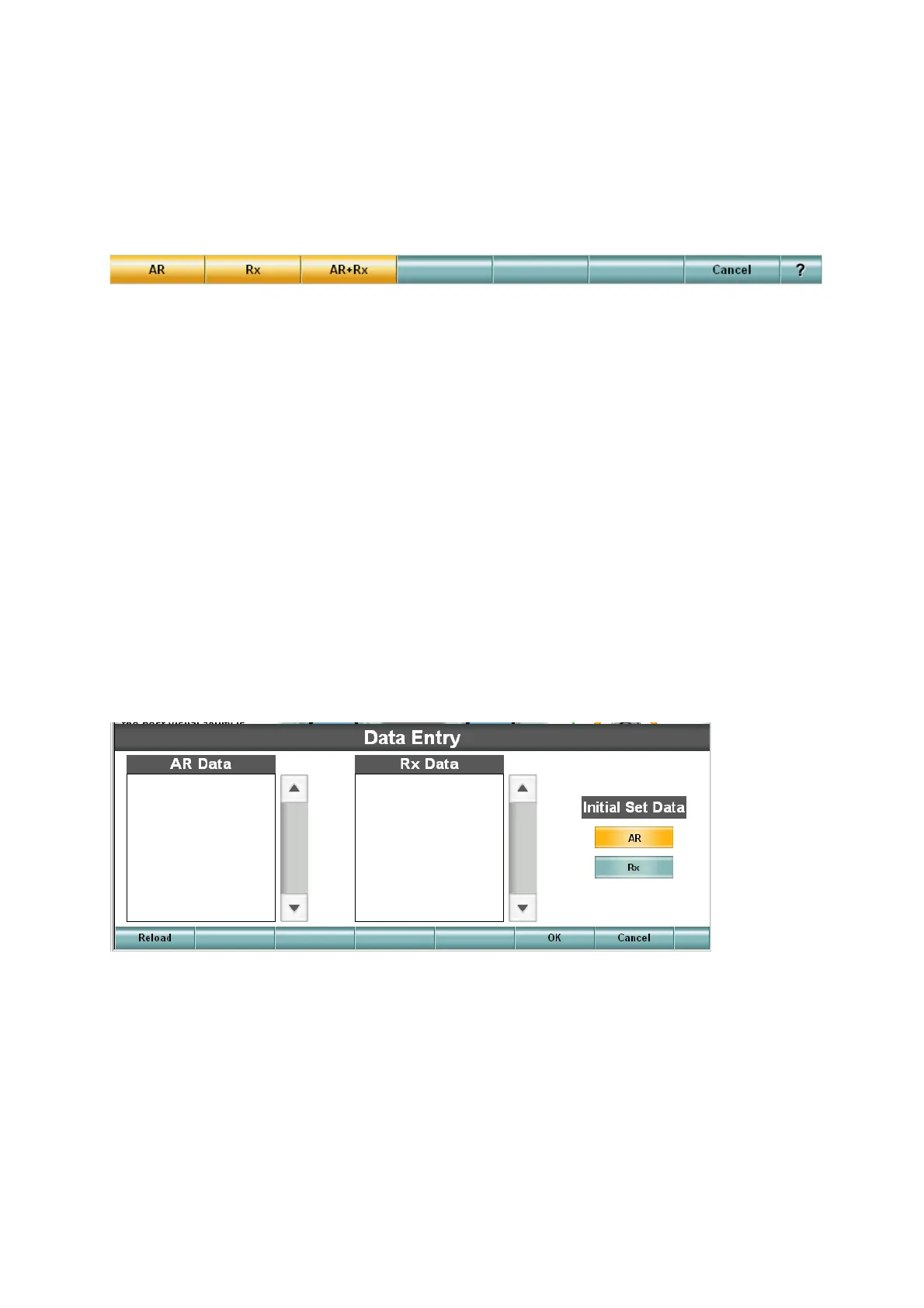
The function buttons are displayed as shown below.
Select the measurement data to be set in the CV-5000.
• When you select [RM/KR]
The measurement data of the auto refractometer or auto keratometer is registered as the objective data.
The lens of the objective data is set in the CV-5000.
• When you select [CL]
The measurement data of the lens meter is registered as the eyeglass data.
The lens of the eyeglass data is set in the CV-5000.
• When you select [RM/KR+CL]
The measurement data of the auto refractometer or auto keratometer is registered as the objective data.
The measurement data of the lens meter is registered as the eyeglass data.
Select the measurement data of RM or CL to be set in the CV-5000 with [Settings].
If there is only one data (RM or CL), the data is set in the CV-5000.
• When the data input to KB-50 is set to "Select"
The "Data Entry" screen appears to specify the data to be read among the data of the external devices.
• When you select the RM/KR data
1 The IDs of the data measured by the auto refractometer/keratometer are displayed for the RM/
KR data.
2 Touch the ID of the patient.
3 If ID is not displayed, touch the [Reload] button.
4 Touch the [OK] button.
5 The data is registered as the objective data and the lens is set in the CV-5000.



 To Next Page