18
PREPARATIONS
PREPARATIONS
INSTALLATION
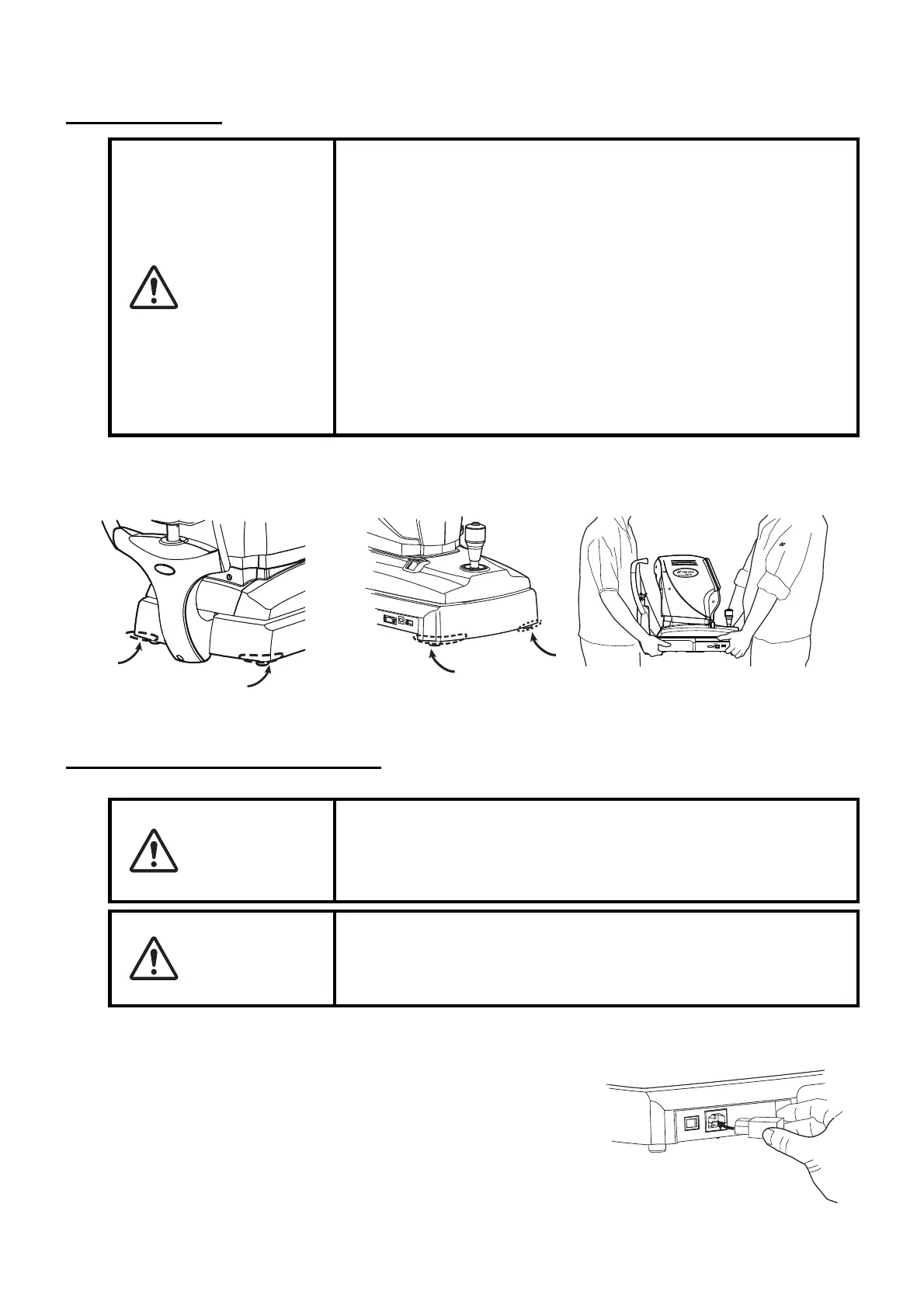
1 Firmly hold the instrument at the position shown below and place it on the automatic instrument
table. For the adjustable instrument table, see "OPTIONAL ACCESSORIES" on page 75.
CONNECTING POWER CABLE
1 Make sure the POWER switch of the instrument is OFF.
2 Connect the power cable to the power inlet at the right side
of the instrument.
3 Insert the power cable plug into the 3-pin AC grounding
receptacle.
CAUTION
• When moving the instrument, two people should lift from the bot-
tom of the device.
One person lifting the device may cause harm to his back or
injury by falling parts.
• When holding the bottom of the instrument, avoid touching a pro-
jection of screws to prevent injuries.
• To prevent damage and injuries, do not hold the part of anything
but bottom. If you hold, it may cause to catch the finger or to
damage the instrument by falling.
• To prevent damage and injuries, do not install the instrument on
an uneven, unsteady or sloped surface.
• When setting an instrument on an instrument table, pay attention
not to injury the patient's fingers between the instrument and the
table.
WARNING
Be sure to connect the power plug to an AC 3-pin receptacle
equipped with grounding. Connection with receptacle without
grounding may cause fire and electric shock in case of short-
circuiting.
CAUTION
• To avoid electric shocks, do not handle the power plug with wet
fingers.
• The power cable in standard accessories for this instrument can-
not use besides this instrument.
Holding positions
Holding the instrument



 To Next Page