20
PREPARATIONS
PRINTER PAPER SETTING
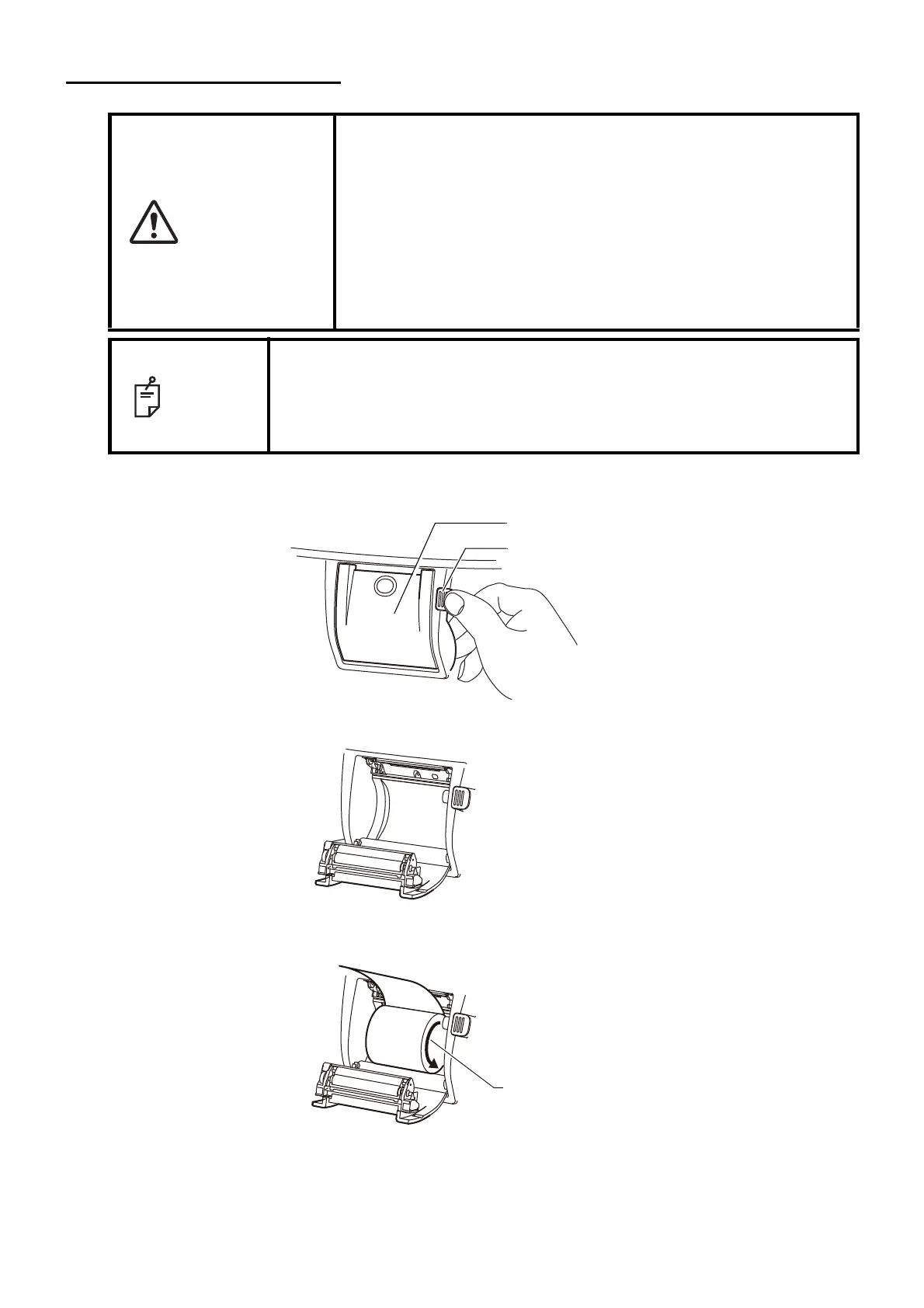
1 Press the printer cover open button to open the printer cover.
2 Open the printer cover to the limit.
3 Insert the printer paper in the direction shown below and pull out the paper end to your side by 7
to 8cm.
CAUTION
• When setting a printer paper, keep a patient's face away from the
instrument. Some part of the instrument may touch the patient's
lip or nose if the printer cover open button is pressed.
• To avoid failure or potential injury, do not open the printer cover
while the printer is in operation.
• To avoid potential injury in case of malfunction, including a paper
jam, be sure to shut off the power before attempting to repair it.
• To avoid potential injury, do not touch the printer body including
metal parts or the paper cutter, while the printer is in operation or
when replacing the printer paper.
NOTE
• If you insert the printer paper backwards, printing will not start.
• Please push the printer cover OPEN button using your right thumb while
placing your index and middle fingers on the projecting part which is in
reverse side below the switch. Unexpected movement is avoided when
the printer cover OPEN button is pressed.
Printer cover
Printer cover open button



 To Next Page