40
OPTIONAL OPERATIONS
MEASUREMENT OF CORNEA DIAMETER
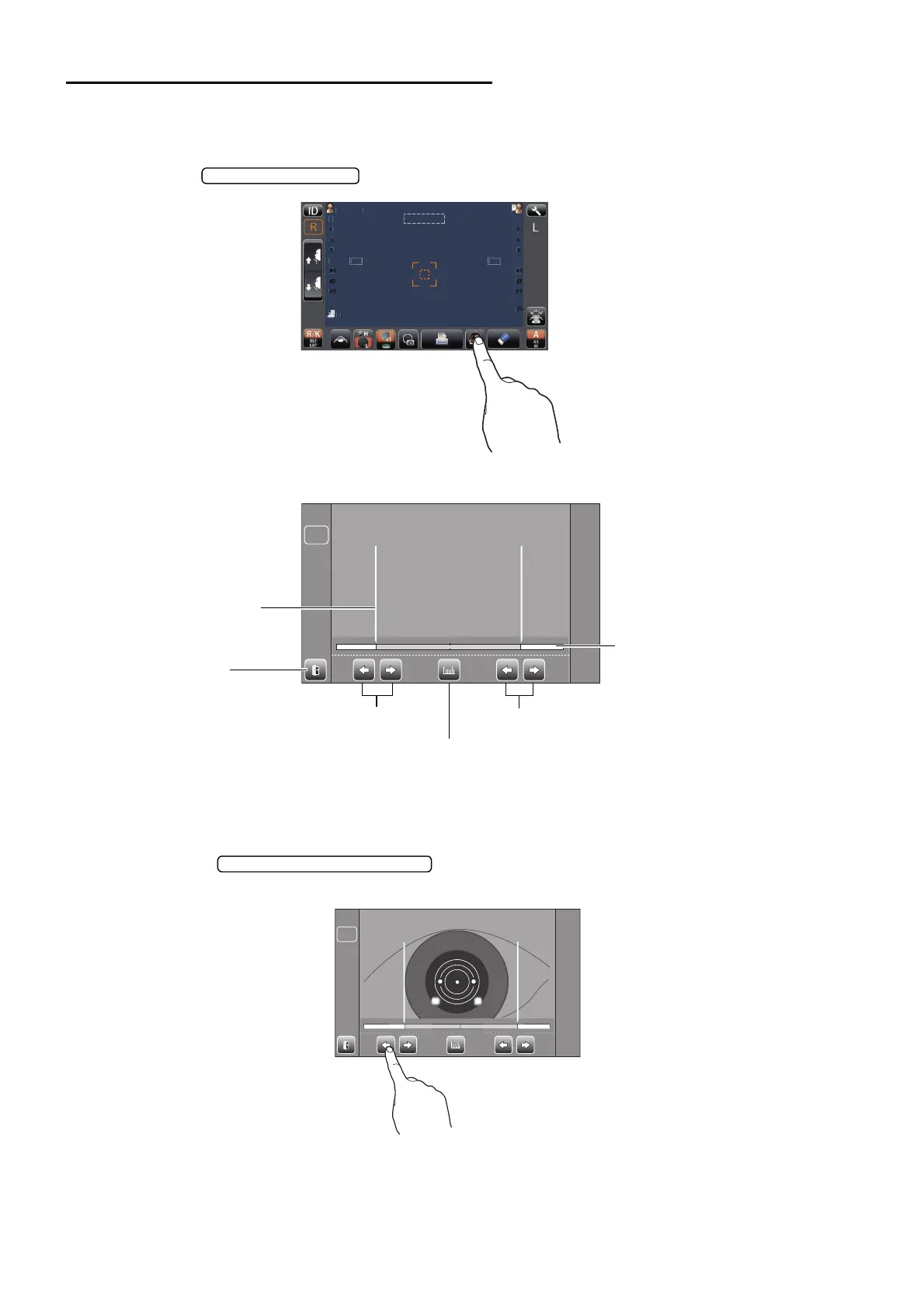
MEASUREMENT ON THE ACTUAL IMAGE
1 Tap the button.
2 The Cornea Diameter Measurement screen is displayed, and the positioning bar is displayed.
3 When the pupil is displayed, moves the measuring head so that the pupil image and alignment
dot are at the center of the screen.
4 Using the button (L), move the left positioning bar to the left end of
the iris from the control panel side.
PatientI
PatientID
0/3
0/3
0/3
0/3
12.
12.
0/3
0/3
0/3
0/3
OPCON
R:0.00R : 0 .0 0 L:0.00L : 0 .0 0
LR
Positioning bar
Positioning bar control button (L)
Positioning bar control button (R)
Measurement button
Exit button
Positioning bar
R/L balance display
R:0.00R : 0 . 0 0 L:0.00L : 0 . 0 0
LR



 To Next Page