EasyManua.ls Logo

Topcon KR-800A - Alignment and Measurement

Topcon KR-800A
80 pages
Print Icon
To Next Page IconTo Next Page
To Previous Page IconTo Previous Page
Loading...
30
BASIC OPERATIONS
BASIC OPERATIONS
MEASUREMENT IN AUTO SHOOT MODE
ALIGNMENT AND MEASUREMENT
1 Align as same manners for 5 at "ALIGNMENT AND MEASUREMENT" (page 25) in Semi-auto
mode, until the Z alignment arrows appear.
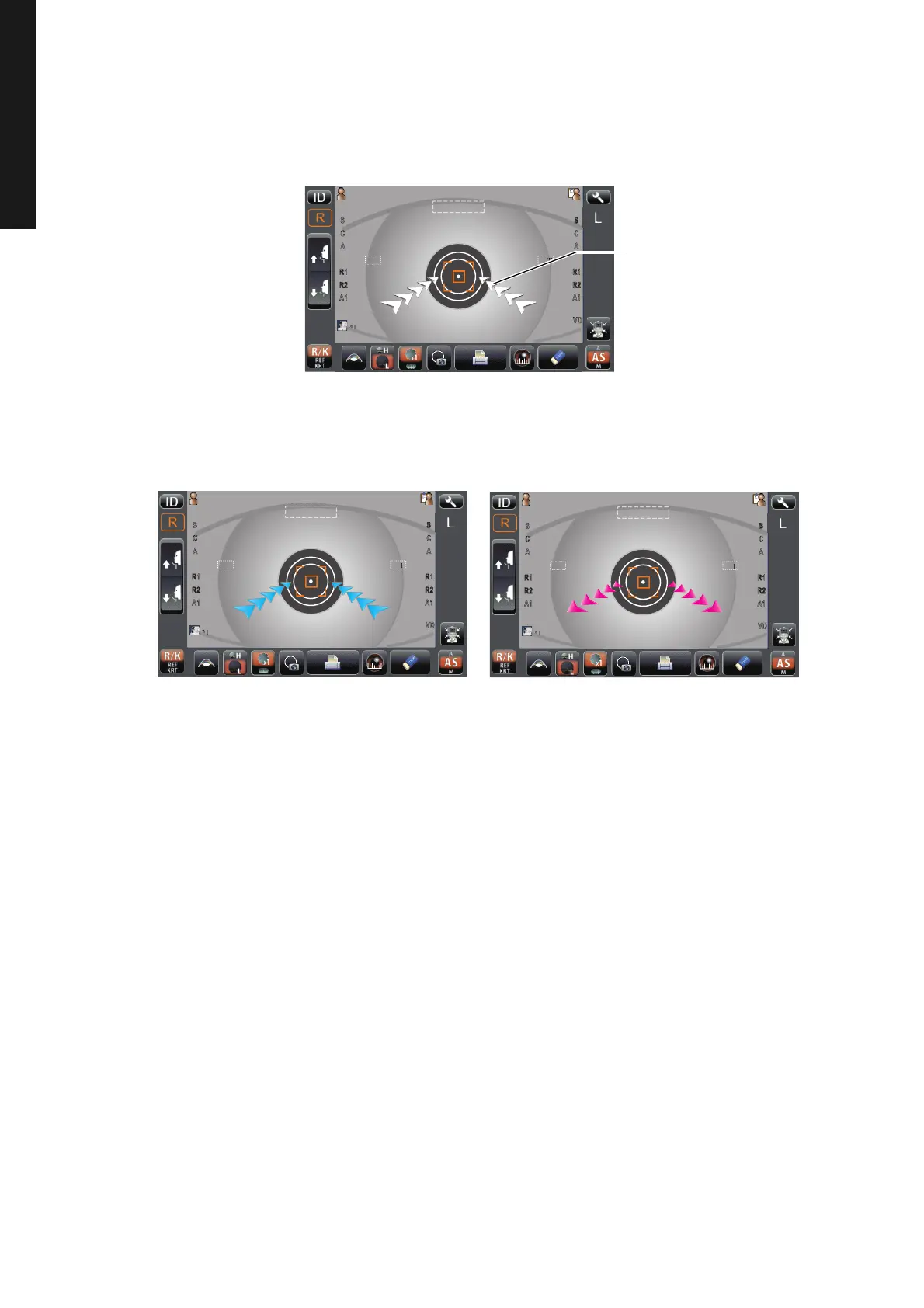
2 Move the measuring head to the direction of the arrows indicated by operating the control
lever. The number of arrows is reduced accordingly as the measuring range comes closer.
P
a
tientI
D
PatientID
0/3
0/3
0/3
0/3
12.
12.
0/3
0/3
0/3
0/3
1
1
1
R
R
S
S
S
C
C
C
C
C
A
A
K
K
R1
R1
R1
R2
R2
R2
A1
A1
A1
R
R
S
S
S
S
C
C
A
A
K
K
R1
R1
R1
R2
R2
R2
A1
A1
A1
VD
VD
VD
m
m
m
m
mm
T
O
PC
O
N
TAR
OU
TOPCONTAROU
m
mm
m
mm
Auto Shoot
Z alignment arrows
P
a
tientI
D
PatientID
0/3
0/3
0/3
0/3
12.
12.
0/3
0/3
0/3
0/3
1
1
1
R
R
S
SS
C
C
C
C
C
A
A
K
K
R1
R1R1
R2
R2R2
A1
A1A1
R
R
S
S
S
S
C
C
A
A
K
K
R1
R1R1
R2
R2R2
A1
A1A1
VD
VDVD
m
m
m
m
mm
TO
PC
O
NTAR
OU
TOPCONTAROU
m
mm
m
mm
Auto Shoot
P
a
tientI
D
PatientID
0/3
0/3
0/3
0/3
12.
12.
0/3
0/3
0/3
0/3
1
1
1
R
R
S
SS
C
C
C
C
C
A
A
K
K
R1
R1R1
R2
R2R2
A1
A1A1
R
R
S
S
S
S
C
C
A
A
K
K
R1
R1R1
R2
R2R2
A1
A1A1
VD
VDVD
m
m
m
m
mm
TO
PC
O
NTAR
OU
TOPCONTAROU
m
mm
m
mm
Auto Shoot

Table of Contents

Related product manuals