Calibration
Excavator Hitch
36
X-52/X-72 2D Excavator Installation and Calibration Manual P/N: 1022461-01
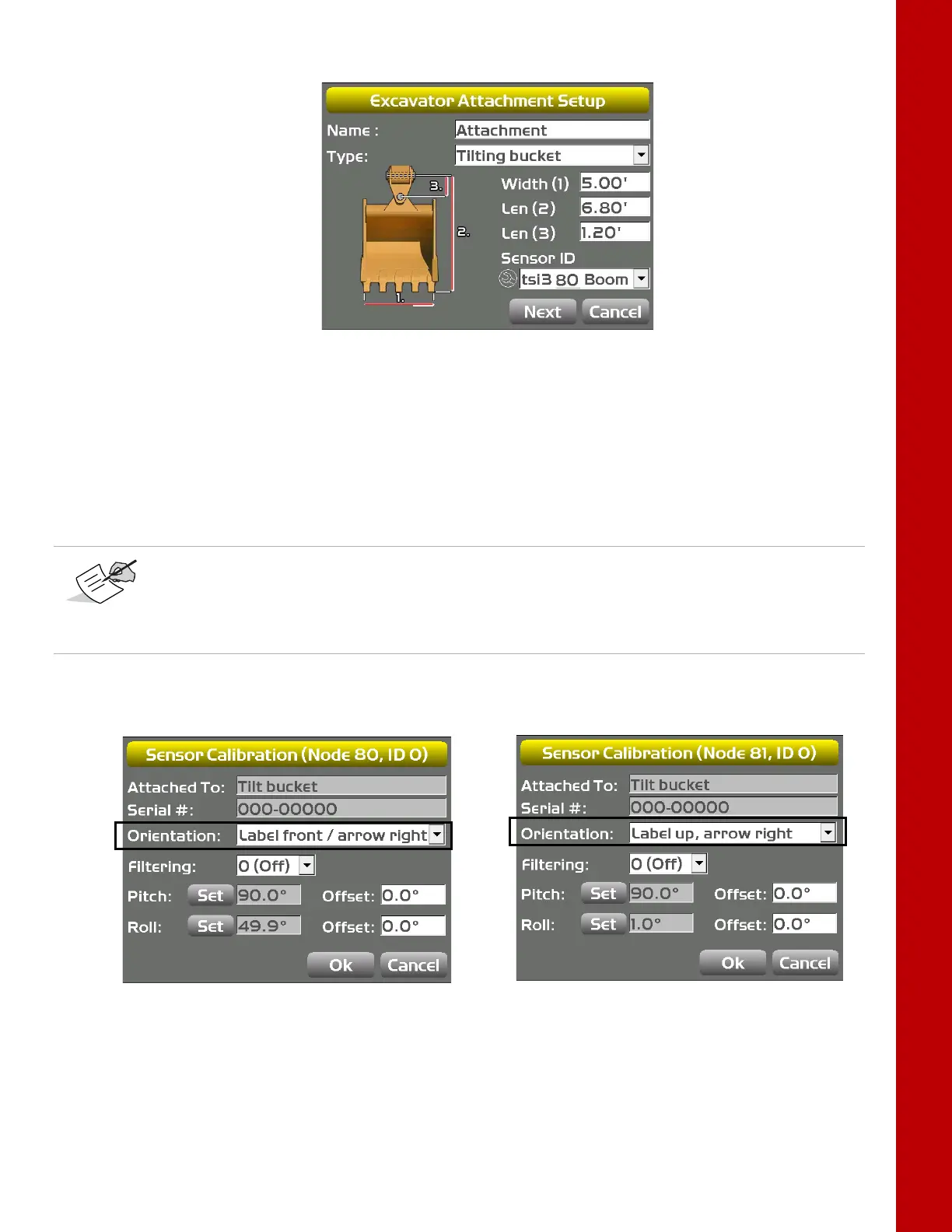
4. Enter a value for the tilt bucket Length (3), and select a Sensor ID for the tilt bucket sensor.
Figure 44: Enter Tilt Bucket Measurements
5. Using a carpenter’s level adjust the bucket until the tilt pin is horizontal.
6. Using a carpenter’s level, adjust the cross slope of the bucket until the bucket is level.
7. In 3D-MC, tap the Wrench icon next to the Sensor ID.
8. Select the sensor’s Orientation based on this position (Figure 45).
Figure 45: Select Tilt Sensor Orientation
Note that the Single-axis TS-i3 sensor orientation is only label front / arrow right or
label back / arrow right.
If using the Dual-axis TS-i3d, the orientation is label up / arrow front, label up / arrow
back, label up / arrow left, or label up / arrow right.
Dual-axis TS-i3d
Single-axis TS-i3



 To Next Page