Machine Calibration
X63/X62 Installation and Calibration Manual
3-10
1. Position the machine on a stable surface free of obstructions.
2. Curl the stick and bucket in as close as possible to reduce tipping
errors.
3. Rotate the body parallel to the tracks (position 1).
4. In 3DMC, tap Topcon LogoControlMachine setup. Select
the applicable machine file for the job and press Edit. Press Next
to navigate to the Excavator Frame/Sensors screen.
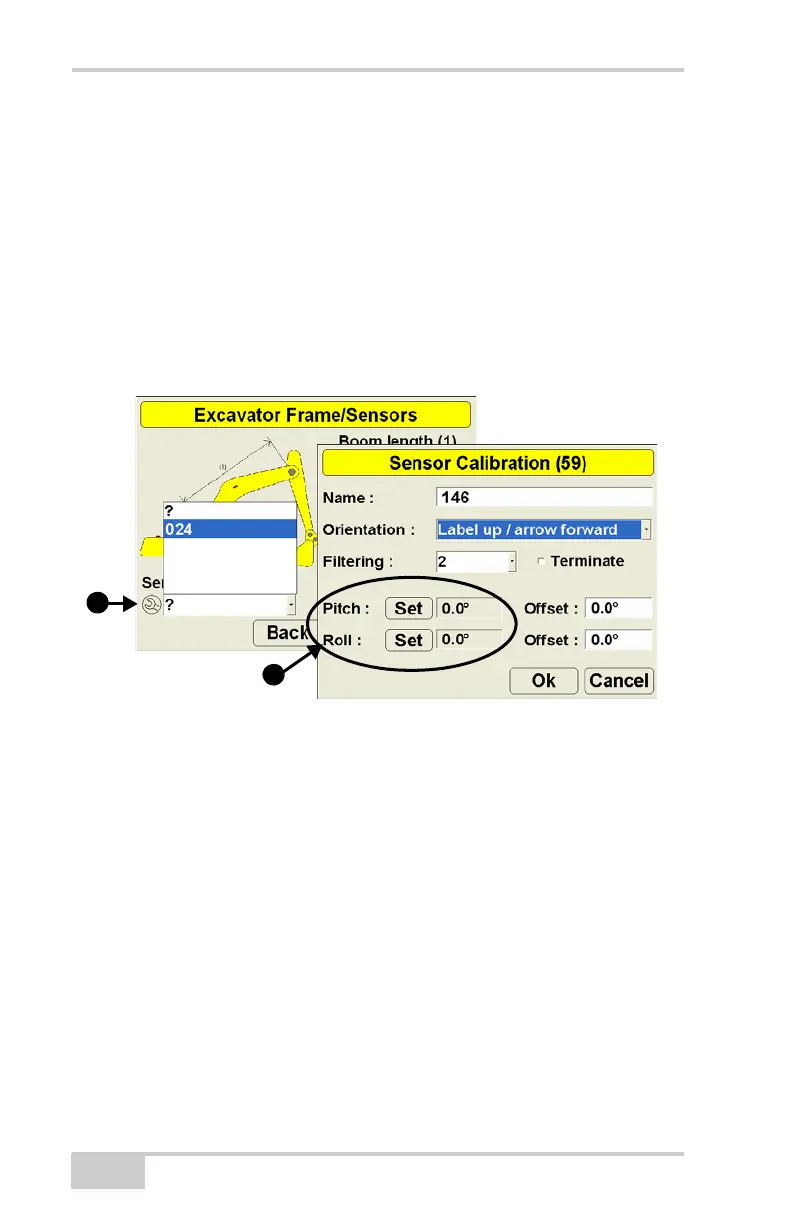
5. Tap the Wrench icon that corresponds to the body sensor.
6. Set both Pitch and Roll values to zero.
Figure 3-7. Set Pitch and Roll Values to Zero
7. Without moving the tracks, rotate the machine 180° (position 2).



 To Next Page