Entering Sensor Information
P/N 7010-0697
3-5
Entering Sensor Information
Power up the system and allow several minutes for the 3DMC
software to detect the sensors.
Before calibrating the sensors on a X63/X62 system, set up each
sensor in 3DMC. You will need the following information:
• the last three digits of the sensor’s serial number
• the physical orientation of the sensor mounting
Step 1: Select the location for each sensor to easily identify it
during the calibration and setup processes.
1. In 3DMC, tap Topcon LogoControlMachine setup.
2. Select a current machine file and press Edit, or press New to
create a new machine file.
Refer to the X63/X62 Reference Manual or the for further
information on creating a machine file.
3. Press Next to navigate to the Excavator Frame/Sensors screen
(Figure 3-1 on page 3-6).
4. Tap any Sensor ID box and select the serial number (last three
digits) of the sensor corresponding to the machine element.
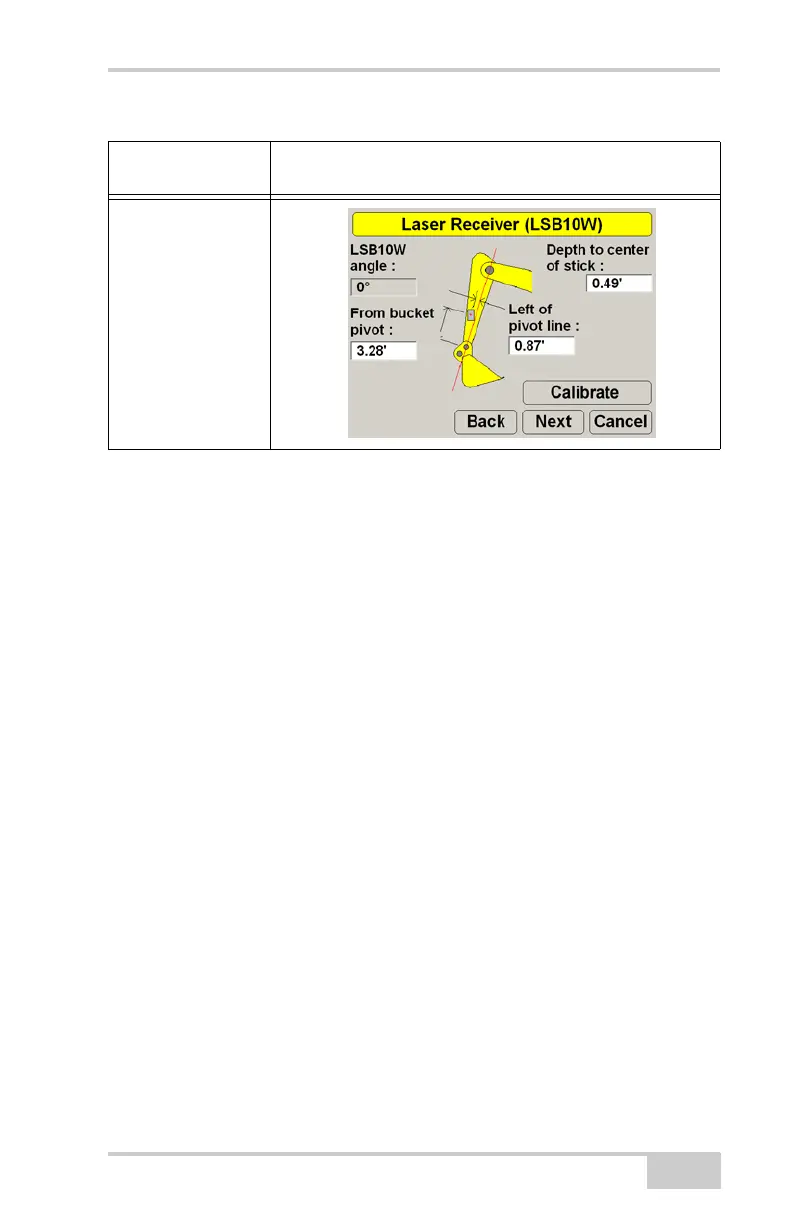
X62 Only:
LS-B10W Laser
Receiver Depth,
Angle to the Stick
Center Line,
Distance from
Bucket to Pivot, and
Distance from Left
of Pivot Line
Table 3-1. Machine Measurements (Continued)
Measurements To
Take
Screen Shot



 To Next Page