LS-B10W Laser Receiver Setup
X63/X62 Installation and Calibration Manual
5-6
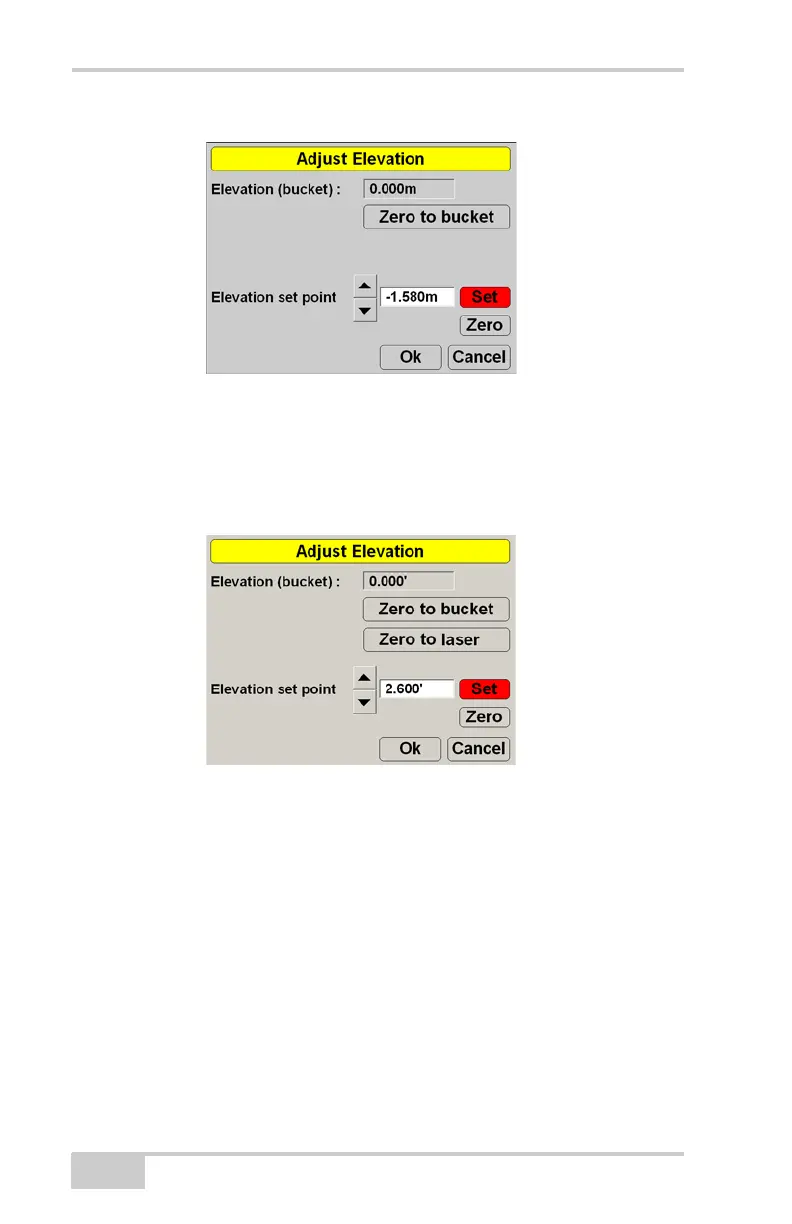
Figure 5-5. Enter Offset
7. Starting with the LS-B10W above the reference laser height,
lower the boom to position the LS-B10W in the laser beam. The
Zero to laser function becomes available. Press Zero to laser
(Figure 5-6).
Figure 5-6. Zero to Laser
8. Place the bucket teeth on the bucket laser reference line and
check that the cut/fill value on the main screen is close to 0.00.
9. Starting with the LS-B10W below the reference laser height, raise
the boom to position the LS-B10W in the laser beam. The Zero
to laser function becomes available. Press Zero to laser
(Figure 5-6).
10. Place the bucket teeth on the bucket laser reference line and
check that the cut/fill value on the main screen is close to 0.00.
11. Repeat steps seven to ten at various points along the reference
line.



 To Next Page