18 RemotEye 4 User Manual – 90988-007
2.5.1 Hard Reset Button
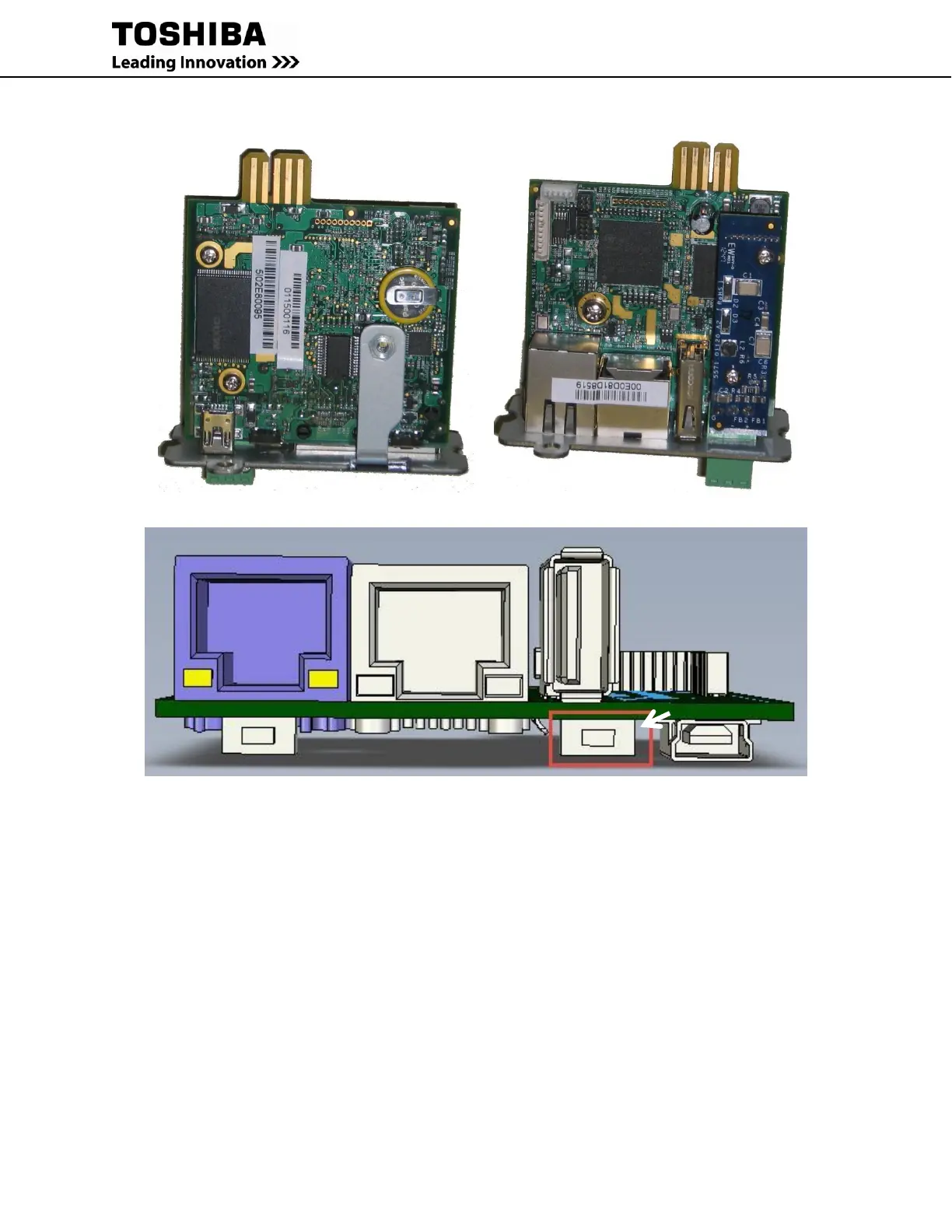
Faceplate Bracket Attachment – Bottom Faceplate Bracket Screw - Top
RemotEye 4 without Faceplate – Front View
Figure 2-2 RemotEye 4 Hard Reset Button Access
If the RemotEye 4 needs to be restored to its initial default values, such as when the RemotEye 4 User Name/
Password become lost or non-functional, the default values (Username: TOSHIBA, Password: ADMIN) may be
restored by performing a Hard Reset of the RemotEye 4.
NOTE: The RemotEye 4 PCB card may be safely removed and re-inserted into the UPS PCB mounting box while
the UPS is energized.
1. Remove the RemotEye 4 PCB from the UPS PCB mounting box while the UPS is energized.
2. Remove the PCB faceplate: Use a Philips screwdriver to unscrew the Philips head screw, Figure 2-2 (B)
from the press nut in the Faceplate Bracket, Figure 2-2 (A).
3. Insert the PCB without the faceplate into the PCB mounting box and allow it to power up.
4. Press and hold the reset button, Figure 2-2(C) for at least ten (10) seconds to trigger the hard reset.
5. Remove the RemotEye 4 PCB and re-install the PCB faceplate removed in step 2.
6. Reinstall the assembled RemotEye 4 PCB in the UPS PCB mounting box.



 To Next Page
 Loading...

