44 RemotEye 4 User Manual – 90988-007
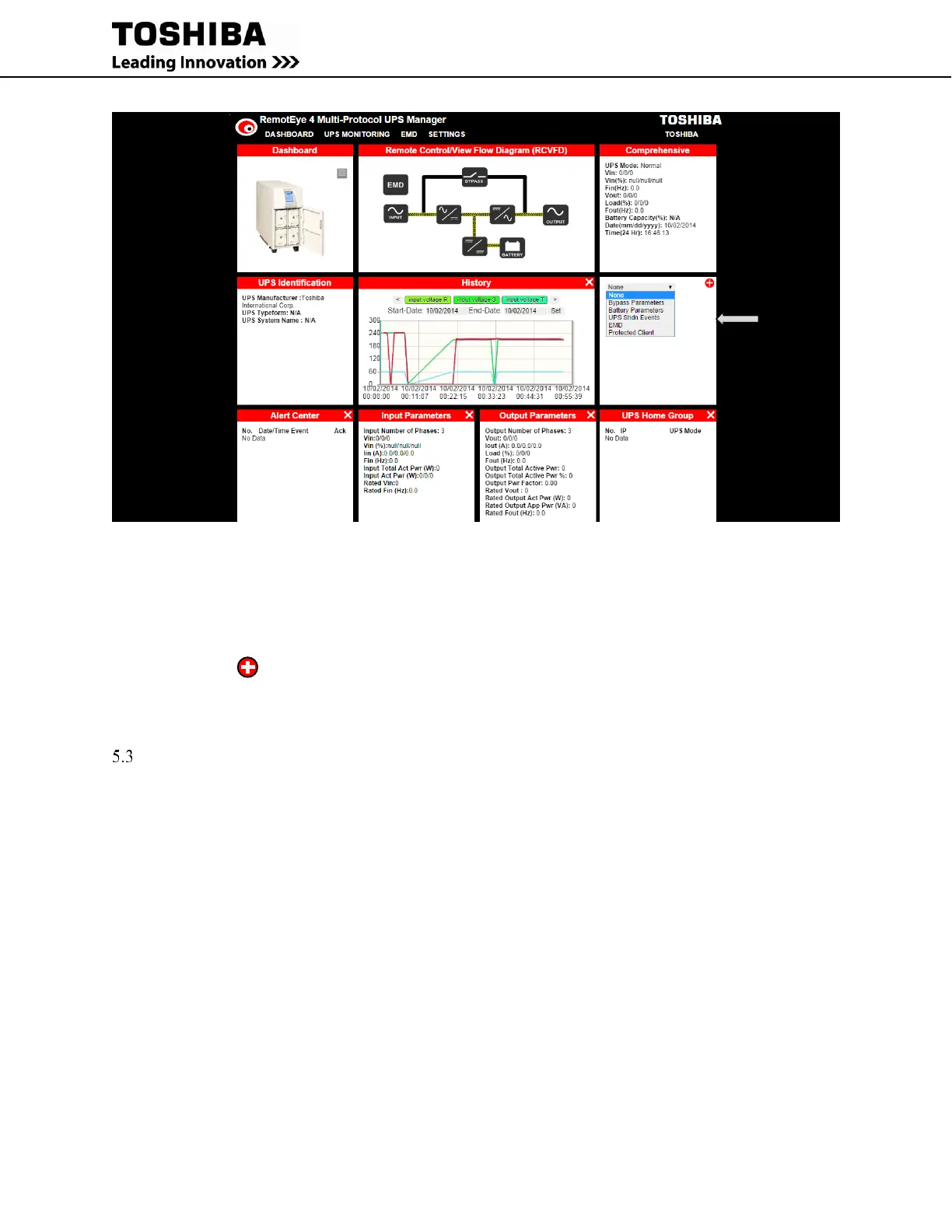
Figure 5-13 Edit Dashboard Mode - Drop-down Menu
3. Click the white “X” in the upper right-hand corner of the dashboard widget. (See Figure 5-12.)
4. A drop down menu displays the available widget selection excepting those widgets already displayed on the
dashboard. Click to select one the entries from the drop down menu. (See Figure 5-13.)
5. Click on the in the upper right-hand corner to load the widget highlighted in the drop-down menu.
WEB NAVIGATION
The RemotEye 4 web page has six drop-down menus (See Figure 5-14 and Figure 5-15):
DASHBOARD – There is no drop-down menu. Clicking this reloads the dashboard.
UPS MONITORING – Drop-down menu allows monitoring of specific categories of UPS Parameters.
UPS MANAGEMENT – Drop-down menu allows user management of UPS functions. The menu only
shows when a UPS is connected to the RemotEye 4.
SETTINGS – Drop-down menu allows setting the protocols/parameters/network addresses for the
RemotEye 4.
EMD – Drop-down menu allows set up of monitoring and alarms for the Environmental Monitoring
Device(s) (EMD).
NOTE: The EMD must be connected and properly configured to use this menu.
Place the pointer over each menu header. The drop-down menu choices will be displayed. (See Figure 5-14) Click
on the menu header to open the drop-down menu.
The choices in each Dropdown menu are shown in Figure 5-14.



 To Next Page
 Loading...

