Assembly and Disassembly
Page 66 43-06955 - Rev Q
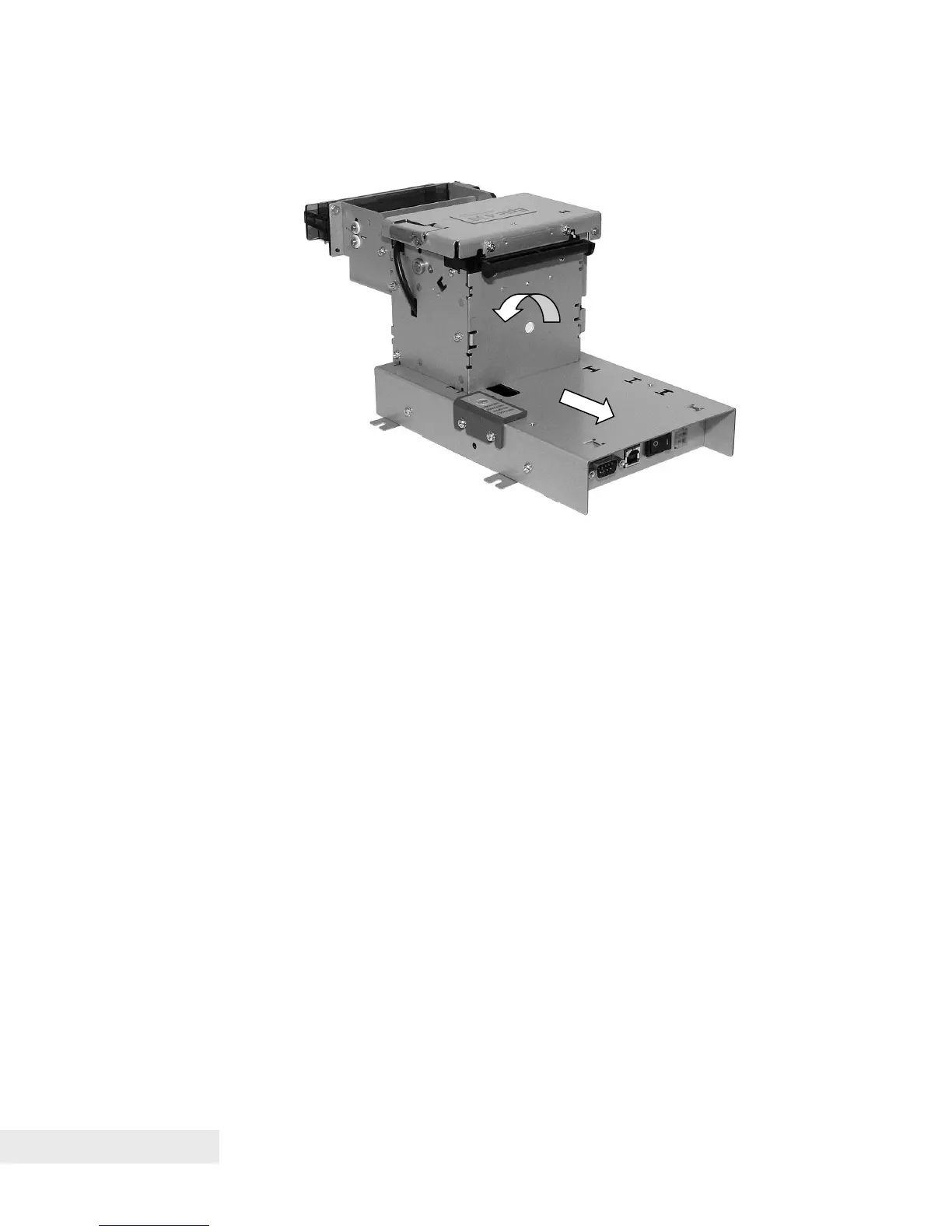
Figure 32. Attach Printer Mechanism to Electronics Base
Slide assembled printer mechanism into corresponding slots on
Electronics Base Frame, for OEM applications where base is mounted to
printer. Do this by aligning the tabs on one side of the printer mechanism
with the corresponding slots on the base, rotating the printer mechanism
into the base, then sliding the mechanism towards the rear of the base to
lock it into place.
Attach printer mechanism to front of Electronics Base Frame using two M3
Sems screws.
Rotate printer
mechanism
counter-clockwise
into slots, then
slide towards rear
into place.



 To Next Page