Issue 1.3 September 2007
48
Softkeys DK2 Telephones Only
Description: Using the F1, F2 and F3 softkeys on the DK2 LCD
telephone, display and access to voice mail and
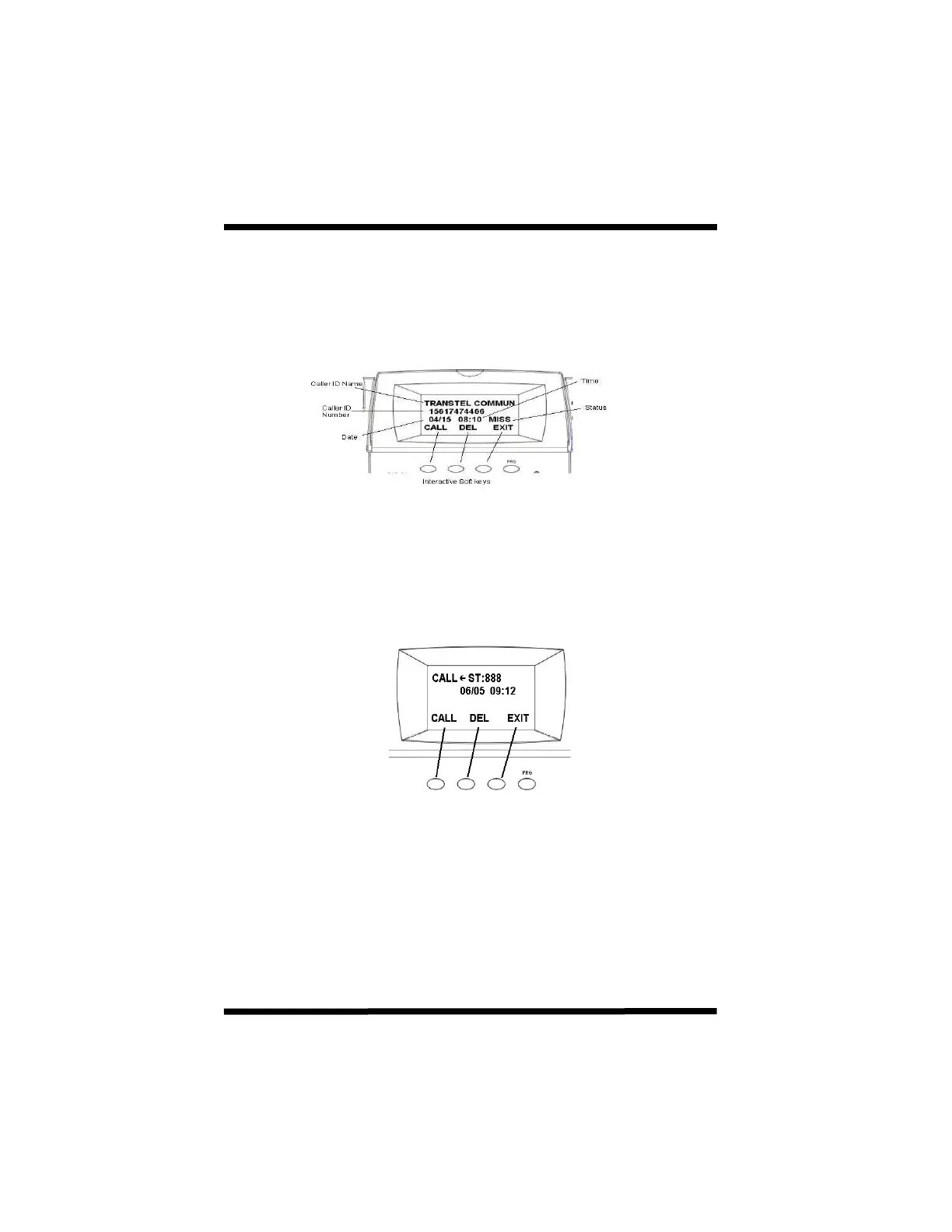
Caller ID: When viewing caller ID records you will be provided
with name, number, date, time, status along with
prompts to return the call, delete the record or exit.
Message Waiting: After pressing the message key you will be
provided with the voice mail pilot hunt group number,
date and time the message was set on your
telephone and may use the F1, F2 and F3 keys to
call, delete or exit.When viewing caller ID records you
will be provided with name, number, date, time, status
along with prompts to return the call, delete the record
or exit.



 To Next Page