EN
Output modules
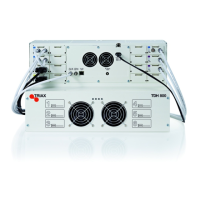
Six output modules, each consisting of four RF channels can be installed in a headend unit. Hot Flash technology is used in the headend, meaning that
output modules can be inserted/removed/moved while the headend is running.
Output module types
Each output module is identified through use of a specifically coloured label. The label also indicates the module type’s name and associated item
number. The remainder of the label is used for noting post-installation module information.
Another label containing a barcode and serial number is located on the underside of the output module.
Name
QAM FTA/CI output module
Item number(s)
492055/492056
Label colour
Purple
Name
PAL FTA/CI output module
Item number(s)
492050/492051/492052/492053
Label colour
Green
Name
COFDM FTA/CI output module
Item number(s)
492060/492061
Label colour
Orange
Name
2xCI Slots output module
Item number(s)
492070
Label colour
Black
Name
IP 2xCI output module
Item number(s)
492072
Label colour
Black
Note:
Some output modules also contain slots for two CAM modules
Inserting output module
Depending on where you want to insert the output module push the extractor fan to the opposite side.
1. Insert smart cards (if relevant).
Insert the service provider’s smartcard into the CA
module.
Insert the CA module into either of the available
slots in the output module.
2. Push the output module into an available output slot.
3. Press until the output module is locked into position.
4. Continue inserting all additional output modules.
5. Note details about the output module on the label (optional).
6. Note details about the output module on the label located on
the inside of the door (optional).
7. Return the extractor fan to the centre of the output area.
Removing output module
1. Release the lock mechanism on the module to be removed.
2. Extract the module from the headend.
3. Return the extractor fan to the center of the output area.
Auxiliary modules
Two slots are present in the middle of the output section for installation of auxiliary modules. For details refer to products that use auxiliary boards.


 To Next Page
 Loading...