3 Setting up the Receiver
34 5700/5800 GPS Receiver User Guide
5700 Operation
Mounting the 5700 receiver
To mount the 5700 receiver on the pole:
1. Attach the receiver bracket to the pole:
a. Place the bracket against the pole, approximately 0.5 m
from the ground.
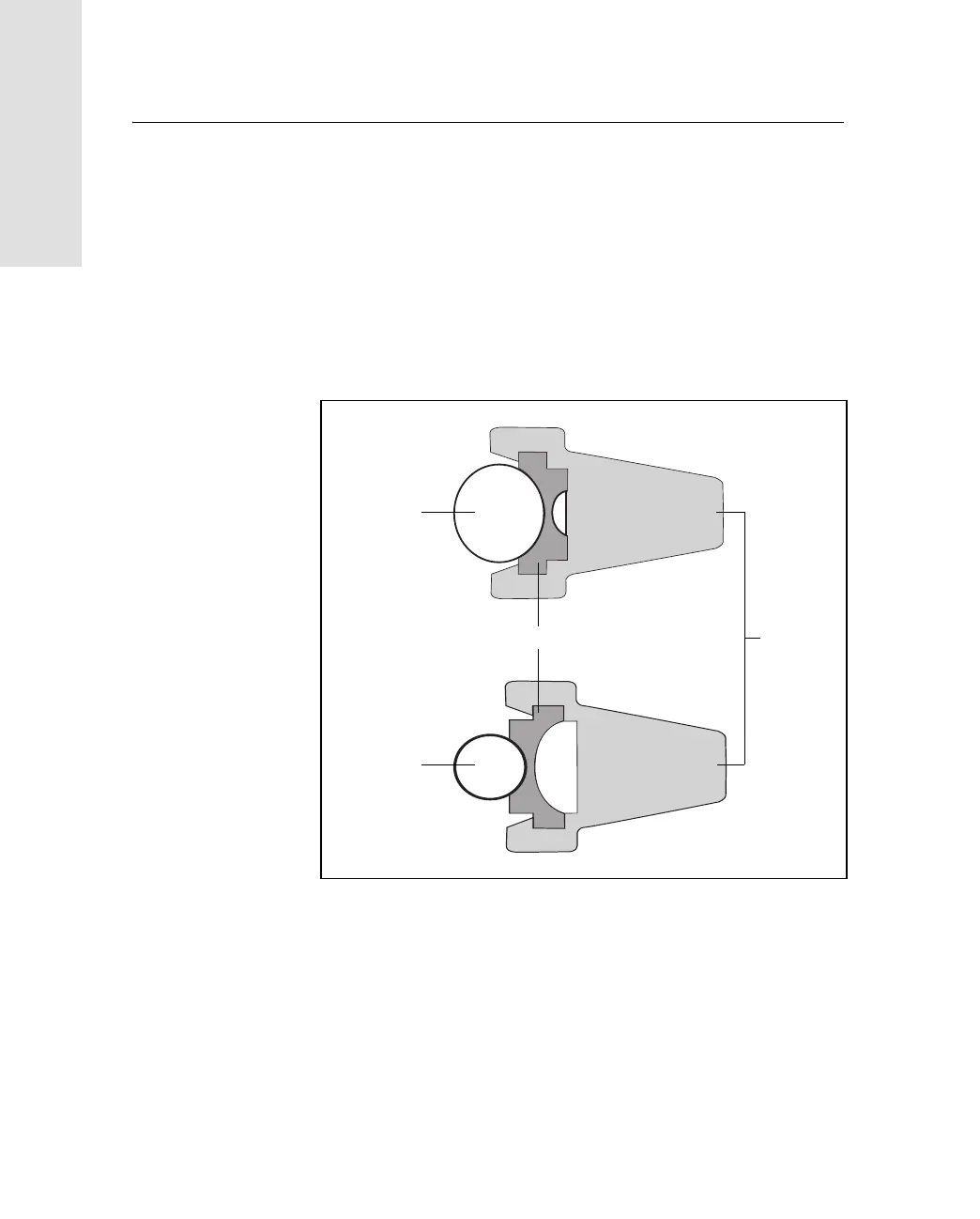
Note – If you are using a 1" diameter pole, flip the black
insert around inside the bracket, as shown in Figure 3.8.
Figure 3.8 Receiver bracket insert
b. Close the gates of the bracket around the pole.
c. Seat the base of the clip lock in the opposite gate.
d. Lock the clip lock.
Bracket insert Bracket
1
1
/
4
" pole
1" pole



 To Next Page