3-4 SB80 Work Platform - European
M
AINTENANCE
Section
3.3
3.3 S
UPPORTING
E
LEVATING
A
SSEMBLY
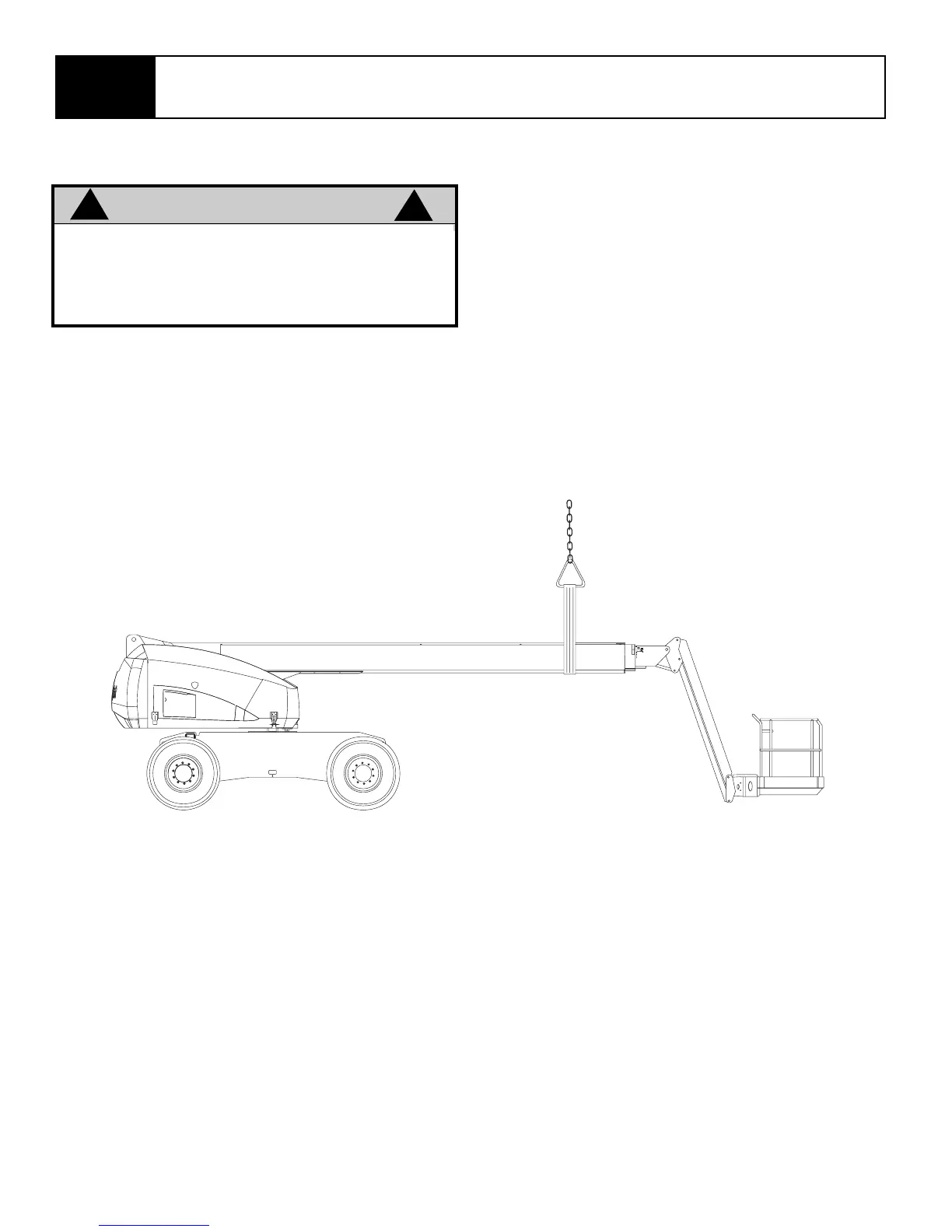
Installing Support
1. Park the work platform on firm level ground.
2. Fully retract the boom.
3. Verify platform emergency stop switch is ON.
4. Turn platform/chassis switch to CHASSIS.
5. using the elevate boom switch, elevate the plat-
form 20 to 30 cm (8 to 12 in.).
6. Use an overhead hoist (preferred) or jackstand
(minimum capacity Two tons) to support the
boom.
7. Push “Lower” button and gradually lower the plat-
form until the elevating assembly is supported by
the overhead hoist or jackstand.
Removing Support
1. Using chassis controls, slowly raise the platform
until the boom is free of the support.
2. Remove the support.
3. Push “Lower” button to completely lower the plat-
form.
Figure 3-3: Support Elevating Assembly
WARNING
!
!
Never perform service in the elevating assem-
bly area while the platform is elevated without
first supporting the elevating assembly.
DO NOT stand in the elevating assembly area
while deploying or storing the jackstand.



 To Next Page