3-8 SB80 Work Platform - European
M
AINTENANCE
Section
3.7
3.7 S
UPER
F
LEX
C
ONTROLLER
The SuperFlex controller is adjusted at the factory. If
problems are suspected with the controller, use the
optimizer (P/N 100329-000) to check for proper con-
troller settings.
1. Check that proper voltage is supplied to the con-
troller.
2. Be sure all cables and wiring are properly con-
nected.
3. Be sure ground wiring is in good condition.
4. Be sure all machine interlock switches are work-
ing properly.
There are three LED’s on the controller.
The CPU (Center LED) flashes if the system is O.K.
If the center LED is on steady the controller must be
replaced.
The INPUT LED (Left LED) flashes whenever one or
more joysticks is activated.
If the INPUT LED does not flash when a joystick is
activated, check the wiring for the joystick.
If the INPUT LED is on steady there is a short (+12
volts) to the joystick.
The OUTPUT LED (right LED) flashes when an out-
put signal is active.
If the OUTPUT LED is on steady there is a short to
the output function.
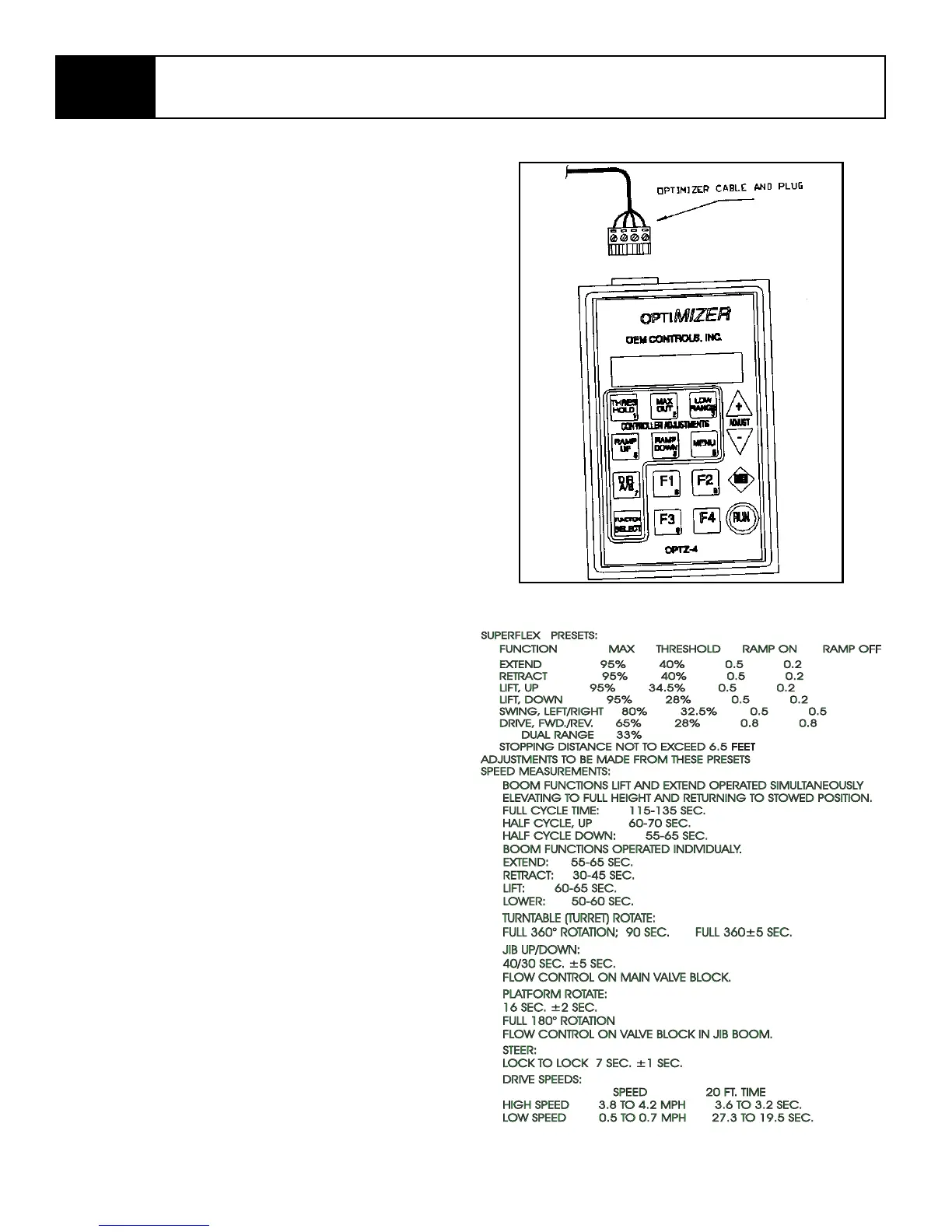
SuperFlex Optimizer
Use the Optimizer to test the operation of the control-
ler and joysticks. SB80 presets are shown.
1. Plug the Optimizer with cord into the controller.
2. Operate each machine function. The Optimizer
will display each setting.
3. If the function is out of adjustment, use the plus
and minus adjustment keys on the optimizer to
reset to the proper setting.
NOTE: Be sure to press RUN key after making
adjustments or the new setting will be lost.
Figure 3-9: Optimizer



 To Next Page