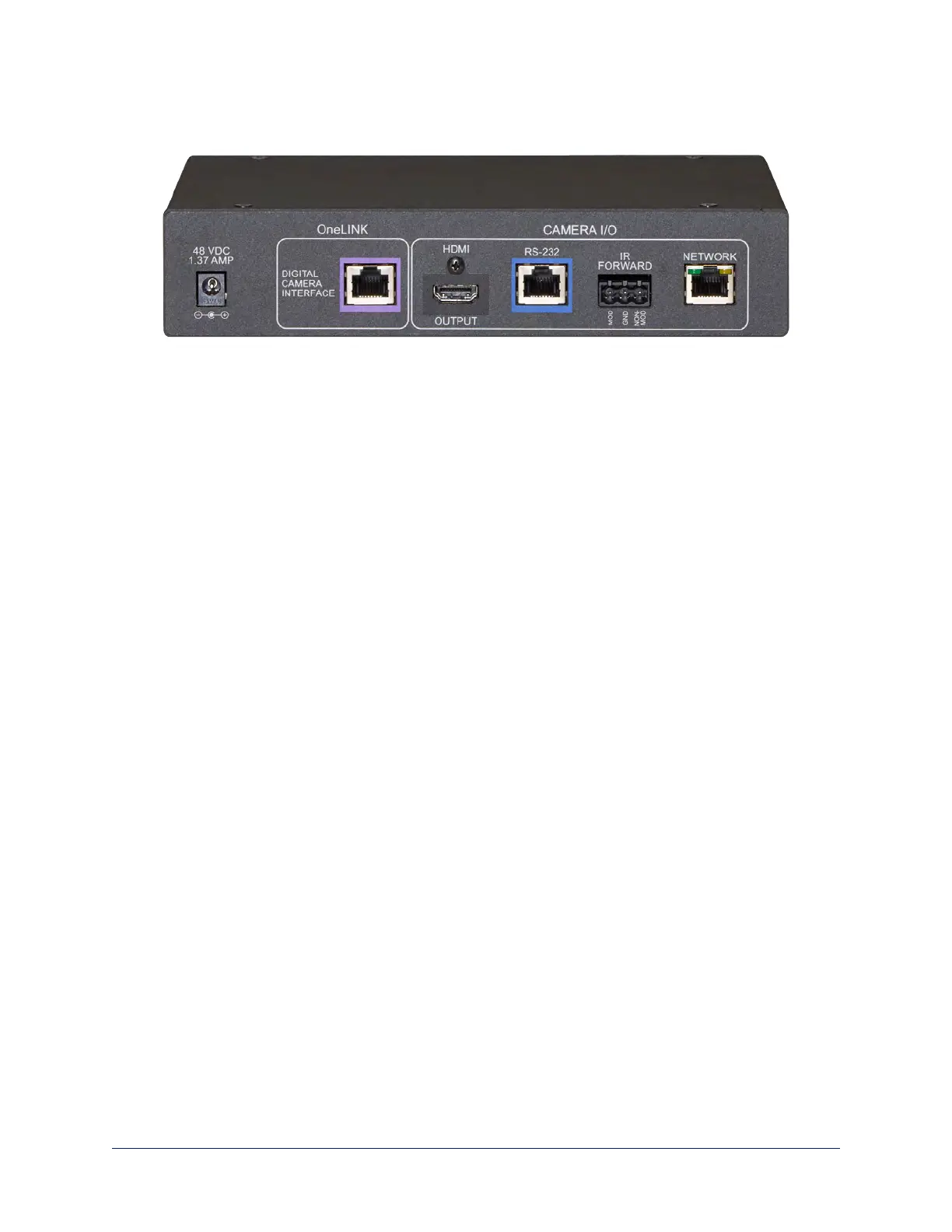
Connector Panel of the Receiver
From the left:
n Power input jack – Use the supplied 48VDC, 1.36A power supply.
n OneLINK interface port – Connect a Cat-5e (or better) cable to the EZIM, or to the camera if your
OneLINK kit or system did not include an EZIM.This bidirectional connection carries video, network
connectivity including H.264 IP streaming from the camera (if available), RS-232 control, and 12 VDC
power.
n HDMI output – HDMI output to a connected display.
n RS-232 port – Connect to a camera controller.
n IR forwarding port – To forward IR signals from the camera, if available.Modulated and non-
modulated outputs provided.
n Network port – H.264 IP streaming (if available from the camera), web interface access, and third-
party IP control via Telnet API.
8
Integrator's Complete Guide to the OneLINK HDMI Camera Extension



 To Next Page