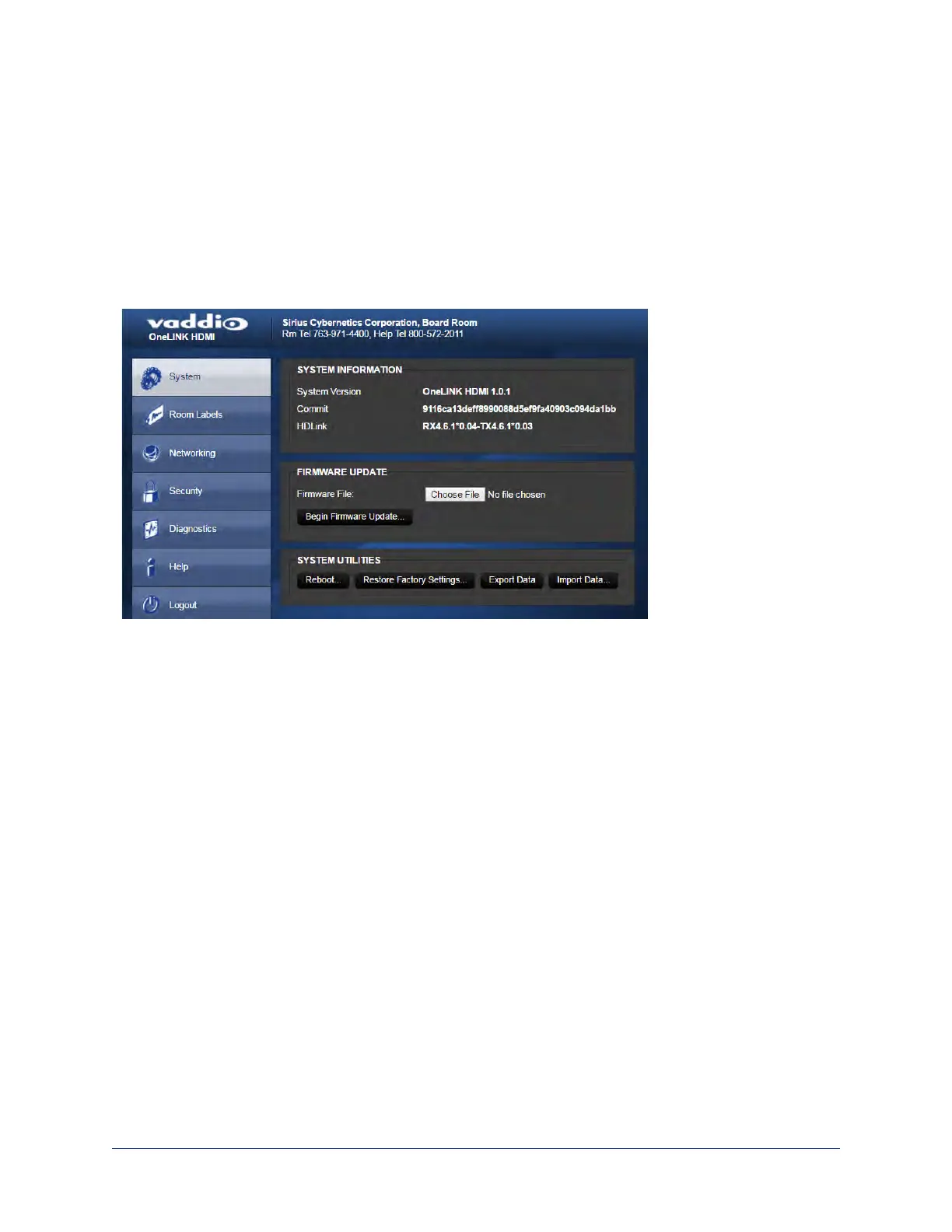
Viewing System Information
SYSTEM PAGE
The information on the System page includes the version – so you don't need to guess about whether the
latest update has already been installed.
The System page also provides controls to:
n Reboot the OneLINK device
n Back up or restore configuration data
n Restore factory presets
n Update the firmware
Saving (Exporting) or Restoring (Importing)a Configuration
SYSTEM PAGE
You can save a known good configuration by exporting it. This allows you to quickly configure several
OneLINK devices the same way, by importing the configuration to all of them. It also gives you a quick way
to go back to a known good configuration if you are concerned about planned changes on a specific unit.
The configuration file can only be imported to a OneLINK device using the same version of firmware from
which the file was exported. You cannot export a configuration, update the firmware, and import the
configuration – but you won't need to. Firmware updates do not change the device configuration.
53
Integrator's Complete Guide to the OneLINK HDMI Camera Extension



 To Next Page