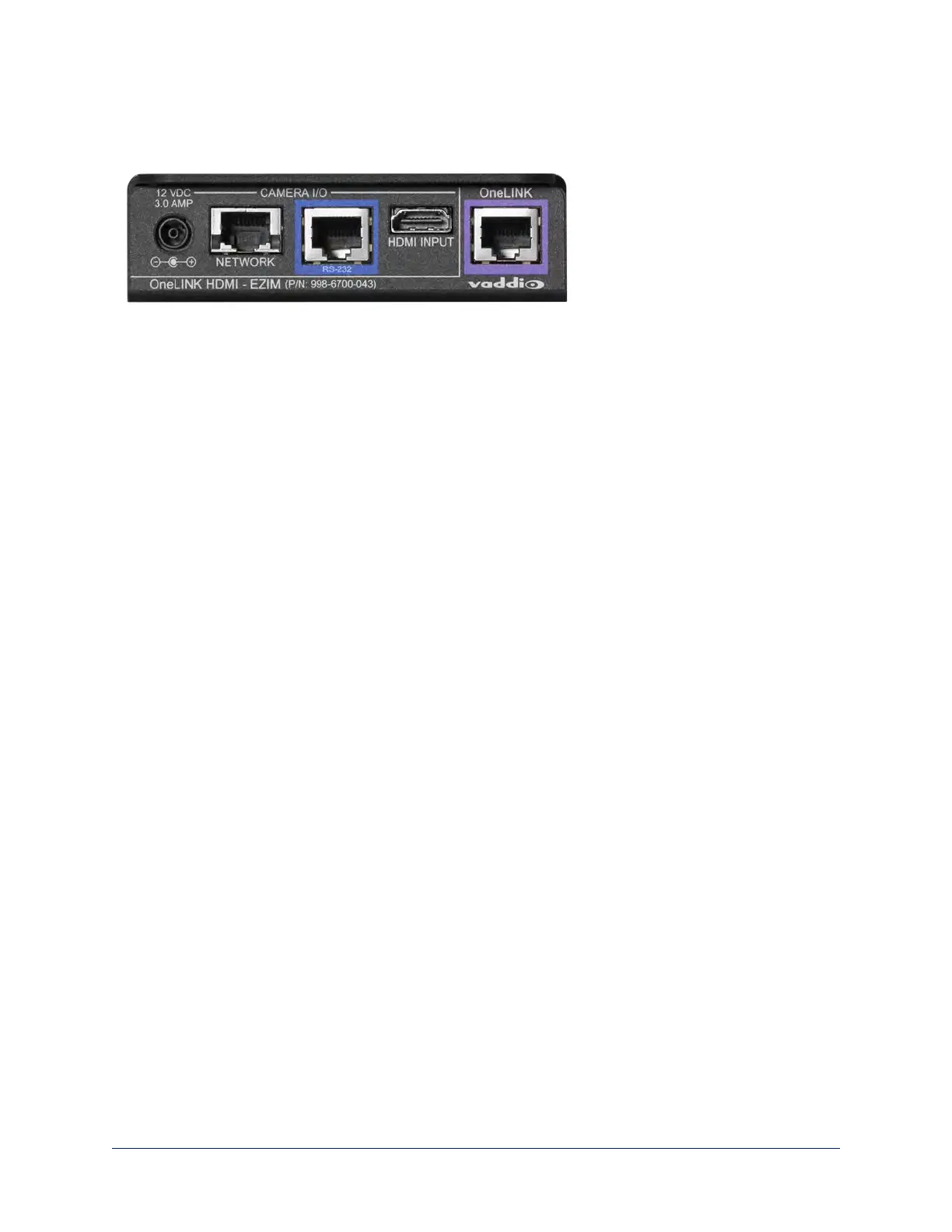
Connector Panel of the EZCamera Interface Module (EZIM)
If the OneLINK device is used with an HDMI camera, the EZIM is required.
From the left:
n Power output jack – Supplies power to the camera. The kit you purchased includes the appropriate
cable to connect your camera's power input to this jack.
n Network port – Provides network connectivity to the camera for H.264 IP streaming (if available from
the camera), web interface access, and third-party control via Telnet API. Connect to the camera's
network port.
n RS-232 port – Provides RS-232 connectivity to the camera, for third-party control. The kit you
purchased may include a cable and/or an RS-232 adapter to connect to the camera's RS-232 port.
n HDMI input – Receives HDMI video from the camera. Connect to the camera's HDMI output.
n OneLINK port – Single-cable connection to the OneLINK receiver. This bidirectional connection
carries all video, power, and control.
Note
Cat-6 or Cat-7 cabling may provide better performance in noisier RF or EMF environments. When in doubt,
use shielded Cat-6 cable.Cable distance between the EZIM and the OneLINK device is a maximum of 328
feet (100 m).
9
Integrator's Complete Guide to the OneLINK HDMI Camera Extension



 To Next Page