Assigning a Hostname
NETWORKING PAGE
The default hostname for the OneLINK HDMI camera extension is the string vaddio-onelink-hdmi-
followed by the device's MAC address. You can change this in the Hostname field.
If your network supports hostname resolution, you can browse to the OneLINK device by hostname even if
you cannot readily determine its IP address. In this situation, you may wish to assign a hostname
according to your IT department's naming guidelines.
To edit the hostname:
Enter the desired hostname in the Hostname text box, and save your changes.
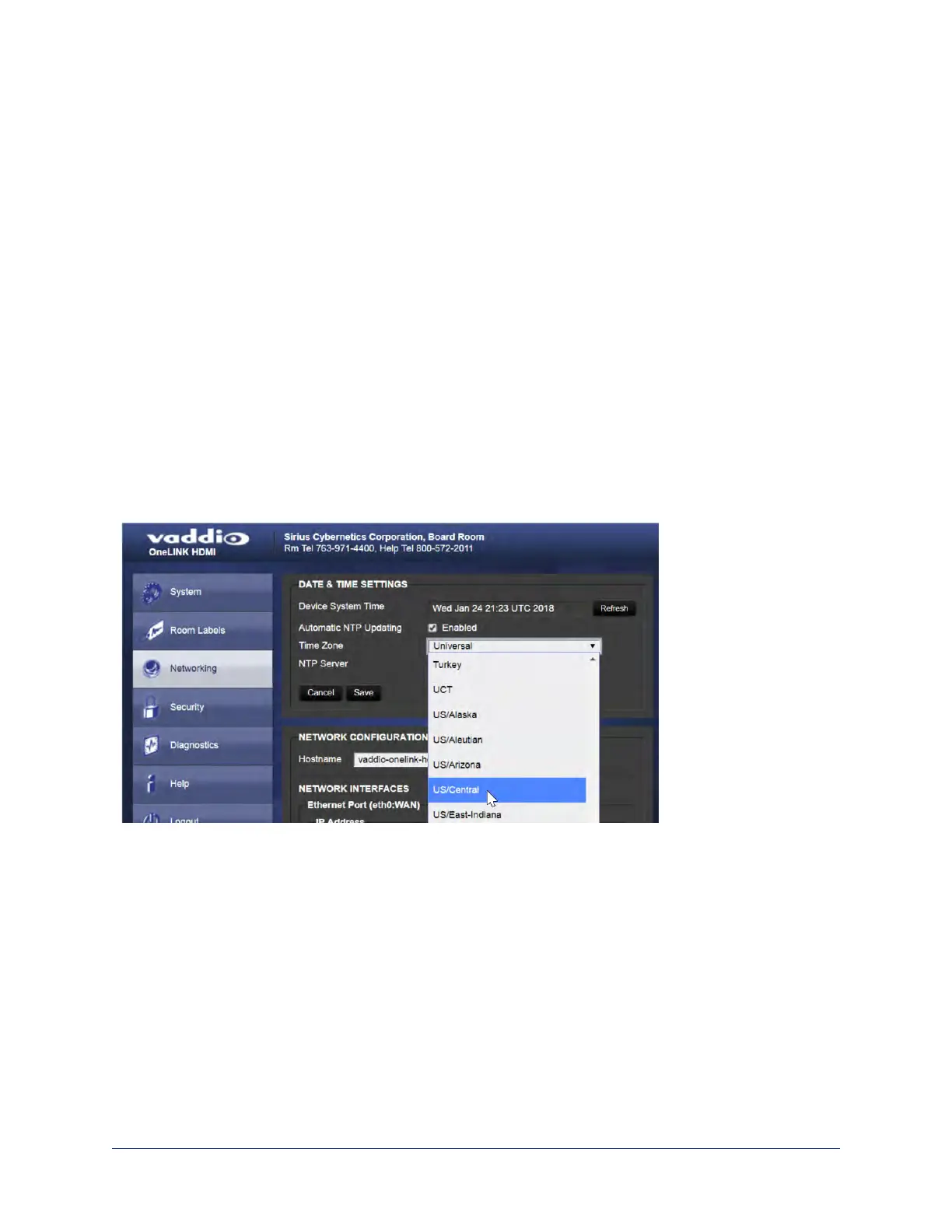
Specifying Time Zone and NTP Server
NETWORKING PAGE
To ensure that data exports receive accurate time stamps, and to display the correct date and time on the
Networking page, NTP updating must be enabled.
1. Enable Automatic NTP Updating.
2. Select the desired time zone from the list.
3. If desired, specify the NTP server to use. Otherwise, use the default.
4. Select Refresh to update the displayed date and time.
50
Integrator's Complete Guide to the OneLINK HDMI Camera Extension



 To Next Page