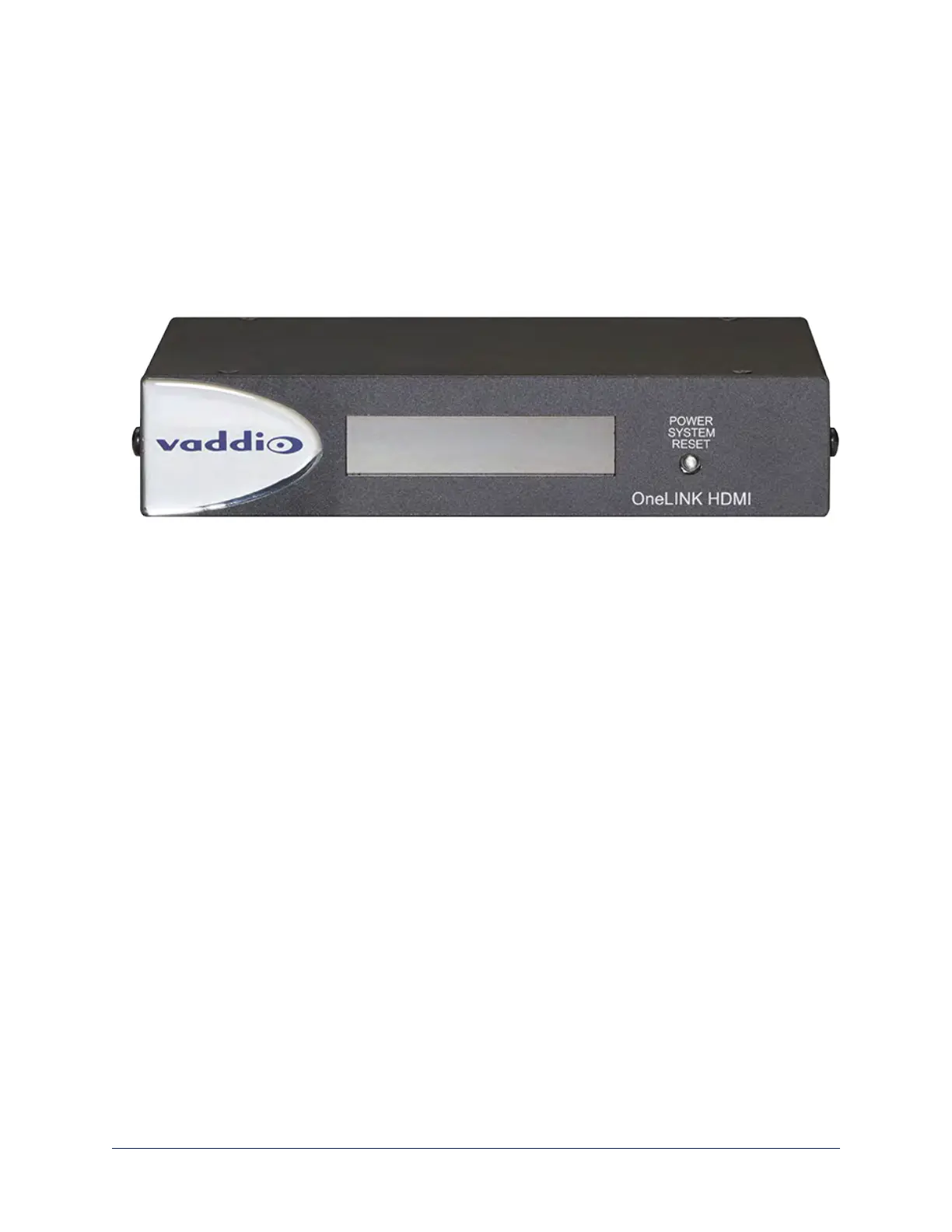
A Quick Look at the OneLINK Device
This section covers the physical features of the OneLINK HDMI camera extension.
All OneLINK kits include a receiver, which is typically co-located with other equipment, up to 328 ft (100 m)
away from the camera. OneLINK kits for use with HDMI cameras also include an EZCamera Interface
Module (EZIM) HDBaseT converter, which is mounted adjacent to the camera.
Front Panel of the Receiver
n Data Display – Shows the IP and MAC addresses for the OneLINK HDMI camera extension (not the
camera). Use the IP address to access the OneLINK HDMI web interface.
n Power System Reset button (illuminated red) – reboots the OneLINK Bridge without affecting the
connected camera.
Note
The OneLINK device does not control the camera; it passes IP and RS-232 traffic to and from the camera.
Use the camera's IP address to access the camera's web interface. The OneLINK device's IP address
only provides access to the OneLINK device, not to the connected camera.
Note
To discover the attached Vaddio camera's IP address, point the IR Remote Commander at the camera and
press the Data Screen button. The camera's IP and MAC addresses are displayed on the connected HDMI
video output.
7
Integrator's Complete Guide to the OneLINK HDMI Camera Extension



 To Next Page