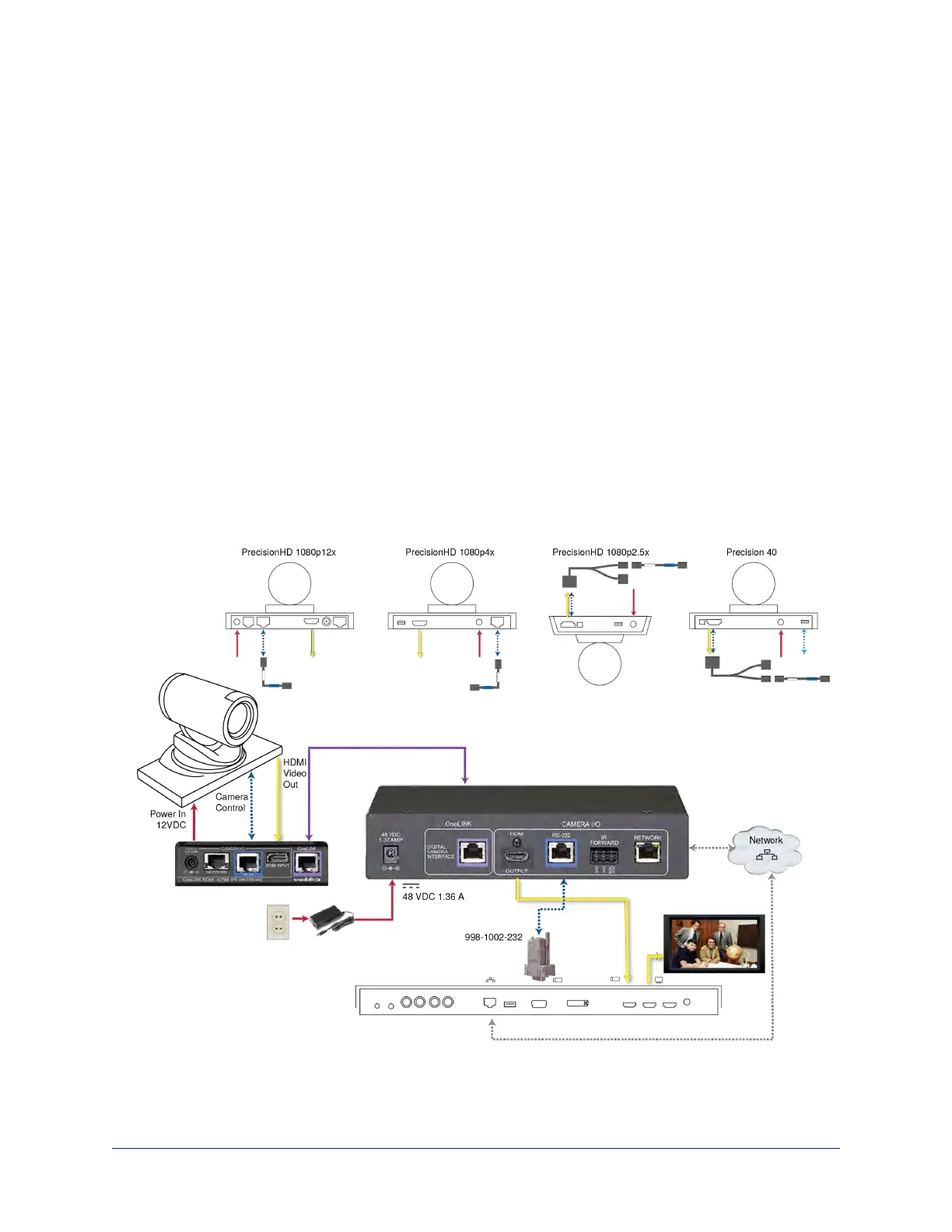
Connecting a Cisco Camera and Codec
999-9560-000/001/009
In these diagrams, the OneLINK device extends power and control to a Cisco camera, and connects it to a
Cisco codec. The codec provides HDMI video to the connected display.
Items in these diagrams:
n OneLINK HDMI receiver and OneLINK EZIM
n Cisco split cable CAB-PHD4XS2-SPLIT (not included; required for SX20 codec and for Precision 40
and Precision HD 1080p2.5x cameras)
n Camera-side null modem cable (used on all supported Cisco cameras)
n Codec-side null modem cable (used with Cisco split cable on SX20 codec)
n RS-232 adapter 998-1002-232 (used with standard Cat-5 cable on C20, C60. and SX80 codecs)
n Ciscocamera (not included)
n Cisco codec (not included)
n HDMI display and HDMI cable (not included)
n Cat-5e cables for OneLINK and network connections (not included)
Note
If connecting to a Cisco SX20 codec, you will need to provide a Cisco split cable, Cisco part number CAB-
PHD4XS2-SPLIT. This cable is also required when connecting to a Cisco Precision 40 or Precision HD
1080p2.5x camera; you will need two of them if connecting one of these cameras and an SX20 codec.
Cisco Precision 40 or Precision HD Series Camera and Cisco C20 Codec
41
Integrator's Complete Guide to the OneLINK HDMI Camera Extension



 To Next Page