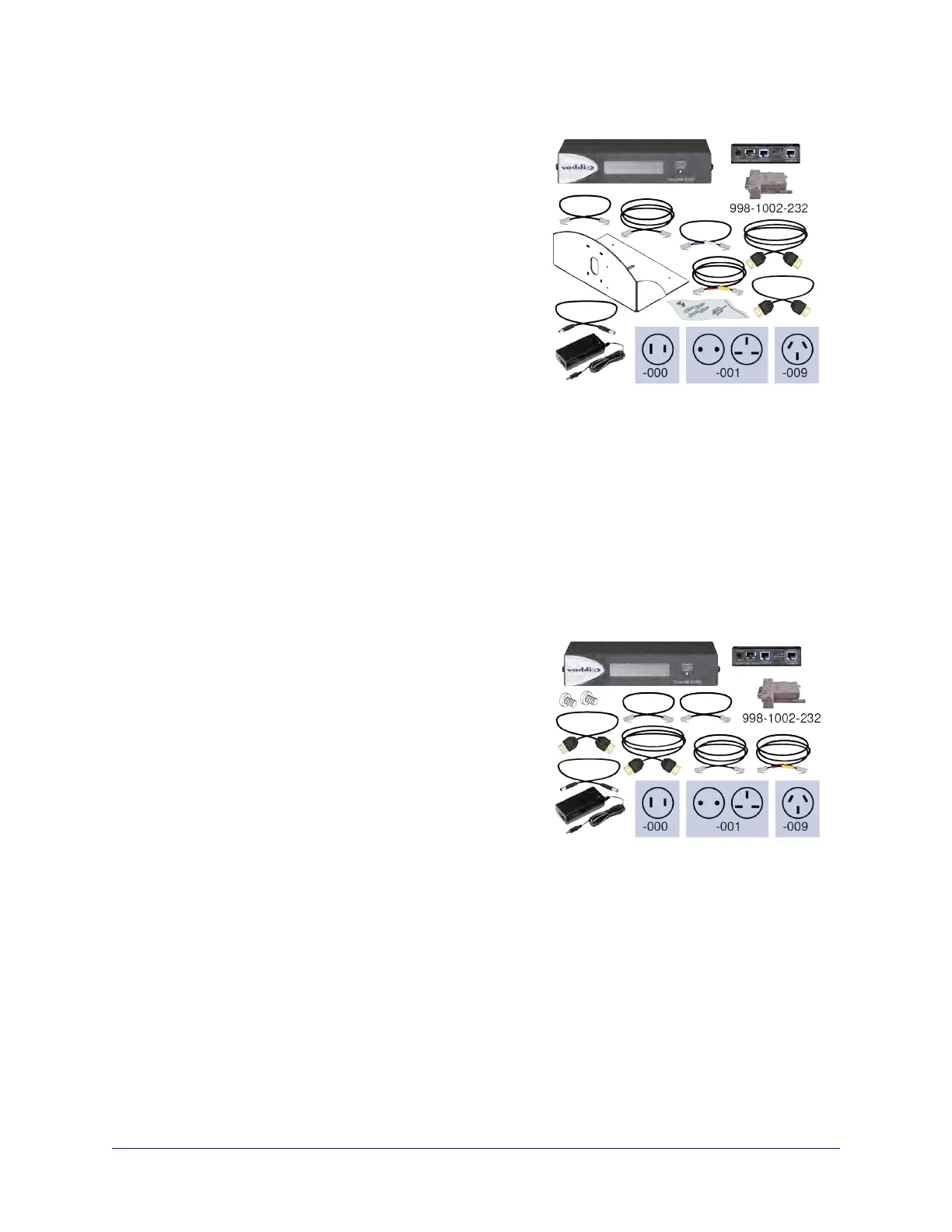
OneLINK HDMI for Cisco Cameras with Cisco Codecs, 999-9560-000/001/009
Camera and codec not included.
Note
If connecting to a Cisco SX20 codec, you will need to provide
a Cisco split cable, Cisco part number CAB-PHD4XS2-
SPLIT. This cable is also required when connecting to a Cisco
Precision 40 or Precision HD 1080p2.5x camera; you will need
two of them if connecting one of these cameras and an SX20
codec.
n OneLINK HDMI Receiver
n OneLINK EZCamera Interface Module (EZIM)
n Power supply, 48 VDC/1.36 A, with AC cord set(s)
n Power cable EIAJ-04 to 5.5x2.1 mm, 1 ft. (0.3 m)
n Wall mount with mounting hardware for Cisco codec and
camera
n HDMI cable, 3. ft. (0.9 m)
n HDMI cable, 1 ft. (0.3 m)
n Custom-pinout Cat-5e cable for Cisco, 3 ft. (0.9 m)
n Custom-pinout Cat-5e cable for Cisco, 1 ft. (0.3 m)
n Cat-5e patch cable, 1 ft. (0.3 m)
n Cat-5e patch cable, 3 ft. (0.9 m)
n EZCamera RS-232 control adapter 998-1002-232
n Quick-Start Guide 411-0019-02
OneLINK HDMI for RoboSHOT HDMI with Cisco Codecs, 999-9570-000
Camera and codec not included.
Note
If connecting to a Cisco SX20 codec, you will need to provide
a Cisco split cable, Cisco part number CAB-PHD4XS2-
SPLIT.
n OneLINK HDMI Receiver
n OneLINK EZCamera Interface Module (EZIM) with
mounting screws
n Power supply, 48 VDC/1.36 A, with AC cord set(s)
n Power cable EIAJ-04 to EIAJ-04, 1 ft. (0.3 m)
n HDMI cable, 3 ft. (0.9 m)
n HDMI cable, 1 ft. (0.3 m)
n Custom-pinout Cat-5e cable for Cisco, 3 ft. (0.9 m)
n Cat-5e patch cable, 1 ft. (0.3 m), qty. 2
n Cat-5e patch cable, 3 ft. (0.9 m)
n EZCamera RS-232 control adapter 998-1002-232
n Quick-Start Guide 411-0019-02
6
Integrator's Complete Guide to the OneLINK HDMI Camera Extension



 To Next Page