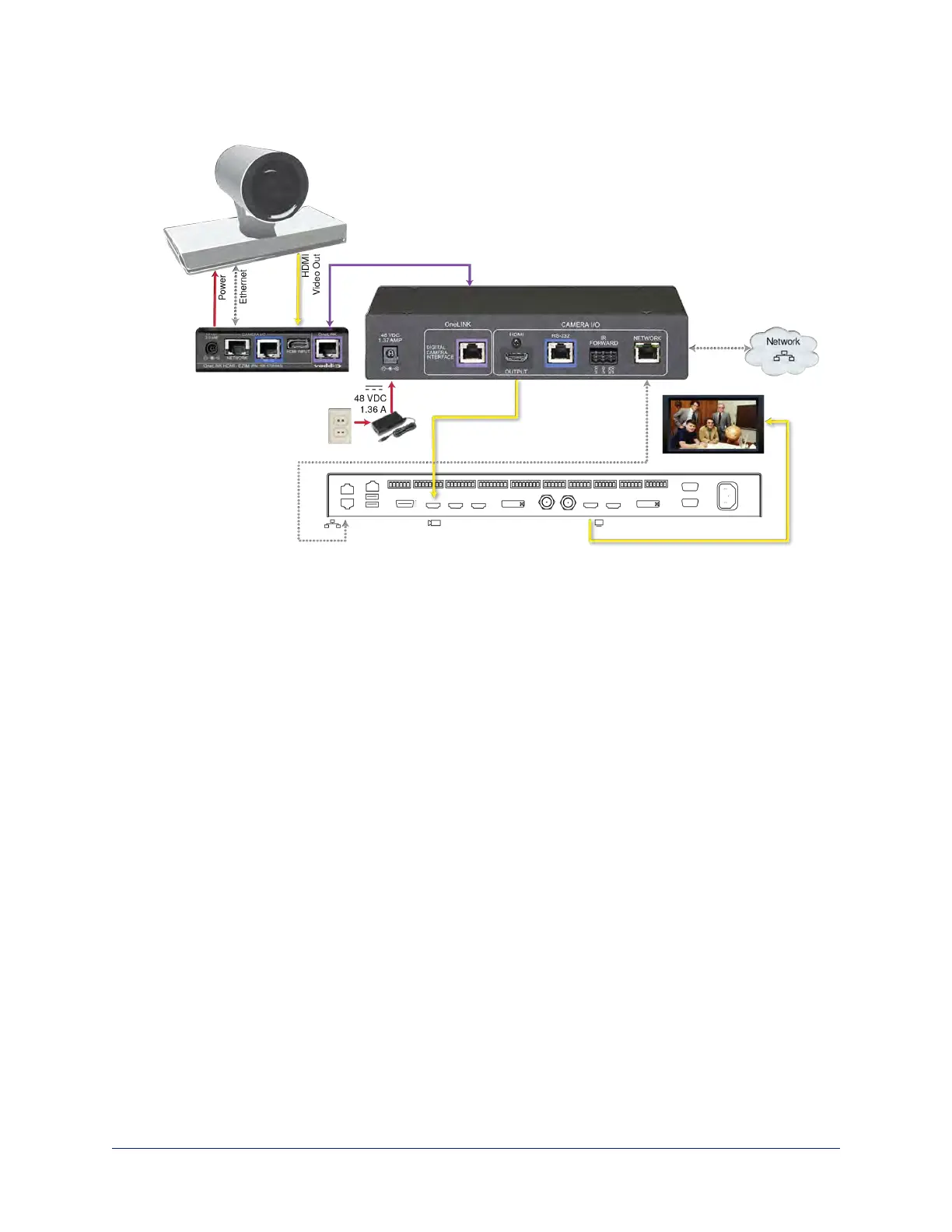
Cisco Precision 60 Camera and Cisco SX80 Codec
Hardware Note: RS-232 Connections
For RS-232 connections to Cisco gear using DE-9 connectors, use the 998-1002-232 RJ-45 to DE-9
adapter. Its wiring differs from the 998-1001-232 adapter shipped with many Vaddio products.
For RS-232 connections to Cisco gear using the Cisco split cable, use the appropriate null-modem cable to
the RJ-45 side of the split cable. Connect the null-modem cable as indicated on the cable labels.
Hardware Note: Connection and Configuration Changes
After connecting or configuring the equipment, reboot the OneLINK device, camera, and codec. Note that
rebooting the OneLINK device does not affect the camera and codec; they must be rebooted separately.
Camera Configuration
To use IR forwarding on Cisco cameras with Cisco C-series codecs, go to the camera's admin settings
and set IR to Auto.
To use IR forwarding on Cisco cameras with Cisco SX20 and SX80 codecs, go to the camera's admin
settings and set IR to On.
45
Integrator's Complete Guide to the OneLINK HDMI Camera Extension



 To Next Page