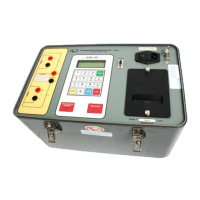
Model ATRT-03 (v) Operating Instruction
79
24-1. ATRT-03/03A/03B Computer Interface Menu
COMPUTER ITF MODE
*** CAUTION! ***
CABLES MAY HAVE VLTG
“STOP” TO ABORT
Figure 24-2. Select Computer Interface Display
a. Description: ATRT-03/03A/03B testing can be remotely controlled via an IBM-compatible PC
through an RS-232C port. In this mode, the Transformer Analysis software (provided with the
ATRT-03/03A/03B) allows the user to control the ATRT-03 from a PC. Using this software, the
user can transfer test records stored in the ATRT-03/03A/03B FLASH EEPROM to a PC or store
transformer test plan into ATRT-03/03A/03B memory.
b. Origin: On the “Start-Up” menu (see Figure 14-1), press key 2 (SET UP). On the “Set Up”
menu, press key 4 (NEXT PAGE). Press key 1 (COMPUTER CONTROL) to show the
COMPUTER ITF MODE. The ATRT-03/03A/03B testing remains under computer control for as
long as this screen displays.
c. Action Option: Press STOP to abort computer control and return to the “Start-Up” menu.
Note:
Refer to the ATRT-03/03A/03B software manual for IBM compatible PC interface mode.



 To Next Page