MTX150x Lite Quick
Guide
© VeEX Inc. All Rights Reserved. 142
Step 3: Basic V-TEST
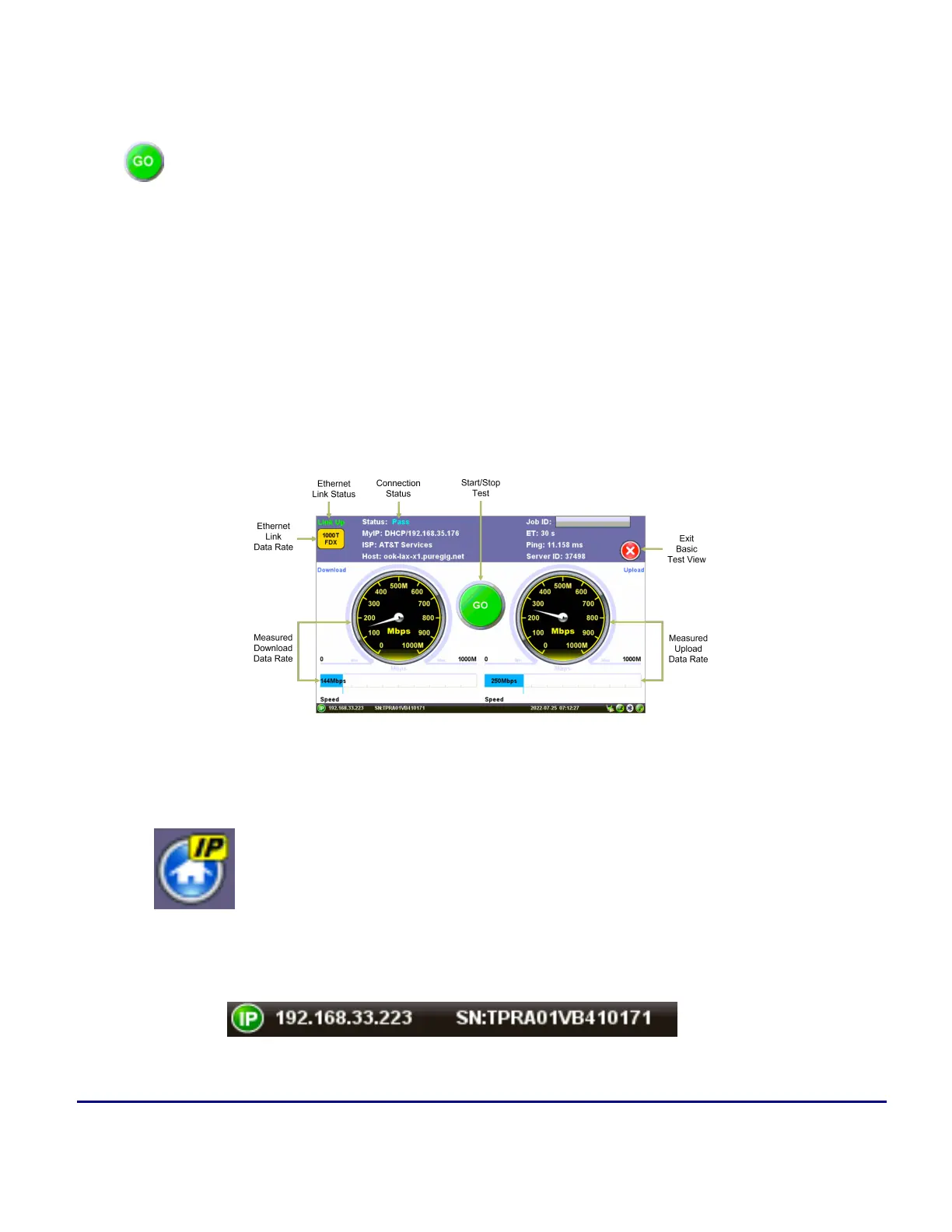
Press to run the Internet speed test.
After pressing GO, the test set does the following:
1. Identifies the internet service provider (ISP) and searches for the closest Ookla Speedtest® server,
based on round-trip response times.
2. Runs the Internet speed test for the Download direction (from server to test set), then the Upload
(from test set to server) and displays the results.
3. Once finished, the GO button will turn back to green. It is ready to save the results and/or run more
tests.
MTX150x Lite Auto Basic V-TEST
More about IP Addresses
MyIP
MyIP (also known as 'Home IP') is the IP address assigned to the active Test Port and the one used
for testing purposes. Tap on the icon to display the current IP address assigned to the active port.
Bottom Bar IP



 To Next Page