87 © VeEX Inc. All Rights Reserved. Platform Functions
Results/Reports
Fiber Scope Analysis Result Files
(Scope image appears on bottom right corner of the screen.)
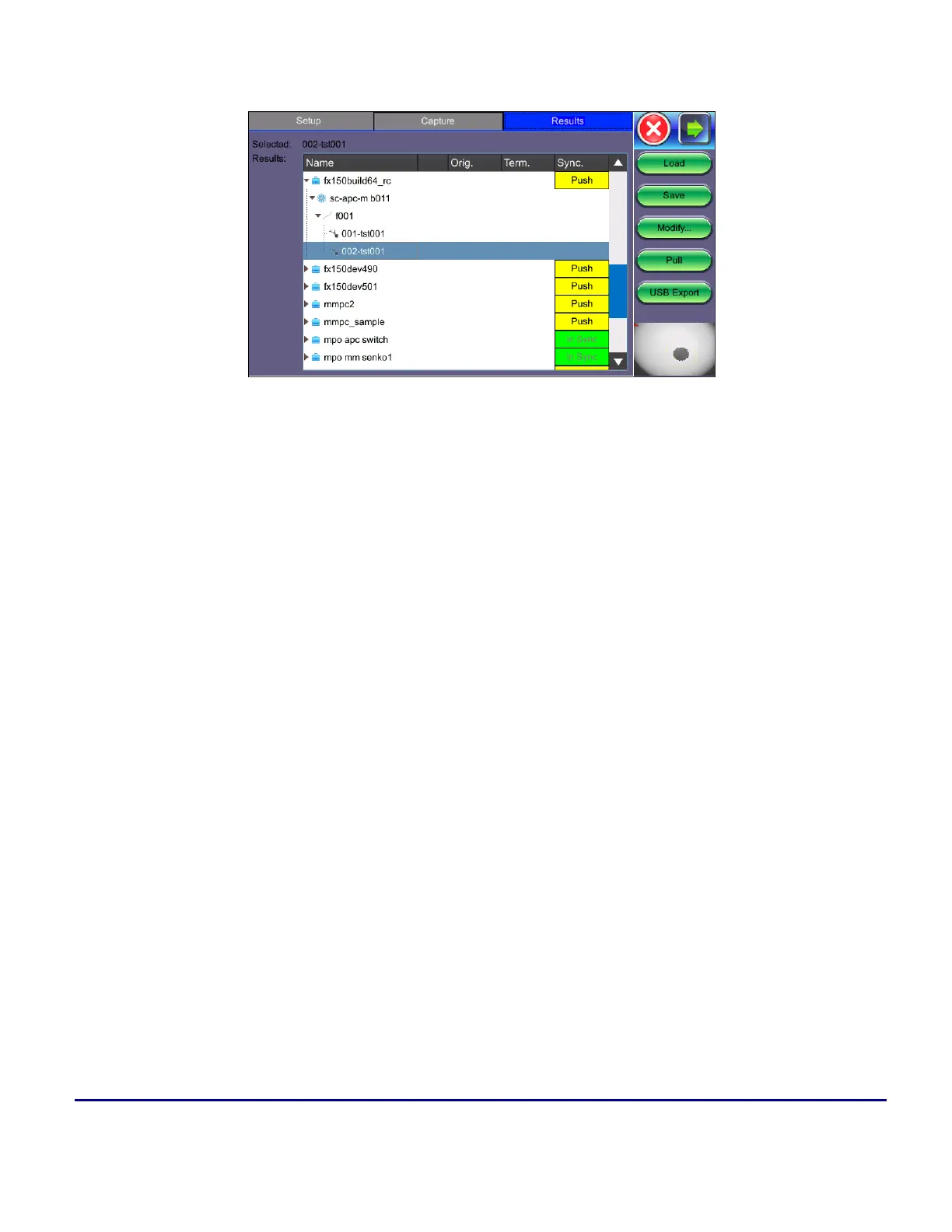
The results screen displays management options for saved results including uploading/downloading files from
"Fiberizer Cloud" on the facing page. The directory displays the location of stored files.
Select the file(s) by tapping them.
l
Push/In Sync: Uploads locally saved results to "Fiberizer Cloud" on the facing page. In Sync indic-
ates the results have been saved to Fiberizer Cloud successfully.
l
Load: Loads the selected image onto the Capture tab.
l
Save: Manually saves and names the image displayed in Capture (autosave is disabled). Once
saved, the files can be accessed in the "File Manager" on page64 or R-Server.
l
Modify: Select a file or folder in the directory to modify. Options to Rename, Remove, and upload
the selection to Fiberizer Cloud are available.
l
Pull: When connected, pulls file from Fiberizer Cloud onto test set.
l
USB Export: Exports files to USB stick. Choose Export Group to retain the tree format (sub-dir-
ectory) or Export Flat to create a single filename using sub-directories to build a name.
In the Fiber Scope Analysis Result Files example above when choosing to retain the tree format, the
highlighted 022-tst001 results file can be found in the following directory after exporting:
>fx150build64_rc > sc-apc-m b01.



 To Next Page