Platform Functions © VeEX Inc. All Rights Reserved. 78
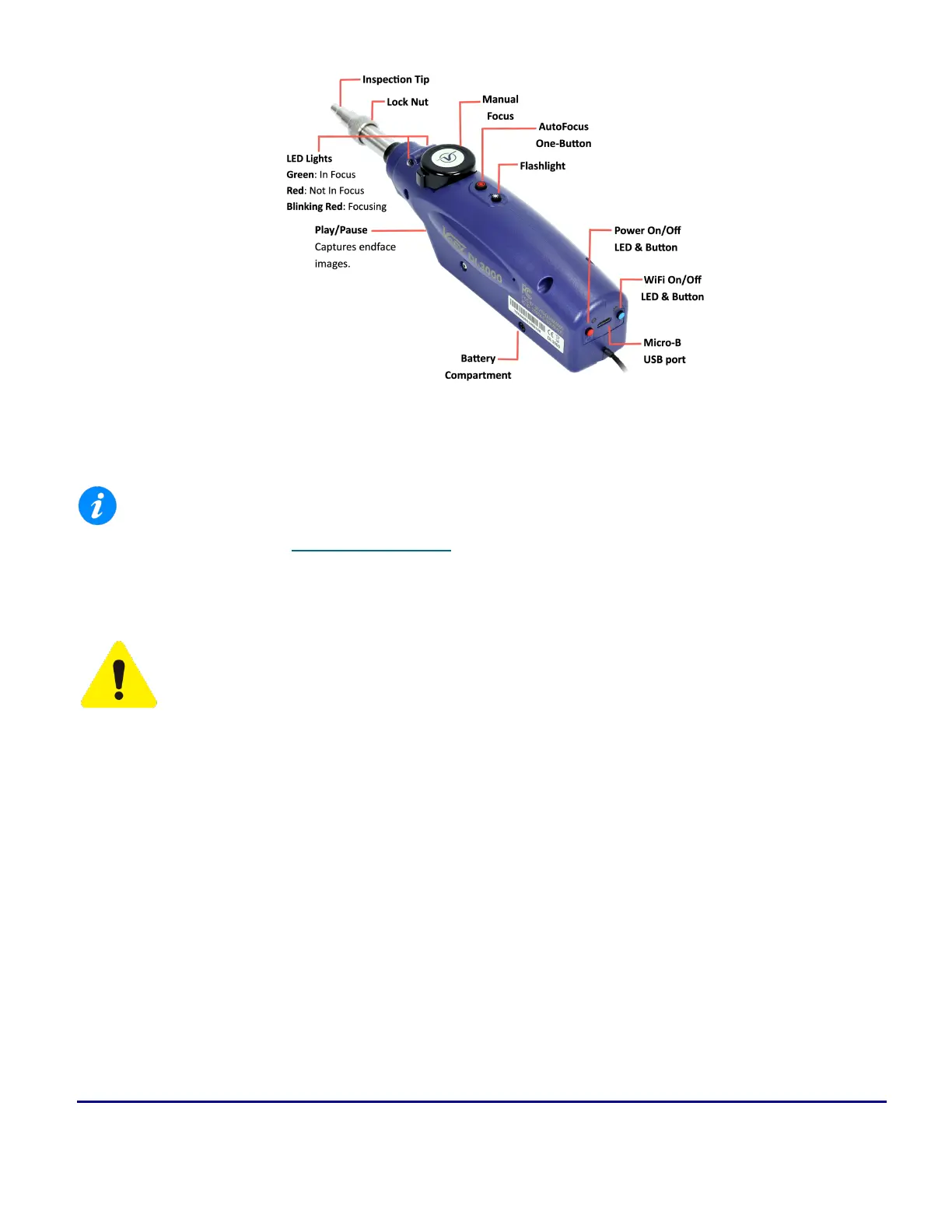
DI-3000 Wi-Fi Autofocus digital inspection scope
WiFi support requires host device/test set has built-in WiFi capability. See the test set's data sheet on
www.veexinc.com or contact VeEX Customer Care for more information.
Connecting the Fiberscope
OPTICAL SAFETY
l
Deactivate the laser before connecting or disconnecting optical cables or patchcord.
l
Never look directly into an optical patchcord or optical interface while the laser is enabled. Optical
radiation for an extended period can caused irreparable damage to eyes.
l
Never use a fiber microscope to check the optical connectors when the laser source is active.
The operator is assumed to have received basic training in fiber optics and related testing and measurement
practices.
Read the "Safety Information" on page10 and "Optical Connectors" on page12 sections before beginning
using optical features of the test set.



 To Next Page