Ethernet © VeEX Inc. All Rights Reserved. 48
Server/Client - Unidirectional Configuration and Results
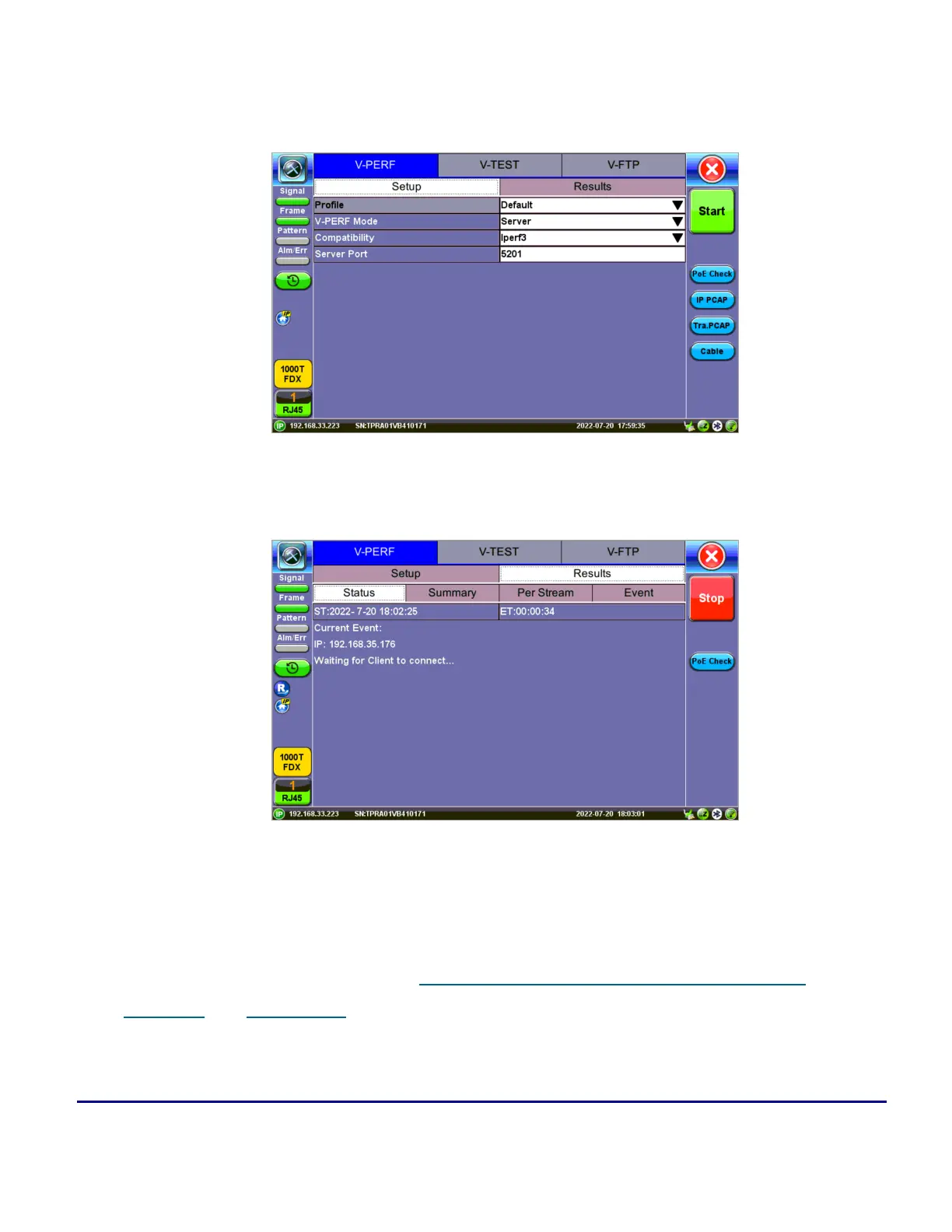
1. After loading the Layer 4+ Application, set one test set as a Server from TCP Mode. Press Start.
Test Set #1 - V-Perf Setup - Server
Test Set #1 After Pressing Start - Server Mode
2. Set the other test set as a Client for FTP Mode. On the bottom of the screen, go to Page 2 to con-
figure the Throughput Test Mode type. MTU Search, Round Trip Time Search, Bottleneck
Bandwidth, and Window Size options are also on Page



 To Next Page