Ethernet © VeEX Inc. All Rights Reserved. 36
Trace Route - Setup
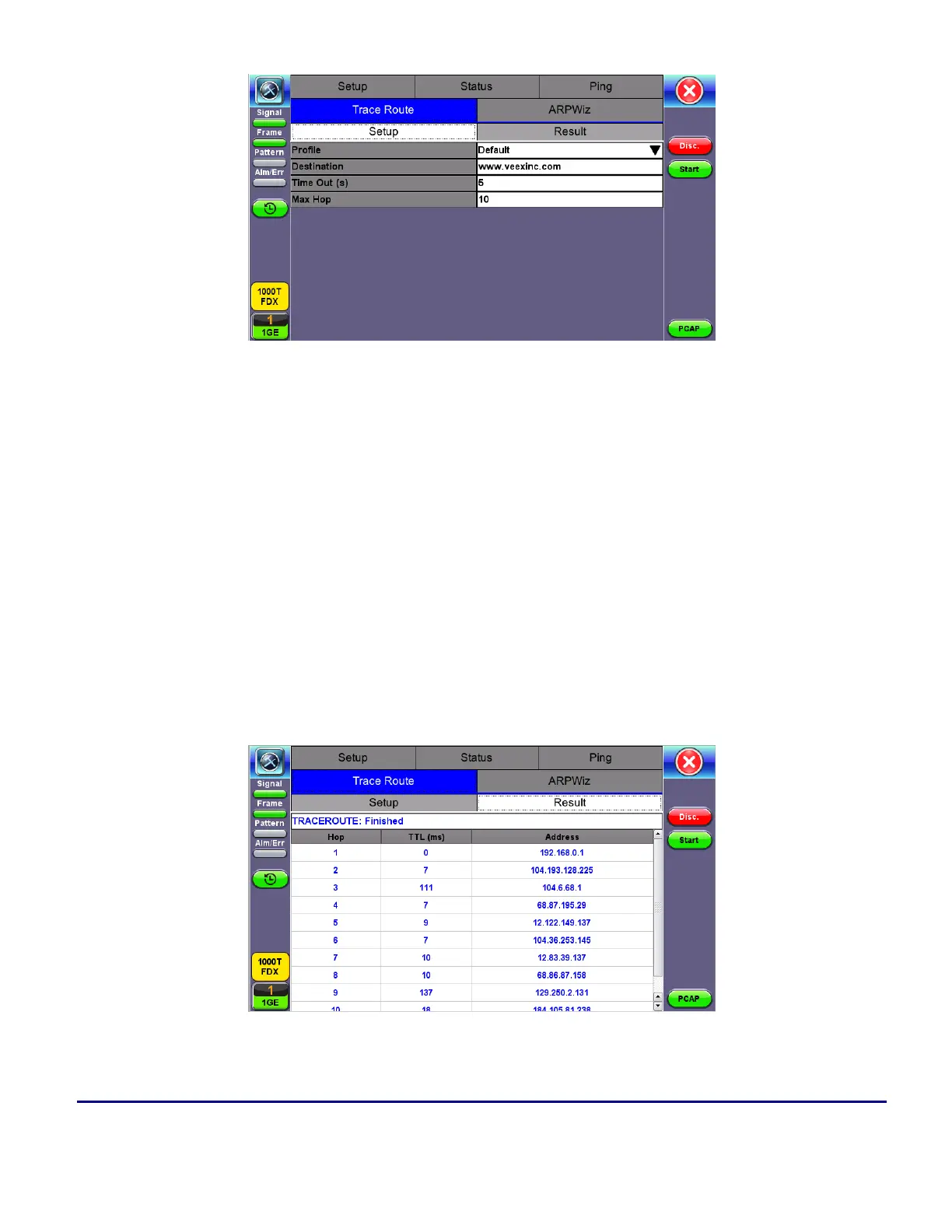
Trace Route Setup
The following setup selections are available:
l
Profile: Delete, Save, Save as..., Default. Select Default to recall a trace route file or create a new
test
l
Destination: Enter the IP address or URL of the network device to be detected
l
Time Out: Enter the maximum time allowed between an ICMP echo and response at each hop
l
Max Hop: Enter the maximum number of network devices the packet is allowed to transit
Once the parameters are configured, press Start to begin the test.
Trace Route - Results



 To Next Page