31 © VeEX Inc. All Rights Reserved. Ethernet
10 GE Port
l
10GE Mode: LAN or WAN
l
WIS Mode (only available in WAN mode): SDH or SONET
l
Flow Control: Enable chosen as default option
l
Clock Offset (ppm): The frequency may be offset in parts per million
l
Link Fault Response: Disable or Enable (also enables Local link and failure, remote, failure)
l
Transmit Ignore Link Status: On/Off
l
Synchronous Ethernet: (SyncE) Disabled or Enabled. When Enabled, makes the signal traceable
to an internal or external reference clock.
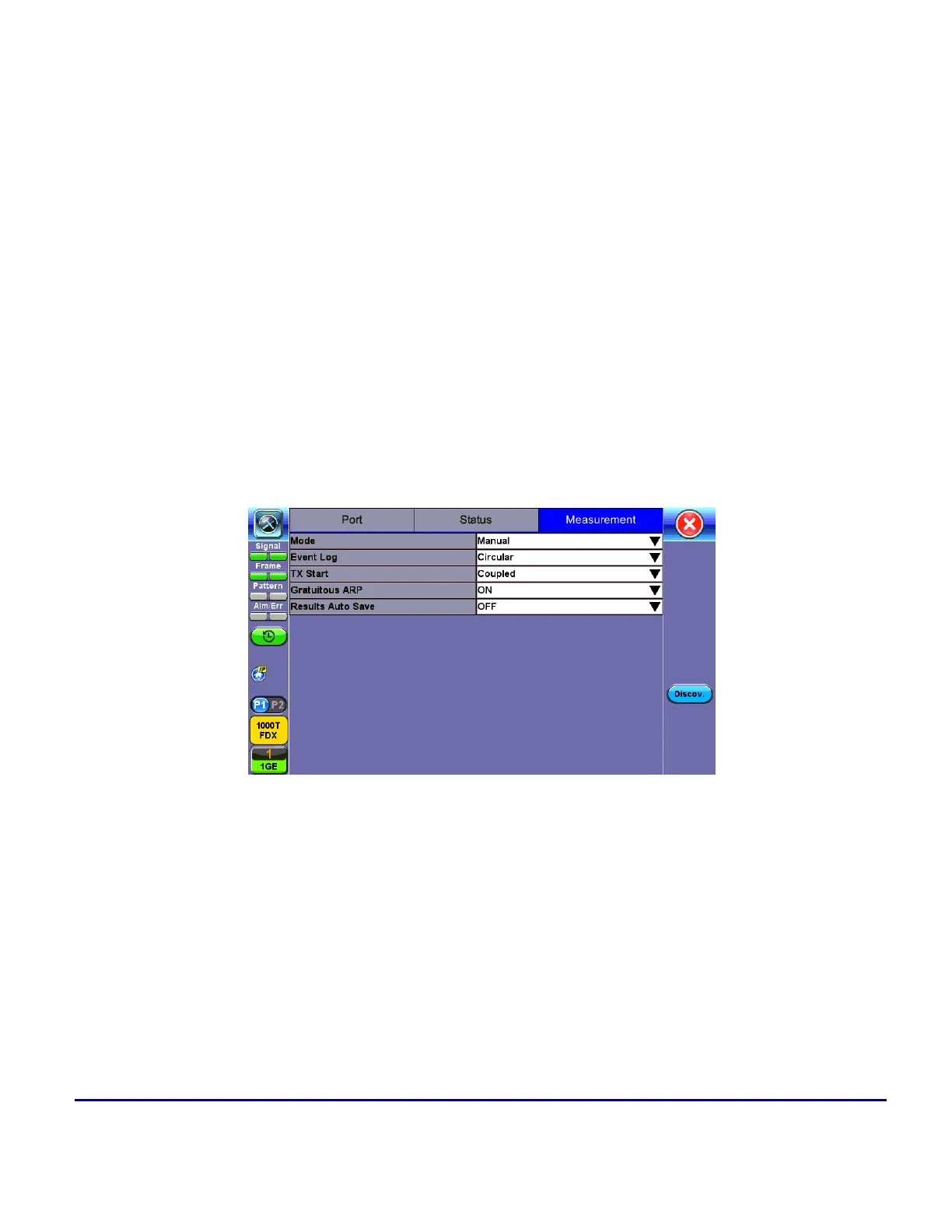
Measurement Settings
Measurement Setup
The measurement and event log settings are configured in this screen.
l
Mode: Manual, timed, or auto mode are available.
l
Manual mode: Starts and stops the measurements manually.
l
Timed mode: Defines the duration of the test; after the test is started, the test will run for the
configured duration and stop automatically.


 To Next Page