Platform Functions © VeEX Inc. All Rights Reserved. 86
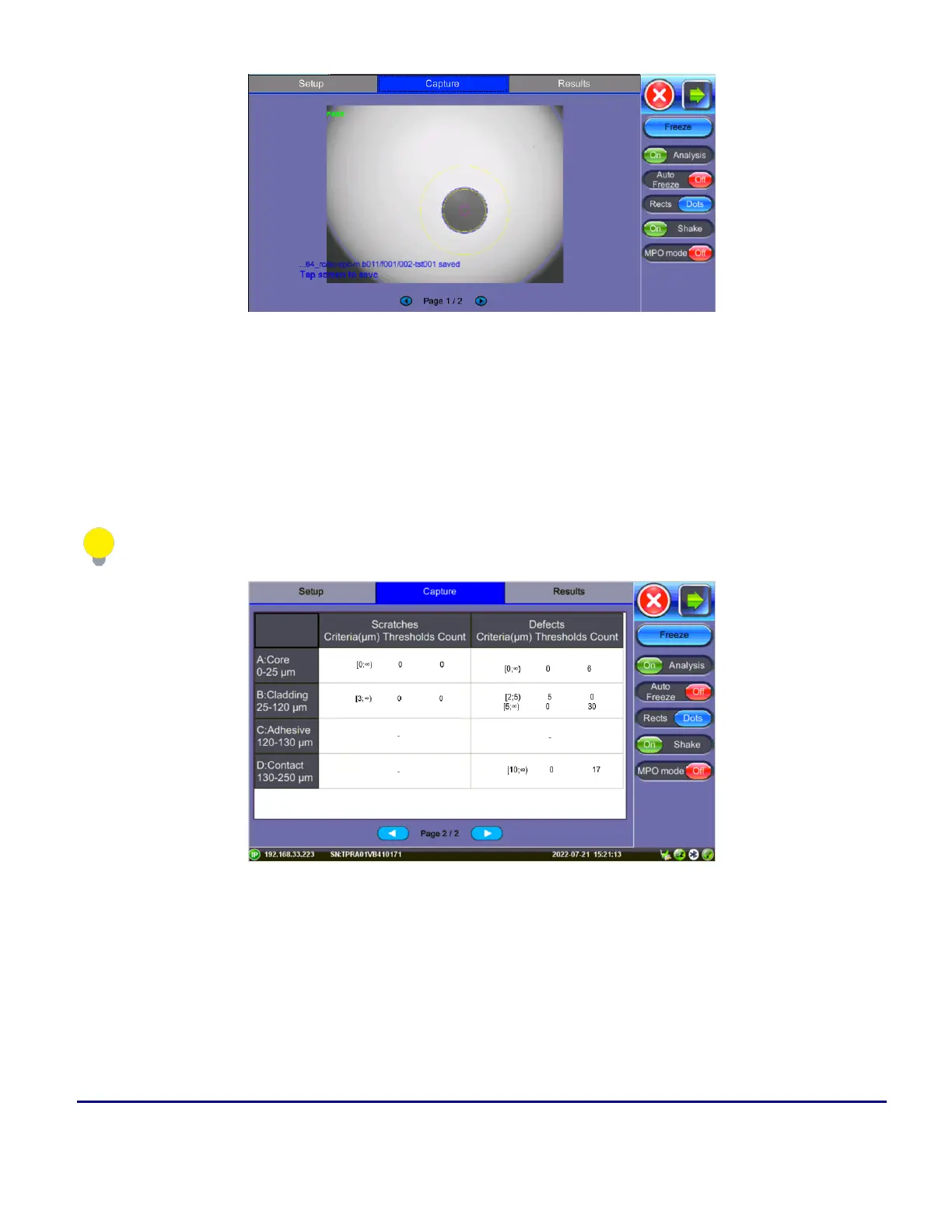
Fiber Scope Capture - PASS
In the example above, the message in blue states that the image can be saved when tapped. This indicates
that the Autosave on Tap option was enabled on Page 1 of the Setup tab. If Autosave after freeze were
selected, no message to tap the screen would appear.
Page 2 displays all numeric results from defect and scratch events found for all four zones. These are used for
the evaluation of the Pass/Fail criteria, according to the IEC 61300-3-35 standard. (Scratch requirements refer
to width.)
This table will also be included in the reports.
Pass/Fail IEC analysis table
(Measured scratches and defects compared with threshold criteria for each fiber layer)



 To Next Page