Ethernet © VeEX Inc. All Rights Reserved. 60
V-FTP is an internet speed performance test based on uploading and downloading large test files to an FTP
server. The V-FTP Throughput feature allows users to test up to full line rate FTP protocol performance to any
FTP Server by uploading and downloading files.
Run a FTP Speed Test
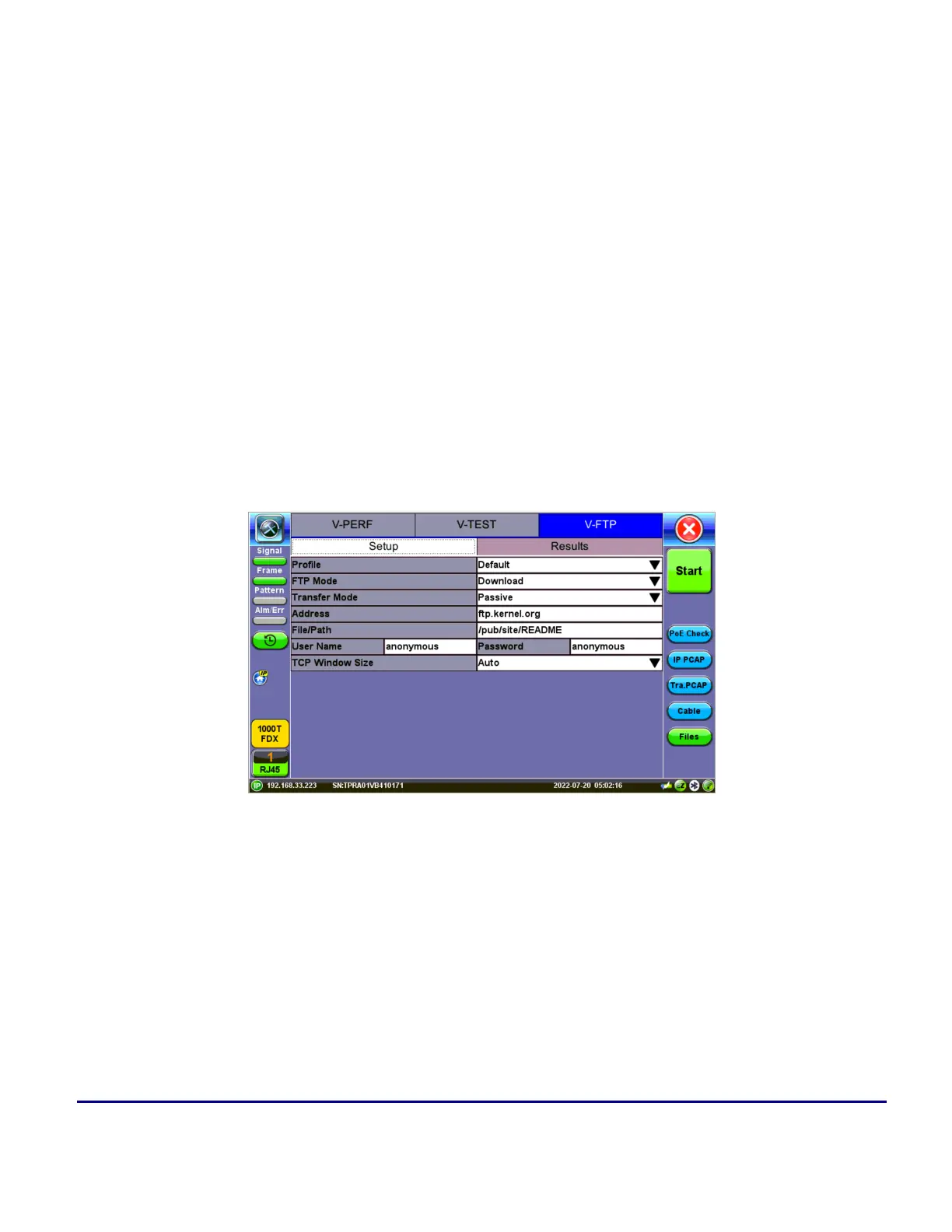
1. Select Speedtest on the test application main menu. Tap the V-FTP tab.
2. On the Setup subtab, select Download or Upload from FTP Mode.
3. Enter the FTP server IP Address,File/Path, User Name, and Password information.
4. A. If setting up for a Download Test, select the TCPWindow Size.
B. If setting up for an Upload Test, select the MTU Size and enter the Size and Bottleneck Band-
width.
5. Tap Files to open up the FTP file selection window and view all the files on the server. Select a file to
transfer and tap Start to run the test.
V-FTP - Setup - Download



 To Next Page