81 © VeEX Inc. All Rights Reserved. Platform Functions
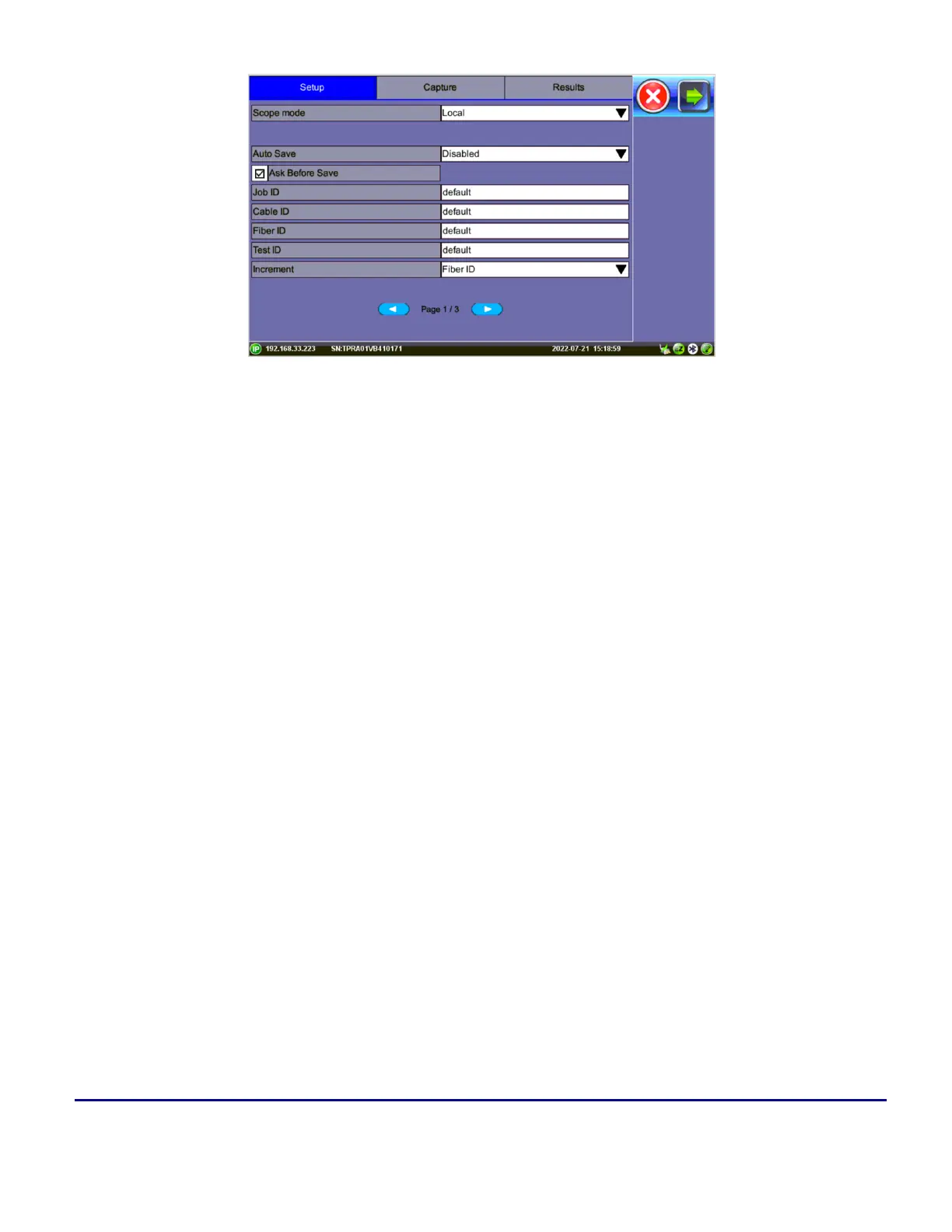
Fiber Scope Setup - Page 1
l
Scope mode: Sets Fiber Scope connection method.
l
Local: Direct USB (wired) connection.
l
Remote
l
Remote DI-3000: Wifi connection to DI-3000.
l
Auto Save: Disable, Autosave on Tap, or Autosave after freeze. If Autosave on Tap or Auto-
save after freeze is enabled, the unit automatically saves and creates the filename using the Trace
ID after the test. The file location and name will display.
l
Disabled: Turns off Autosave function. When Autosave is disabled, results can be
manually saved on the Results tab after finishing the fiber endface inspection.
l
Autosave on Tap: On the Capture tab, tap the screen to automatically save the cap-
tured image. “Tap screen to save” will appear to indicate that the feature is enabled.
l
Autosave after freeze: Automatically saves the captured image upon freezing the
image. (Auto-freeze enabled or normal Freeze.)
When Ask Before Save is selected, the Save menu will display with naming and comment options.
The details entered in the following fields can be used to pre-set the filename automatically and increment the
fiber or test number automatically.


 To Next Page
 Loading...





