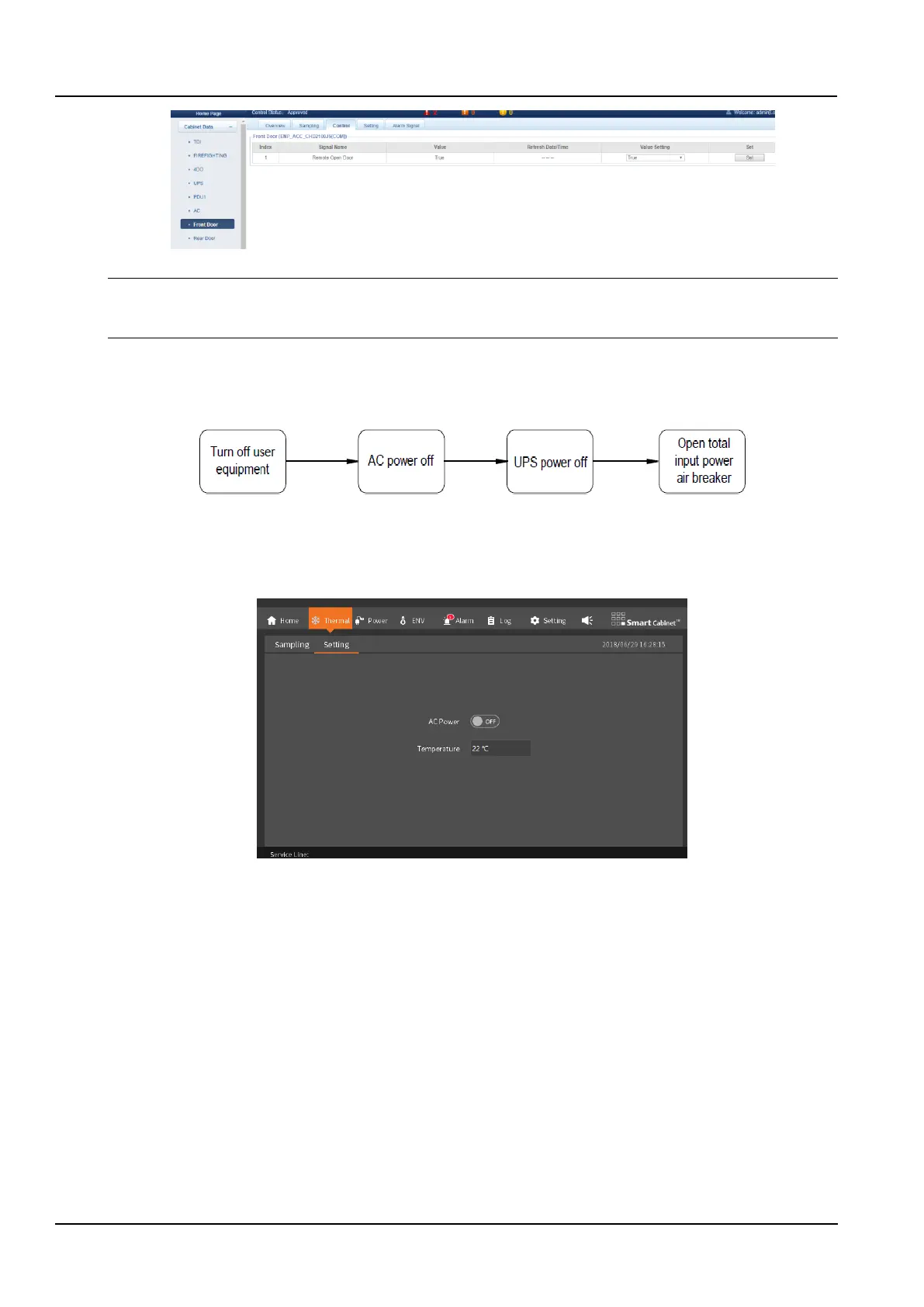
Figure 2-36 Remote door opening control
Notices
After the remote authorization opens the door lock, the door lock is not opened by the field personnel after waiting for 5s, and the
door lock will be automatically locked.
2.3.7 Shutdown
The shutdown flowchart of the SmartCabinet2-E product is shown in the figure 2-38.
Figure 2-37 Power off Flowchart
The shutdown steps are as follows:
1. Ensure that all user IT equipment is completely powered down.
2. Enter the Thermal menu of the LCD Monitoring System and turn off the air conditioner.
Figure 2-38 Turn Off Air Conditioner
3. After the air conditioner stops supplying cold air, disconnect the air conditioner from the PMU.
4. Press and hold the UPS shutdown button to turn off the UPS.
5. Disconnect the UPS input MCB and output MCB. Disconnect the battery MCB (when the battery is selected).
6. Disconnect the total input MCB on the PMU.
7. Check that all electrical equipment has been completely powered off and close all doors.



 To Next Page