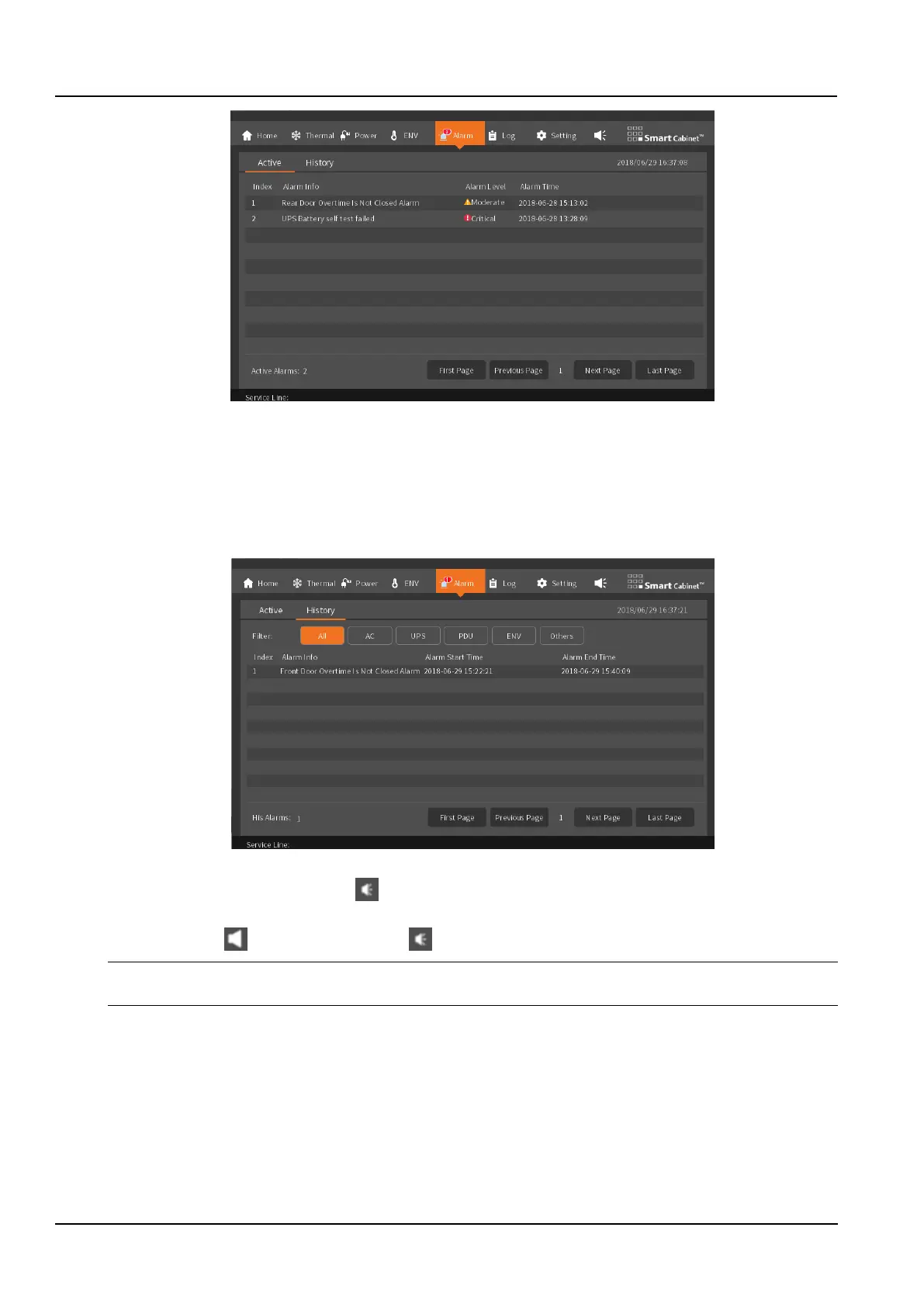
Figure 3-13 The current warning page
The history alarm lists the alarm information of the system in the last week. In order to enable the user to quickly
retrieve the history alarm information of the main modules of the system, the history alarm interface sets the alarm
filtering options. The items that can be filtered include AC, UPS, PDU, ENV and Others. Click the corresponding
options to filter out the corresponding alarm list, alarm start time, and alarm end time. You can Click the first page, the
previous page, the next page, and the last page to view the information in pages, as shown in the Figure 3-14.
The history alarm information of the system allows the user to fully understand the operating status of the system.
Figure 3-14 The history alarm page
Alarm buzzer: In the upper right corner of the homepage menu bar, when the alarm is generated, the alarm
buzzer will beep. If the next alarm is not generated, the buzzer will beep for 5min, and will automatically turn off after
5min. The buzzer can be manually clicked to be turned off.
Notices
The processing of common alarm information can refer to the 4.4 Alarm reference section.
3.1.8 Log
The log page is divided into two parts: Ctrl Log and ECO Log.
The Ctrl Log interface lists the control operations issued by the HMI local display in the last week of the system, such
as the air conditioner's power on/off, air supply and return temperature settings, and the temperature hysteresis
setting. You can view all control information and control time of the user by viewing the control log, as shown in the
Figure 3-15.
For other control commands sent through the WEB page, please visit the WEB page to control the log query related
operation records.



 To Next Page