3.3 ECO Settings and Operating Instructions
3.3.1 Setting ECO Mode
The ECO mode is factory-set to the default setting. To enable this function, the customer needs to set it manually. The
specific method is as follows:
1. Set the ECO mode in the HMI page;
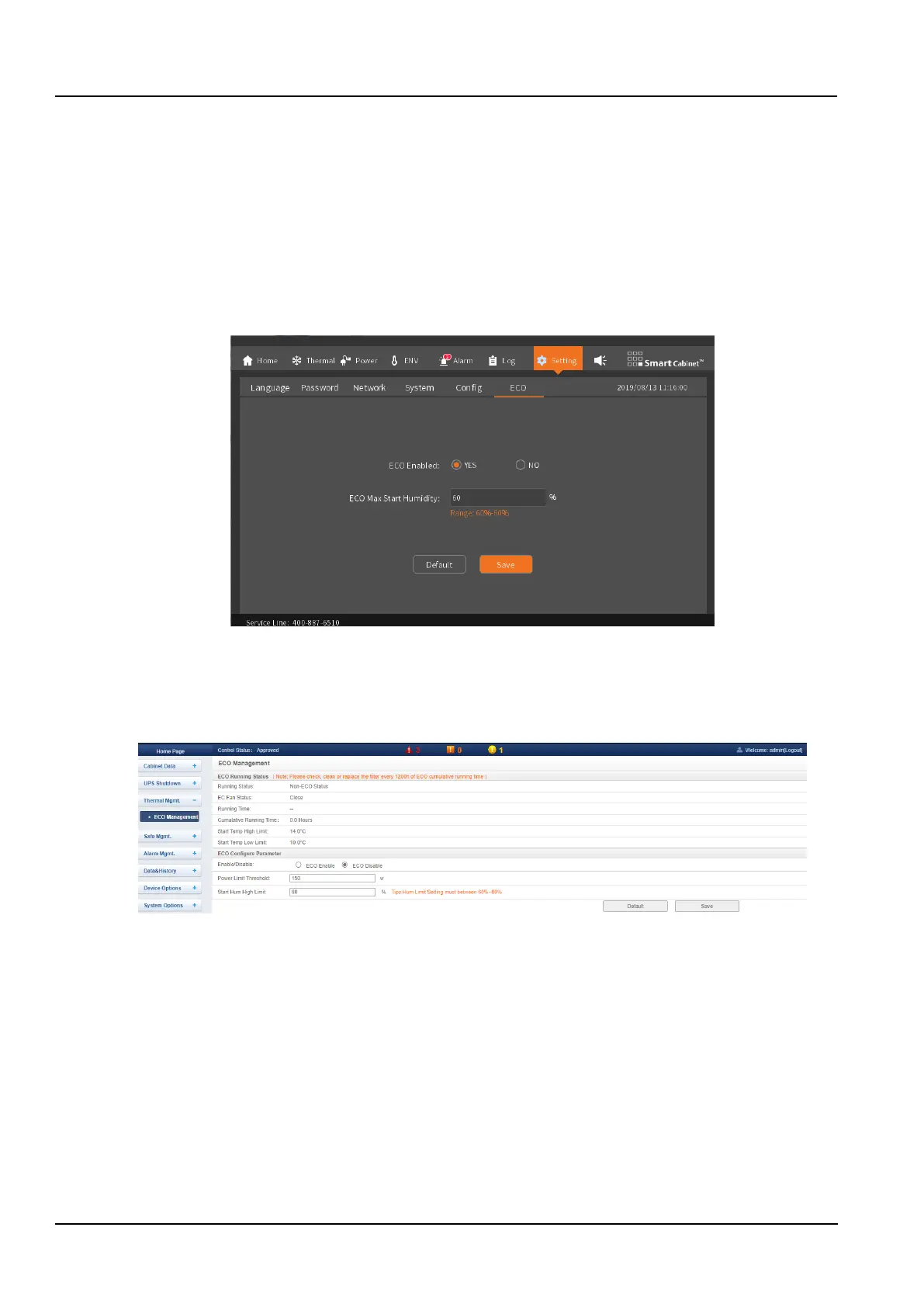
The submenu of the HMI display home page has the “Settings -> ECO Settings” function. As shown in the Figure 3-
103, after the customer manually selects “Enabled” and save the settings, and the ECO function will be enabled. To
turn off the ECO function, select the Disable button, and save. The maximum allowable humidity limit is 60% to 80%.
Click “Restore Defaults” button will reset the ECO related parameters to the factory values.
Figure 3-103 ECO setting screen
2. Set the ECO mode in the Web page;
The web page can remotely control the enabling and disabling of the ECO function. The specific setting position is
“Thermal Mgmt. -> ECO Management”. On this page, the ECO function can be enabled or disabled by clicking the
Enable / Disable button.
Figure 3-104 ECO management
3.3.2 Descriptions of Operating Conditions
1. ECO cooling mode entry conditions
⚫ ECO startup low temperature limit <ambient temperature < cold aisle high temperature alarm value -
temperature dead band value (2℃)
⚫ Ambient humidity <ECO humidity limit
After the ECO function is enabled, when the above conditions are met, the system can enter the ECO cooling mode,
turn off the air conditioner, and turn on the ECO fan;
The cold aisle low temperature alarm value defaults to 10 degrees. If the customer modifies the cold aisle alarm
value, the ECO startup low temperature limit will also be changed accordingly.
The cold aisle high temperature alarm value defaults to 30 degrees, if the customer modifies the cold aisle alarm
value, the ECO startup high temperature limit will also be changed accordingly.
2. ECO cooling mode exit condition



 To Next Page