3.1.3 Home
After startup, enter the main screen as shown in the Figure 3-1. On the page, you can view the current cabinet
operation status, as well as the temperature value of the hot and cold channel. On the right side of the page, you can
display the information of power distribution and refrigeration in common use.
3.1.4 Thermal
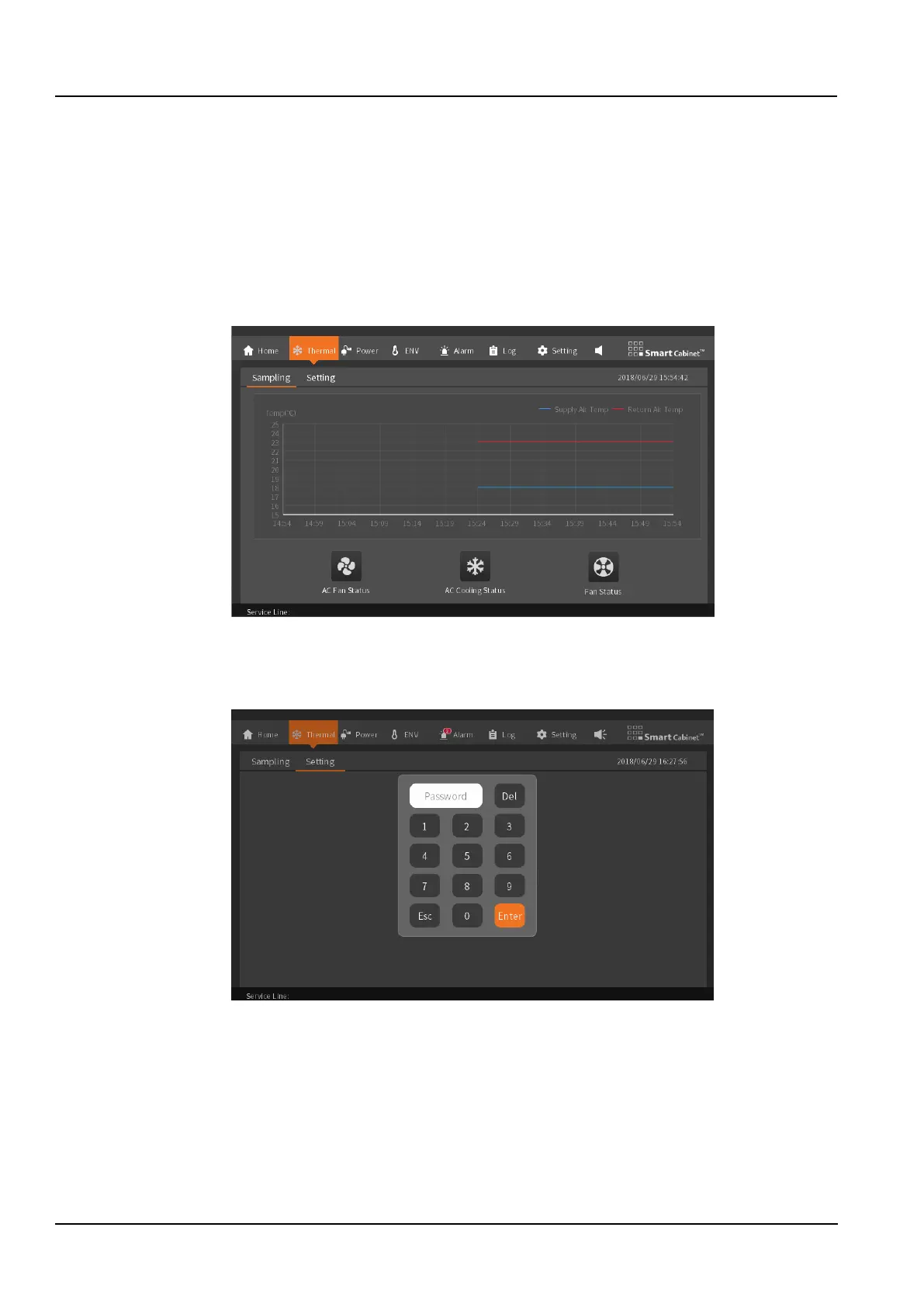
The air supply temperature is displayed in a graph to display the data of the latest hour, and the curve update time is
6s;
The air conditioner fans, air conditioner and cooling, and ECO fans use animated display switch status, as shown in
the Figure 3-3.
Figure 3-3 Thermal management data collection screen
To enter the setting page, you need to enter the password. If the password is correct, you can view and control the
operation normally. After switching the page, you can return to the page and you need to re-enter the password. Click
“Esc” to view the information on this page, but you cannot control or set it, as shown in the Figure 3-4.
Figure 3-4 Password screen for entering the thermal management settings
As shown in the Figure 3-5, the air conditioning temperature set point can be modified. The factory default setting
point is 23°C, and the setting range is 18 to 27 °C.



 To Next Page