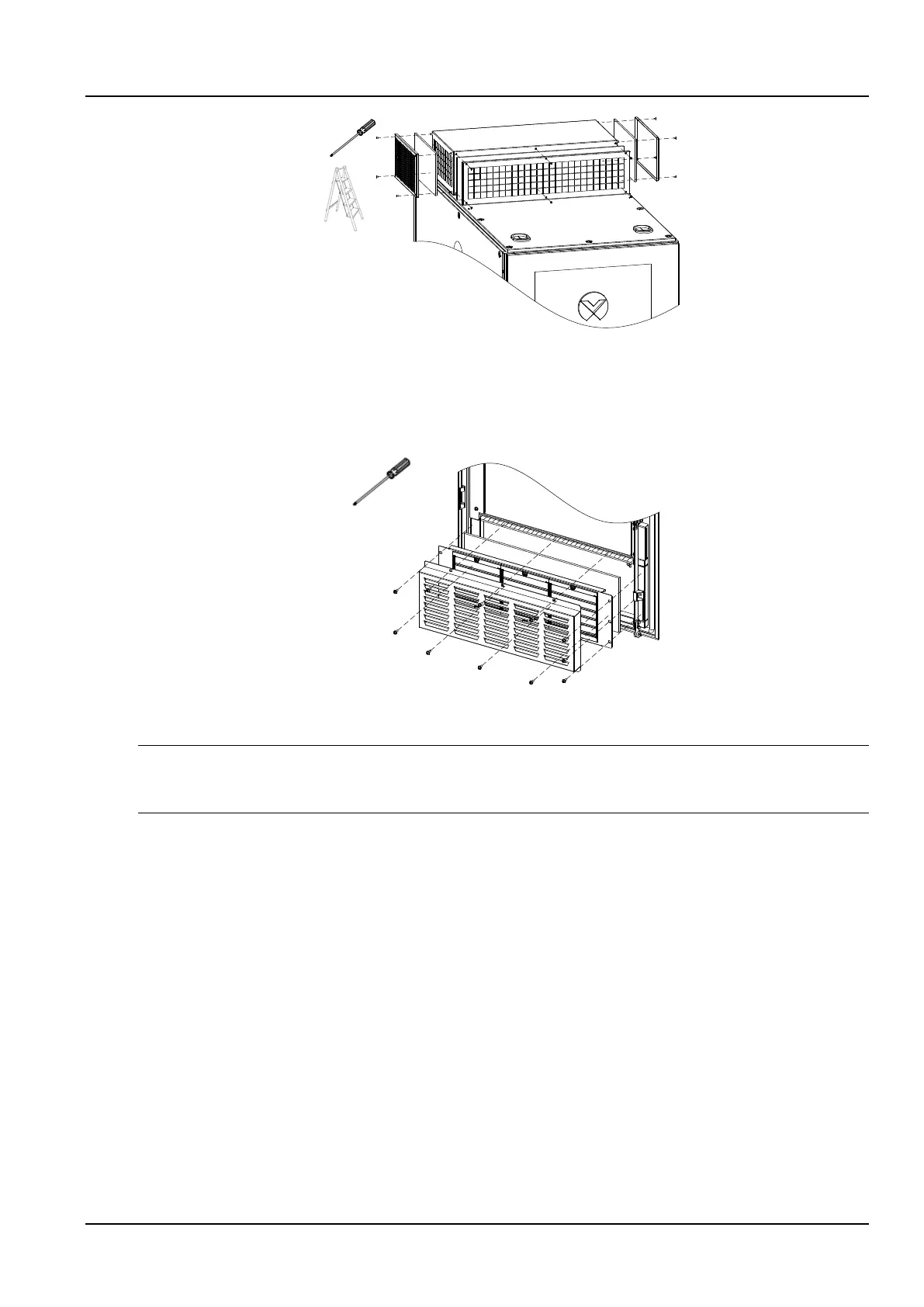
Figure 4-3 Replace Filter of ECO Fan Module
3) Install a new filter hood and decorative guard according to step 2) and step 1).
2. Replace front door inlet filter
1) Remove the (11 pcs) screws of the front door wind scooper in Figure 4-4, remove the old filter, and replace it with a
new filter.
Figure 4-4 Replace Air Inlet Filter
2) Install the louver and wind scooper according to step 1) to complete the replacement.
Notices
It is suggested that a filter should be checked 、cleaned up or replaced once total running time in the ECO mode reaches 1200 h.
The running time of ECO mode can be referred in Figure 3-49.
4.6.2 Parts replacement and decomposition
The SmartCabinet products contain substances and components (electronic parts) that are harmful to the
environment. When the life of a SmartCabinet product expires, it must be decomposed by a professional technician.
The SmartCabinet products must be sent to a processing center that professionally collects and processes
equipment containing hazardous materials.



 To Next Page