VIVOTEK
12 - User's Manual
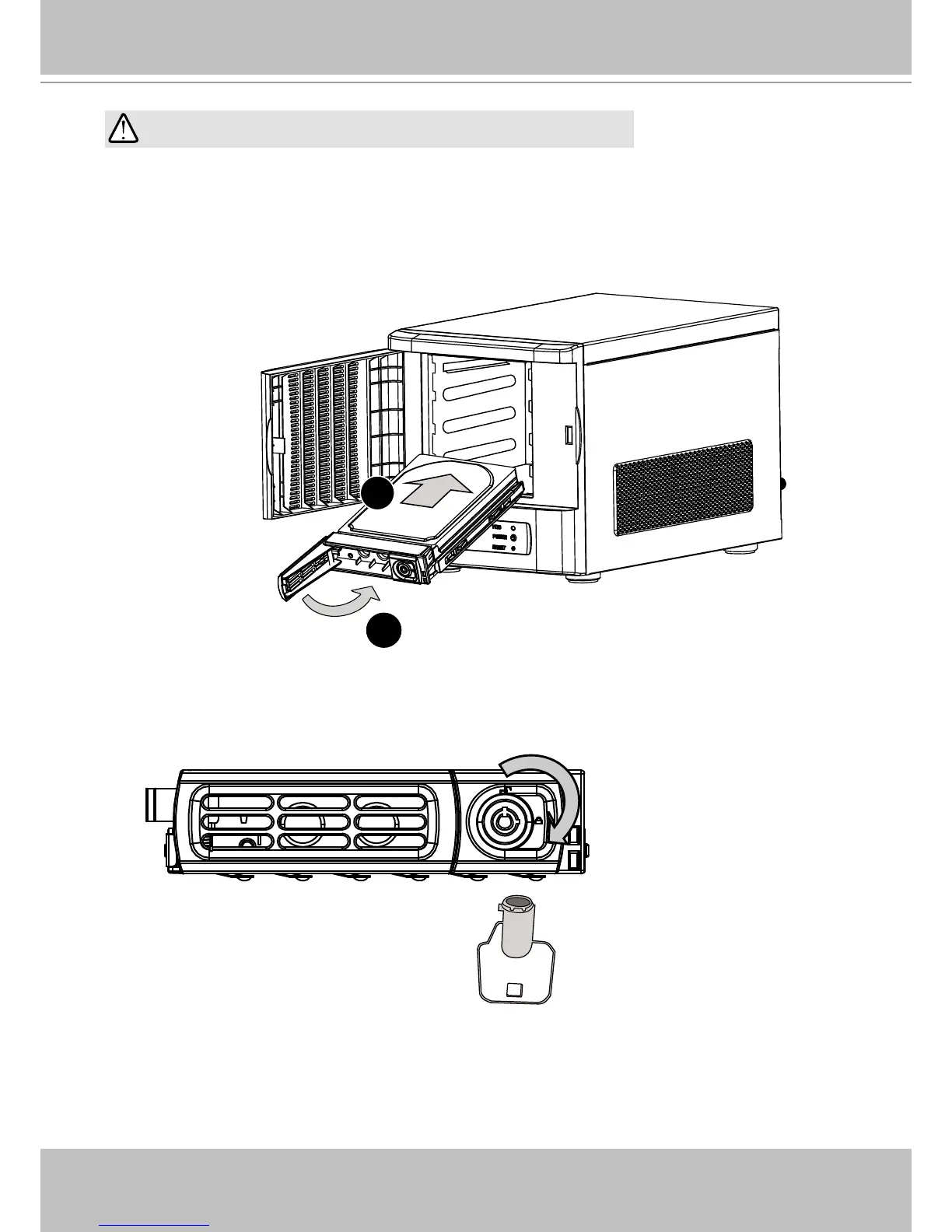
5. Install drive tray by pushing it into drive bay. when it is almost fully inserted, close the bezel.
The bezel will secure the back-end connection to the backplane.
6. Use the bezel key to lock the drive tray. Repeat the process to install more disk drives.
Bezel Lock
2
1
HDD
Bezel Lever
Avoid touching the hard drive's circuit board or connector pins.
Doing so can damage the hard drive by electro-static discharge.
IMPORTANT:



 To Next Page