VIVOTEK
User's Manual - 13
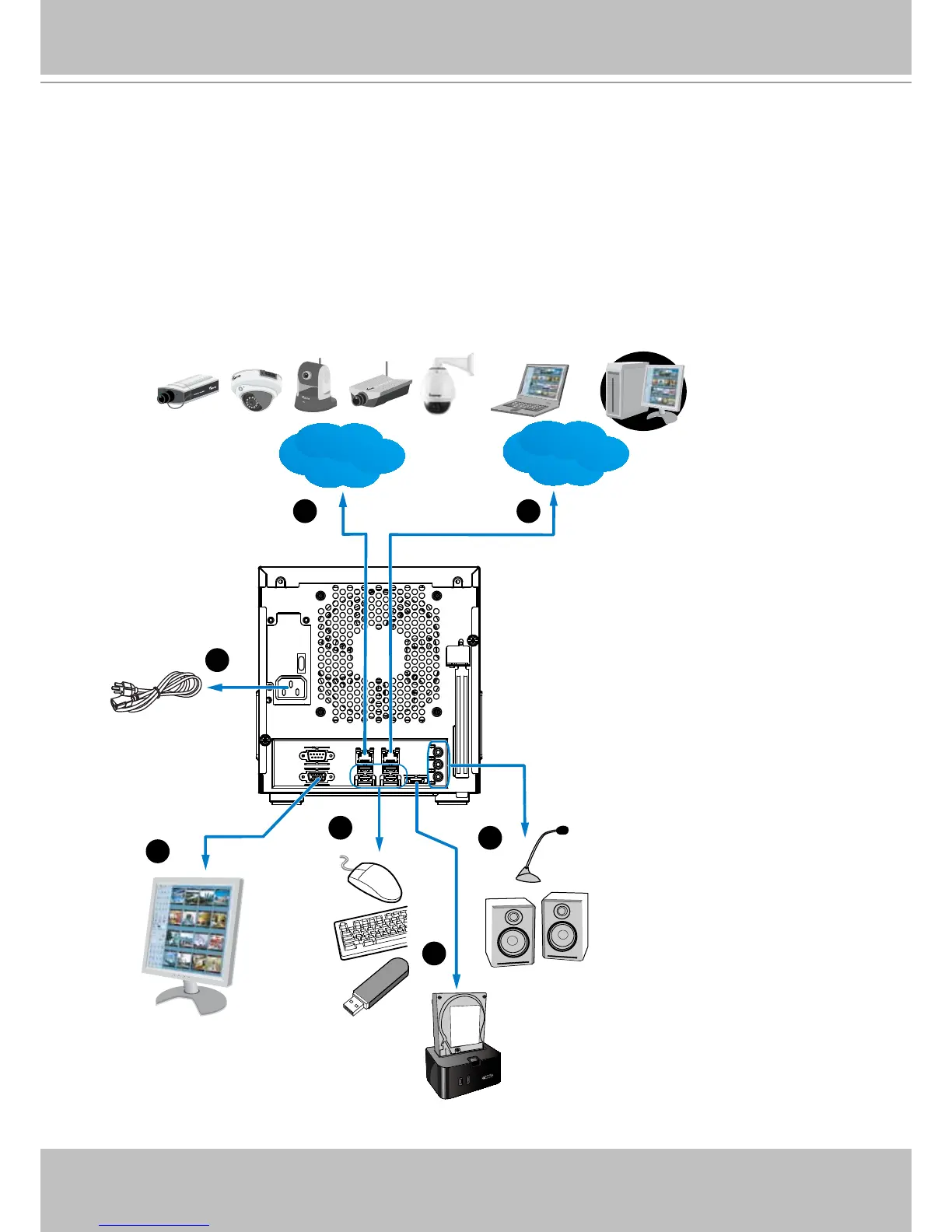
Interface Connections
0
1
LAN
Internet
Router
1 2
3
4
5
6
7
LAN WAN
VGA
USB devices
External enclosure
Audio devices
Power cord
1 & 2. Connect CAT5 or better-quality Ethernet cables to cameras via a local, switched net-
work, or clients through the Internet. Refer to next page for more information.
3. Connect the DB15 VGA port to a monitor (with resolutions up to 1920x1080).
4. Connect USB devices such as keyboard and mouse.
5. If an external eSATA storage enclosure is available, connect it to the eSATA port.
6. Connect speakers or microphone to the phone-jack connectors.
7. Connect the power cord to the power socket 100-240V AC. (50~60Hz, 3~1.5A)



 To Next Page