VIVOTEK - Built with Reliability
10 - User's Manual
IMPORTANT:
It is important to leave a clearance of 10cm around the
chassis. The clearance is required to ensure an ad-
equate airow through the chassis to ventilate heat.
10cm
SATA hard disk(s) are user-supplied. The network video recorder can readily accommodate
most of the off-the-shelf SATA hard drives.
Hardware Installation
2
To ensure normal operation, maintain ambient airow.
Do not block the airow around chassis such as placing
the system in a closed cabinet.
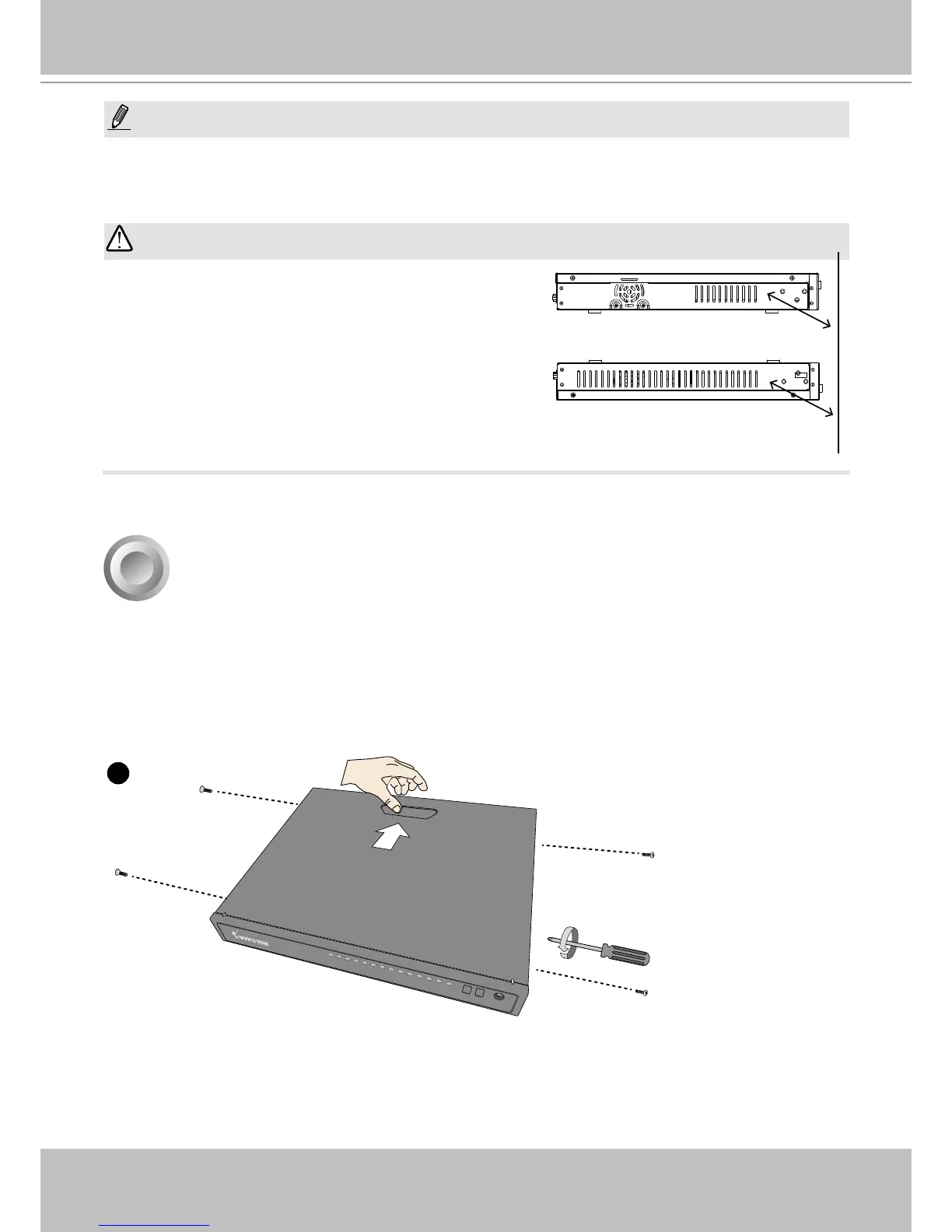
1. Use a screwdriver to loosen the retention screw on the sides of the chassis. Slide the top
cover back, and then remove the top cover.
NOTE:
You can also use the Reset button to restore system defaults. Use a straightened paper clip to
press and hold down the button for longer than 5 seconds. The system should start restoring de-
faults.



 To Next Page