VIVOTEK - Built with Reliability
User's Manual - 27
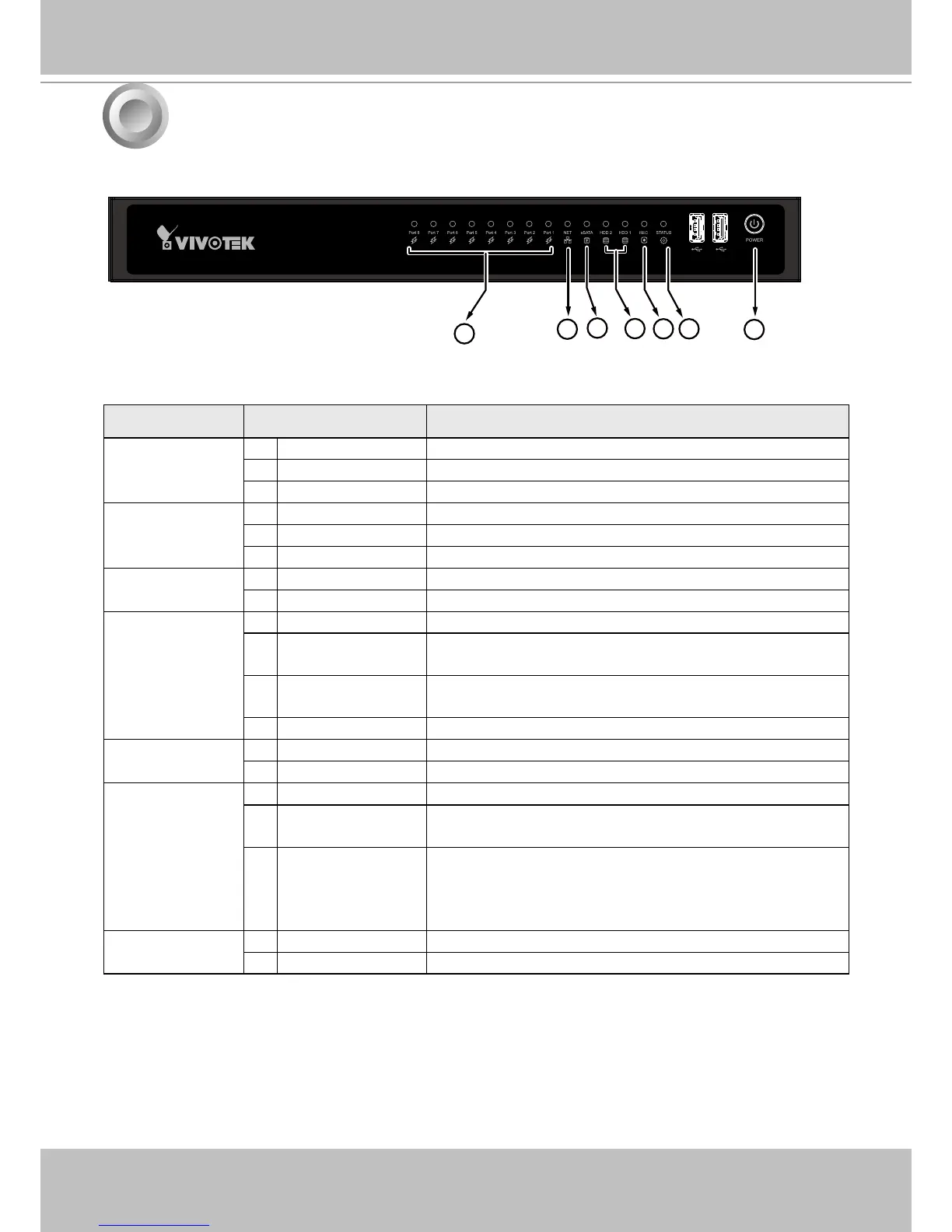
LED Indicators
Name Behavior Denitions
1. PoE &
Network LED
1 Flashing Green Transmitting or receiving data.
2 OFF Device disconnected.
3 Solid Green Device is connected.
2. NET activity
LED
1 Flashing Orange Indicating on-going trafc over the LAN connection.
2 Solid Orange Ethernet is connected.
3 OFF Ethernet is disconnected.
3. eSATA LED 1 Solid Green Indicating the status of the external eSATA device.
2 OFF H.D.D. is disconnected.
4. HDD activity
LED
1 Constant Green H.D.D. is connected and ready.
2 Constant Red SMART-related disk errors or a congured H.D.D. is
missing.
3 Blinking Red every
1 second
H.D.D. conguration errors.
4 OFF H.D.D. is disconnected or removed.
5. Record LED 1 Flashing Red Camera streams are recorded to the system storage.
2 OFF No recording.
6. Status LED 1 Constant Green System is ready.
2 Blinking Green
every 1 second
Updating rmware or device pack.
3 Constant Red S.M.A.R.T.-related disk errors, or a congured H.D.D.
is missing, or H.D.D. is full. Buzzer will also be
sounded. When buzzer is turned off, LED will return
normal.
7. Power button
LED
1 Solid Green Power is on.
2 OFF Power is turned off.
6
1
2
3
4
5 6
7



 To Next Page