VIVOTEK - Built with Reliability
User's Manual - 173
5-6-2. Editing Alarms via Source, Action, and Schedule
1. Editing an existing instance -
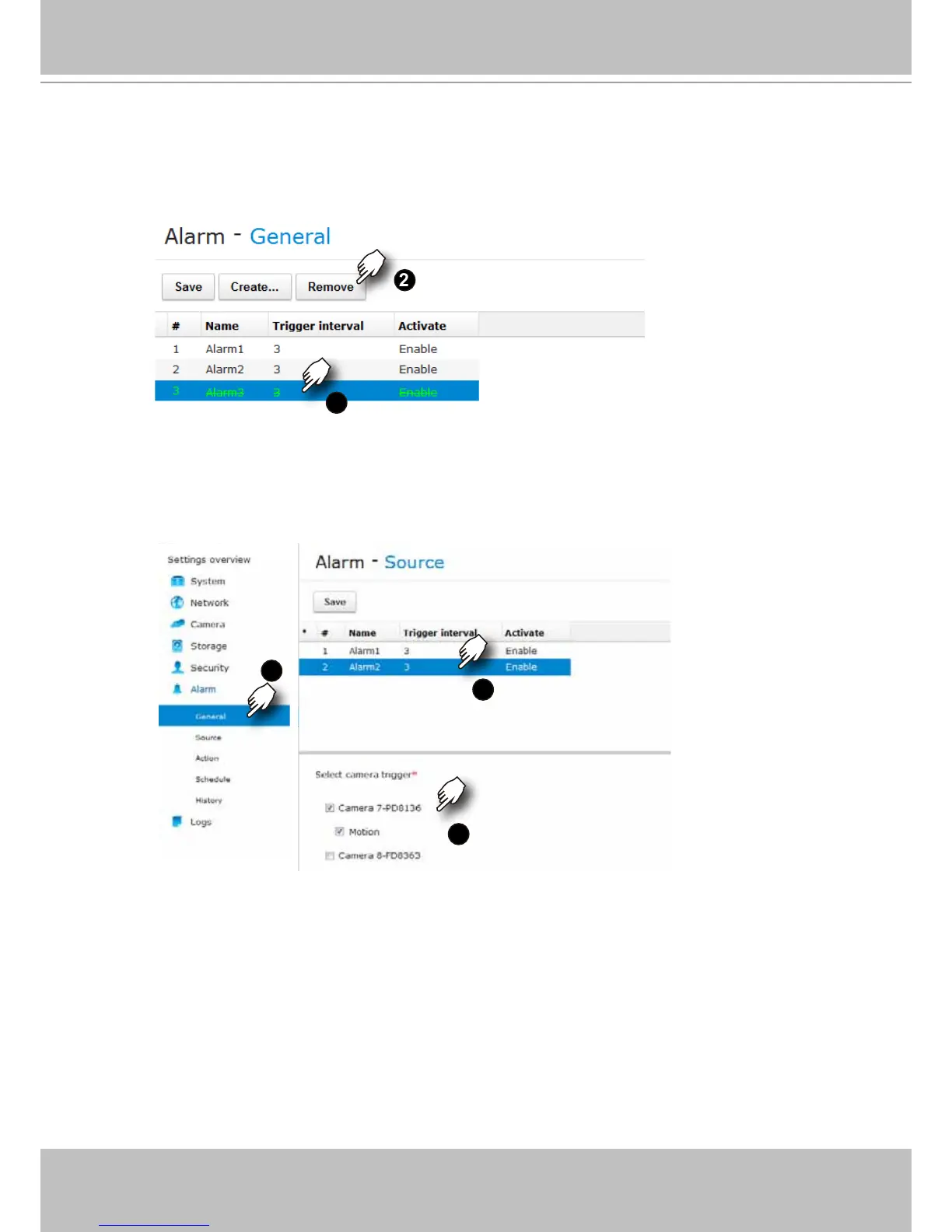
1-1. To remove an existing alarm, select by a left-click, and then click on the Remove button.
1
2
1-2. To edit an existing alarm, select by a left-click, and then click on the Source, Action,
or Schedule button on the left function tree. The associated parameters will display
on different windows. You can then edit the previous conguration such as selecting a
different triggering source, reactive action, or time span on a schedule.
1
3
2
While in the editing window, the Create and Remove buttons are not available.



 To Next Page