VIVOTEK - Built with Reliability
User's Manual - 13
5
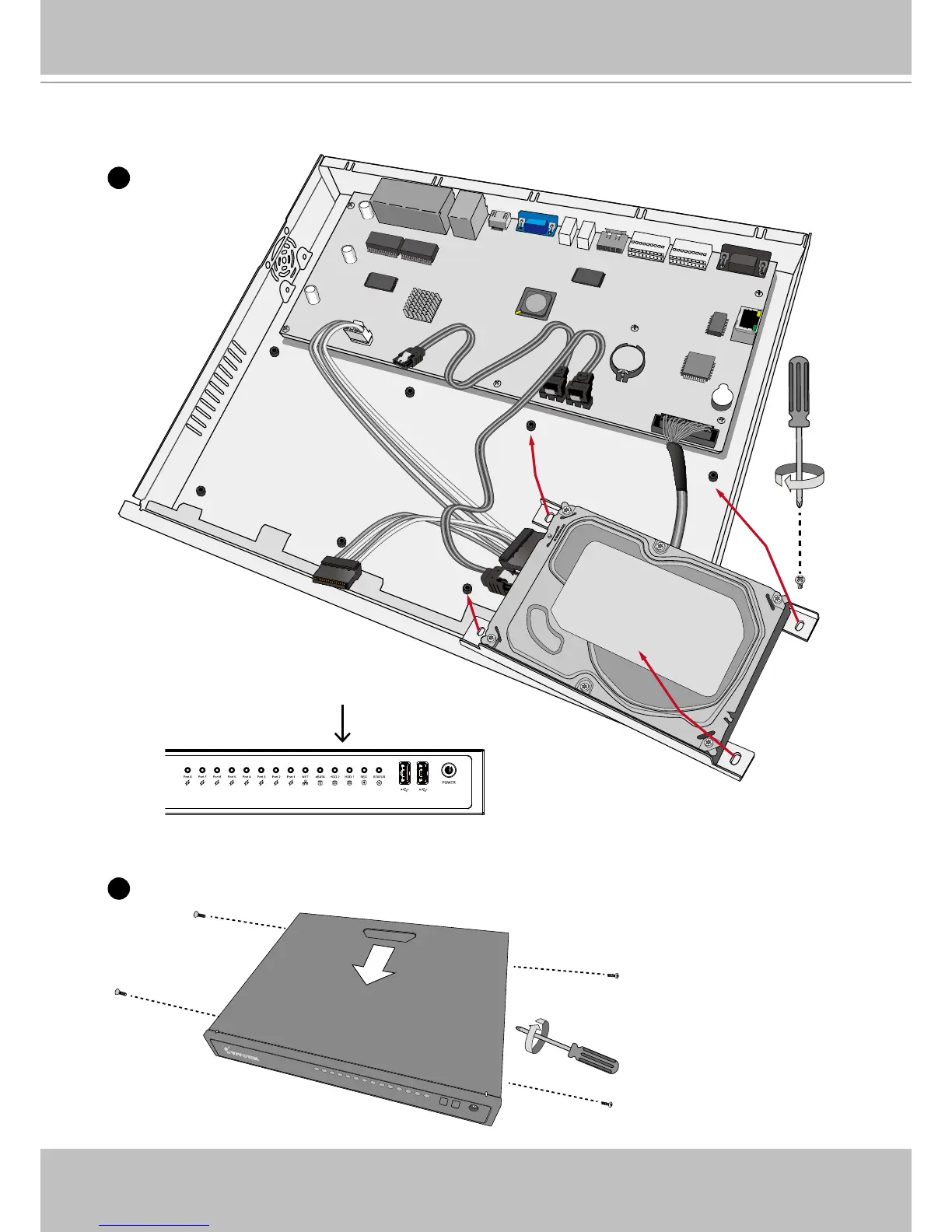
6. When done, install the top cover.
5. Secure the hard disks to the mounting positions in the chassis with its label side facing up,
and the connectors facing the inside of the chassis.
Note that the connectors correspond to
the LED display on the front panel. The
LEDs do not indicate the physical posi-
tions.



 To Next Page