179
W&T OPC data transfer
Subject to error and alteration
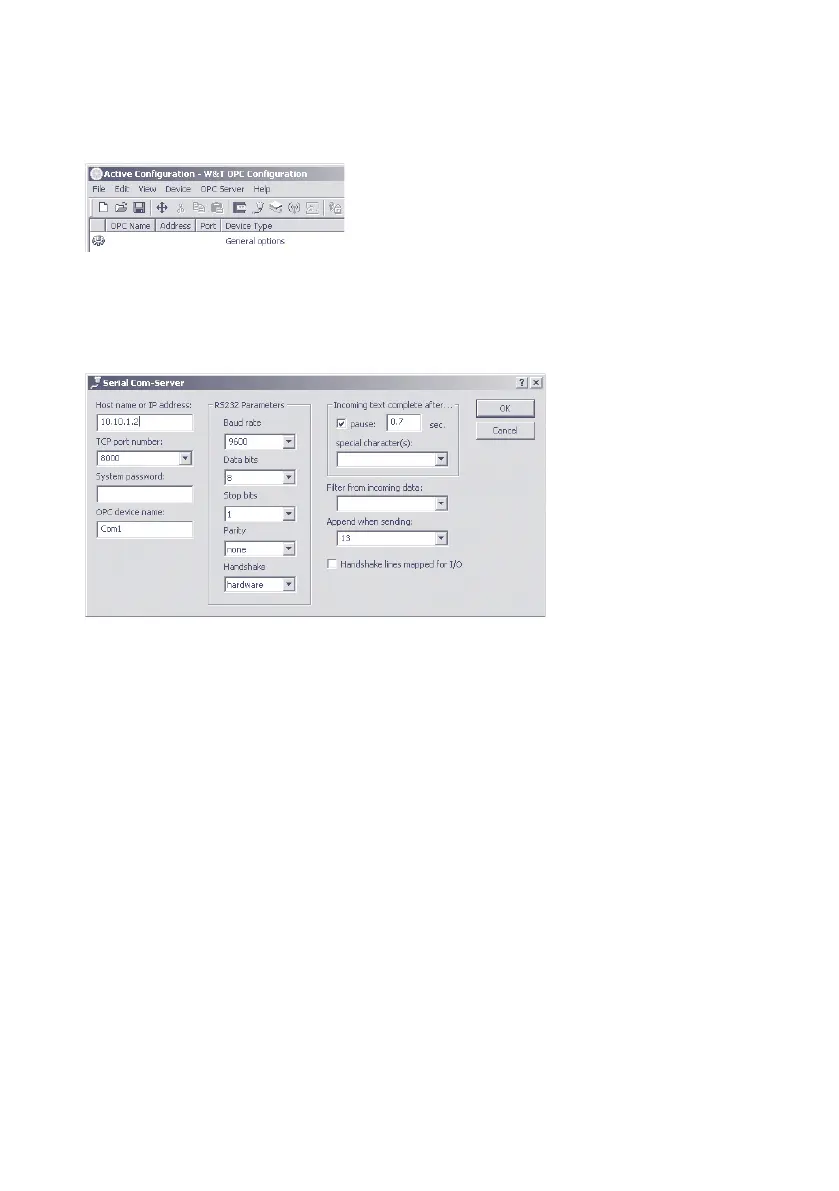
22�3�2 Incorporating the Com-Server into the OPC Server
After starting the OPC configuration tool, click on the New
serial device button to start the dialog for integrating a Com-
Server:
The required connection data for the Com-Server, consisting
of the IP address, TCP port and system password, are entered
into the corresponding fields of the following window.
The serial transmission parameters, which are also configu-
rable here, must agree with those for the serial connected
device.



 To Next Page