32
4�1 Ethernet interface
The Com-Server++ incorporates an IEEE 802.3-compatible
network interface.
4�1�1 Link status
The Link status is indicated on the two LEDs built into the
RJ45 jack.
• Link/Activity (green)
ON indicates a valid link to a hub or switch port. The LED
flashes when there is data traffic.
• Speed (yellow)
ON indicates a 100MBit/s-link (100BaseT). OFF indicates
10MBit/s (10BaseT)
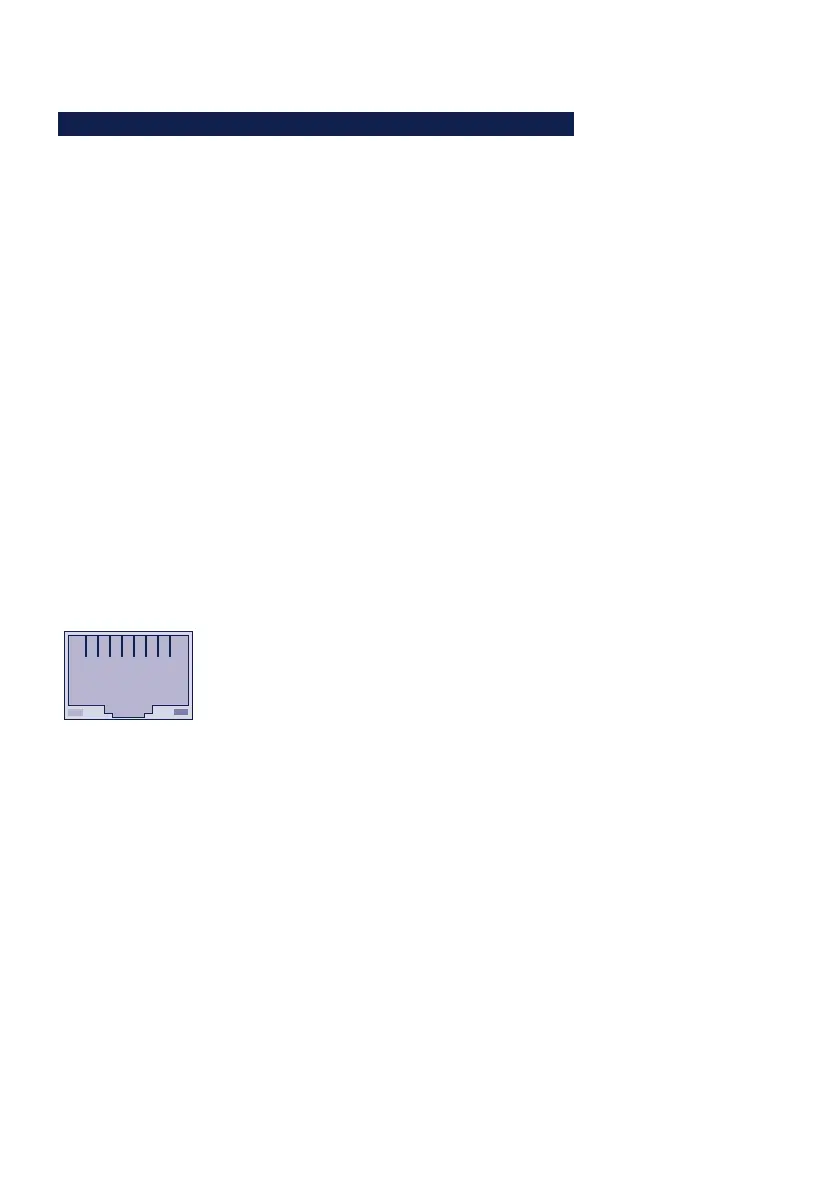
4�1�2 10/100BaseT on RJ45
The Com-Server has a network interface on a shielded RJ45
connector. The pin assignments shown below correspond to
an Auto-MDI-X interface, so that the connection to the hub or
switch is made using a max. 100m long shielded patch cable.
Speed Link/
Activity
1 2 3 4 5 6 7 8
The network connection is galvanically isolated with respect
to the supply voltage as well as the serial interface(s) for at
least 1,5kV
rms
.
Auto Negotiation: 10/100BaseT, Full/Half Duplex
The Com-Server is factory set to operate in Auto-Negotiation
mode on the network side. The data transmission speed
and duplex are automatically negotiated with the connected
switch/hub and set accordingly.
In addition to the Auto-Negotiation mode, both the Com-
Servers as well as many switches can be configured for fixed



 To Next Page