June 11, 2015, 715004754 Rev. A
Page 44
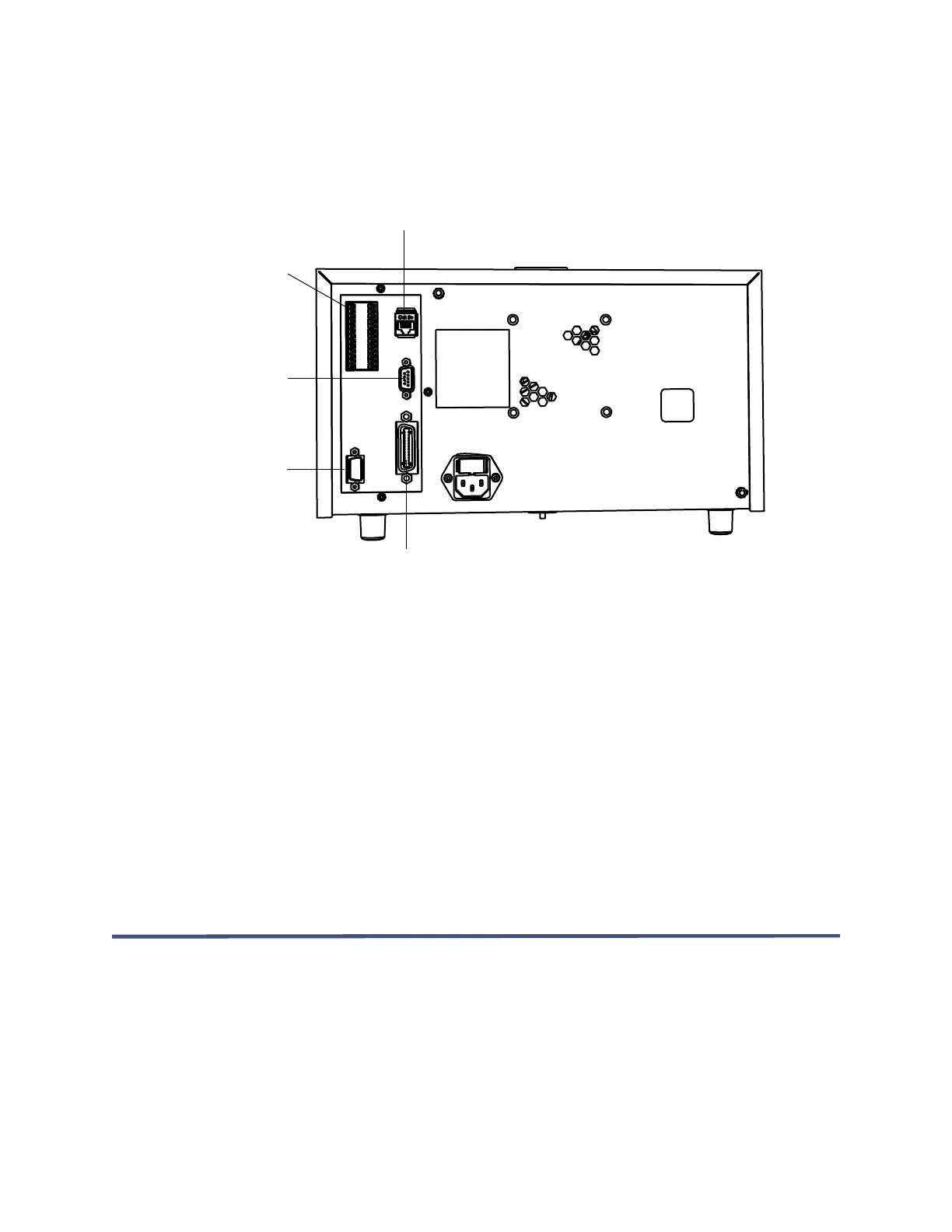
The following figure shows the rear panel locations of the connectors used to operate
the 2414 RI detector with external devices.
Figure 3–1: Location of connectors on 2414 RI detector rear panel
The signal connections you need for your detector communications depend on the
signal connections available on the other instruments in your Alliance HPLC system.
3.1.1 Supported IEEE-488 and Ethernet configurations
You can operate a 2414 RI detector controlled by a data control system in one of
these configurations:
• Where all system modules, including the detector, communicate with the data
system via an IEEE-488 bus interface
• Where all system modules, including the detector, communicate with the data
system via Ethernet communications
3.2 Ethernet signal cable connections
You can use the detector’s Ethernet port to connect the detector to chromatography
data software that supports Ethernet communications.
Signal cable
connector inputs
and outputs
Ethernet cable
connector
RS-232 cable
connector (for
service only)
IEEE-488
interface
connection
External column
heater port



 To Next Page