June 11, 2015, 715004754 Rev. A
Page 69
5.2 Operating in RIU mode
RIU mode provides front-panel method programmability. RIU mode sets µRIU as the
parameter displayed on the front panel and generated at the detector output, using
the RIU-FS parameter to convert RIU to a voltage.
Alternative: RIU mode can also be controlled using chromatography data software.
5.2.1 Using the display in RIU mode
The detector provides a 128 × 64 bitmap graphic display and a 24-key membrane
keypad as the operator interface. After the startup diagnostics run successfully, the
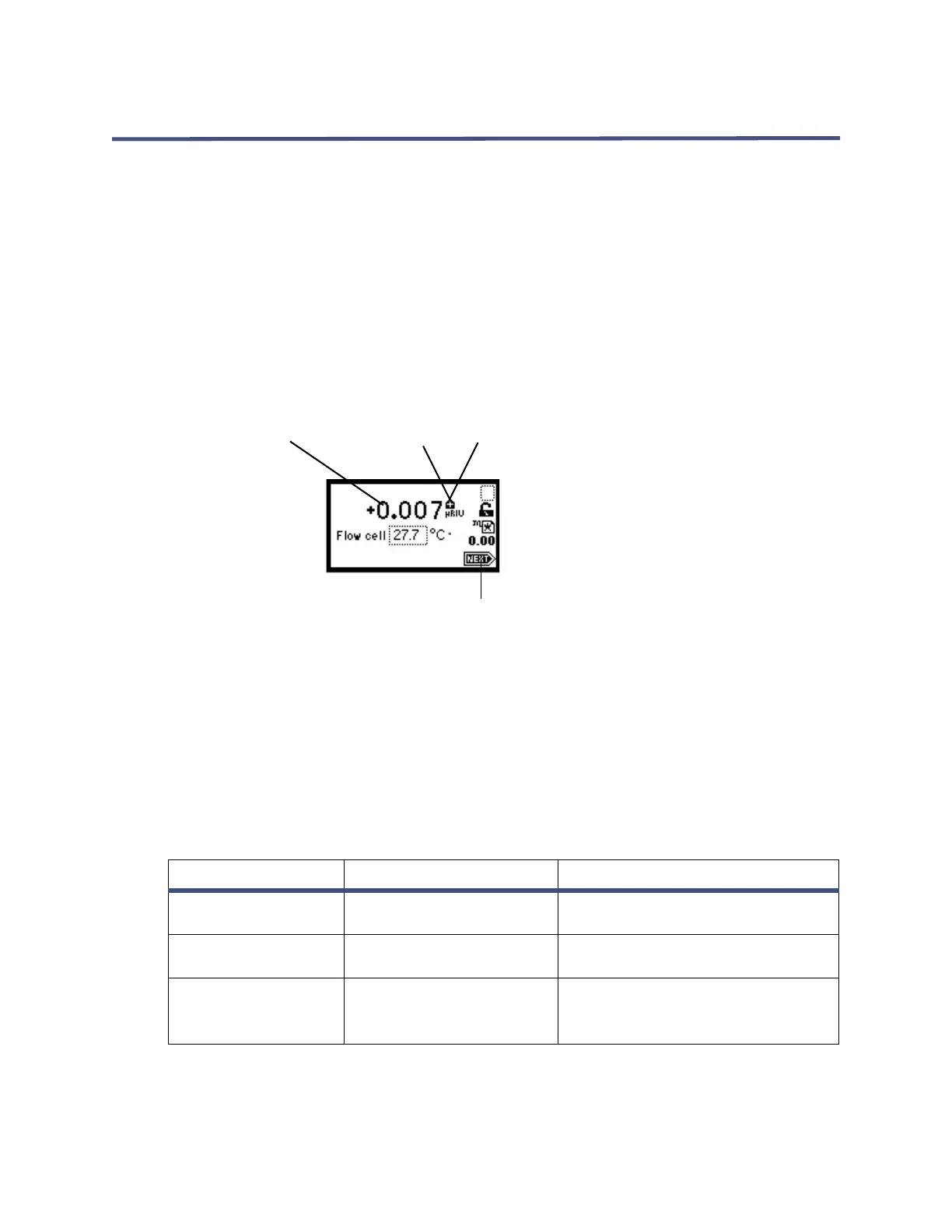
detector displays the home screen.
Figure 5–5: Home screen RIU mode
You can recall the home screen from any page by pressing the HOME key. At the first
use of the detector, the home screen shows the factory-set defaults. After the first
use, the home screen shows the settings displayed before the detector was last
powered-off.
5.2.1.1 Refractive index, function, and message icons
The HOME, TEMP °C, and CONFIGURE screens in the detector program display the
icons or fields shown in the figure above.
Table 5–2: Mode, function, and message screen icons
Icon or field Icon/field name Function
Home1(status),
Home2(entry)
RIU-FS Shows the current RIU-FS setting.
Home1(status),
Temp °C (entry)
Detector Temperature Shows the current temperature of
detector oven.
Numerical field RIU Displays current refractive index
in µRIU (1 × 10
-6
refractive index
units).
Purge
RIU full scale
Detector temperature
Refractive index units
Polarity Mode
Shift
Keypad lock/unlock
Local (method #)/remote control
Run time (minutes)
Next screen



 To Next Page